EB 5573-1 EN 27
Operation
3.3 Changing parameters
Depending on the system code number selected and the activated functions, not all parame-
ters listed in section13.2 might be available.
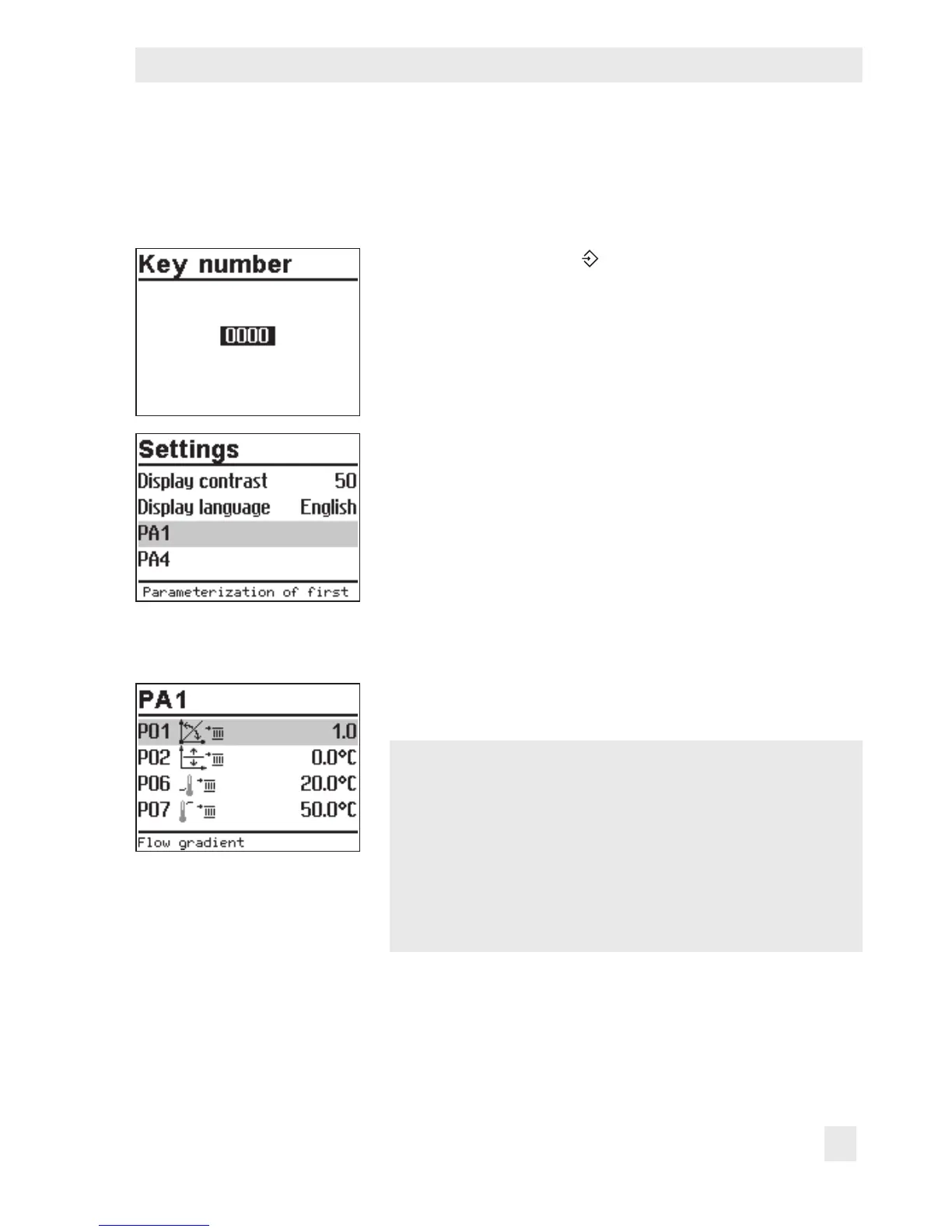
Turn the rotary switch to (settings).
q Enter the currently valid key number.
¼ Conrm key number.
q Select the required parameter level:
– PA1: Heating circuit HC1
– PA2: Heating circuit HC2
– PA3: Not applicable
– PA4: DHW heating
– PA5: Not applicable
– PA6: Modbus communication
Î Only those parameter levels are available for selection
which can be controlled by the selected system.
¼ Open parameter level.
The rst parameter is selected (marked gray).
q Select parameter.
¼ Activate editing mode for the parameter.
The current setting is shown inverted on the display.
q Set the parameter.
¼ Conrm setting.
¼ Proceed in the same manner to change further parame-
ters.



 To Next Page