24 EB 5573-1 EN
Operation
The modications of the controller conguration and parameter settings described in this sec-
tion can only be performed after the valid key number has been entered.
The key number that is valid on the rst start-up can be found on page163. To avoid unau-
thorized use of the service key number, remove the page or make the key number unread-
able. In addition, it is possible to enter a new, customized key number (refer to section8.16).
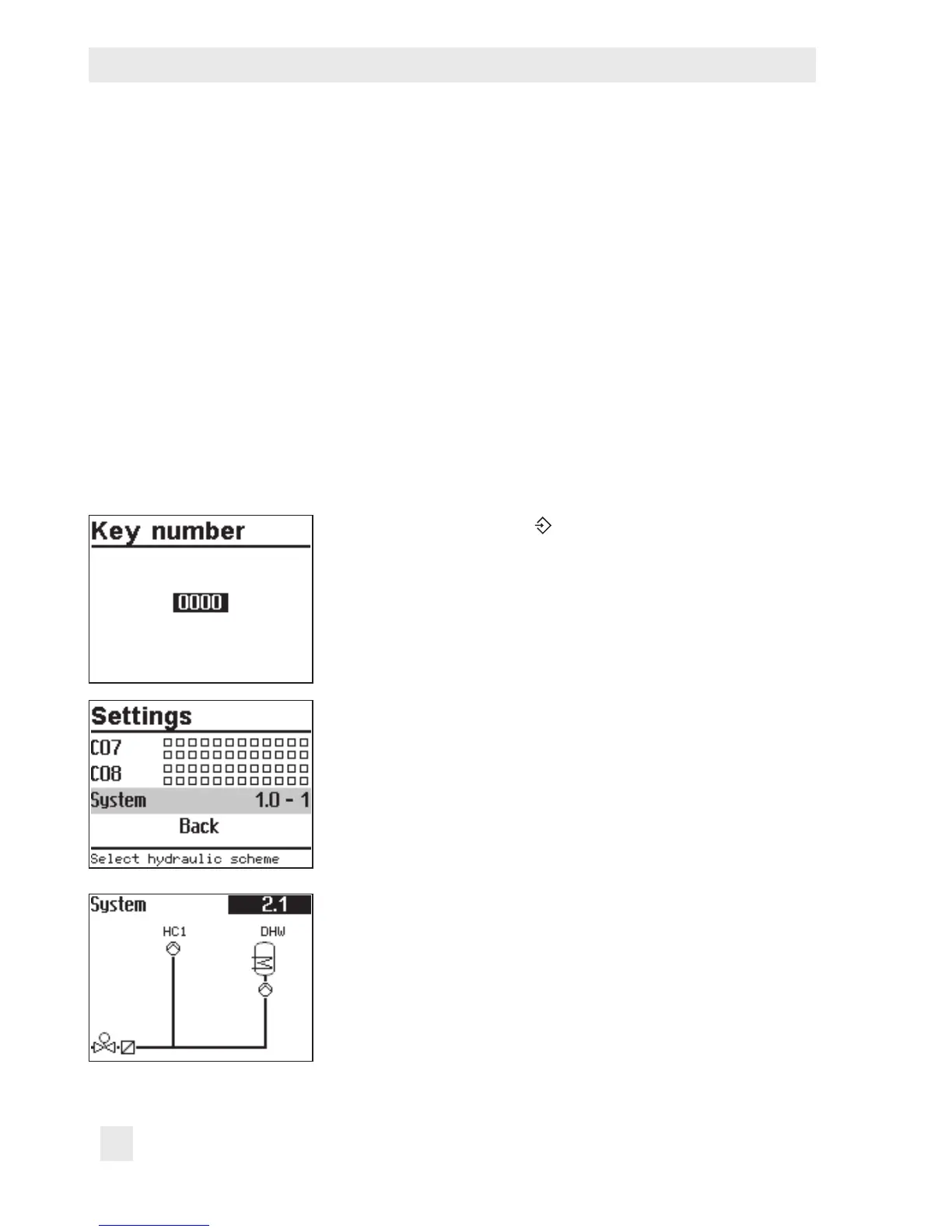
3.1 Setting the system code number
31 different hydraulic schematics are available. Each system conguration is represented by
a system code number. The different schematics are dealt with in section5. Available control-
ler functions are described in sections6, 7 and 8.
Changing the system code number resets previously adjusted function blocks to their default
settings (WE). Function block parameters and parameter level settings remain unchanged.
The system code number is set in the conguration and parameter level.
Turn the rotary switch to (settings).
q Enter the currently valid key number.
¼ Conrm key number.
q Select 'System'.
¼ Open 'System'.
q Select the required system.



 To Next Page