EB 5573-1 EN 13
Operation
2.4 Setting the time and date
The current time and date need to be set immediately after start-up and after a power failure
lasting more than 24 hours. This is the case when the time blinks on the display.
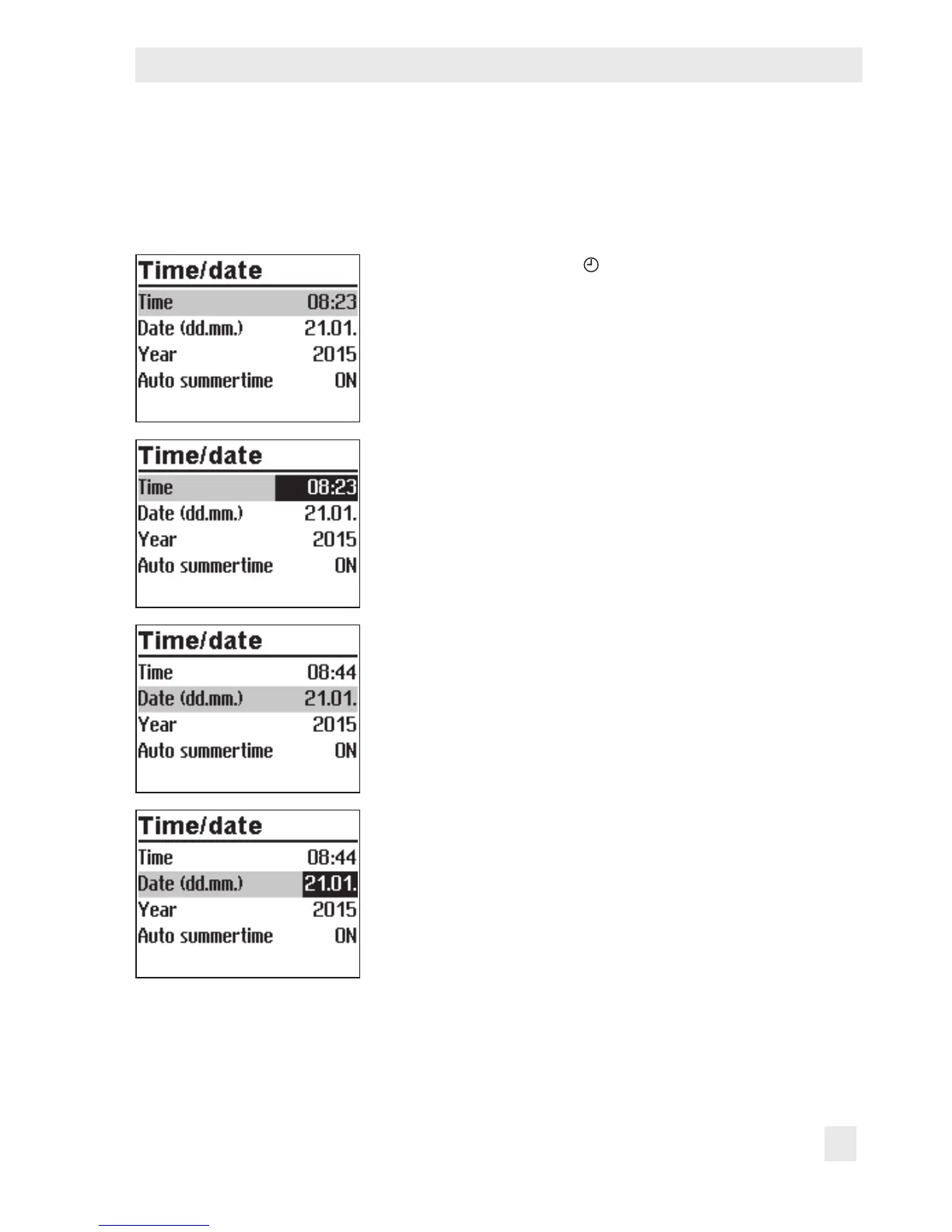
Turn the rotary switch to (time/date). The current time is
selected (gray background).
¼ Activate editing mode for the time. The time reading is
inverted.
q Change the time.
¼ Conrm the time setting.
q Select 'Date' (dd.mm) [q].
¼ Activate editing mode for the date. The date reading is
inverted.
q Change date (day.month).
¼ Conrm the date setting.



 To Next Page