EB 5573-1 EN 121
Communication
10.5 Memory module
The use of a memory module (order no. 1400-9379) is particularly useful to transfer all data
from one TROVIS5573 Controller to several other TROVIS5573 Controllers.
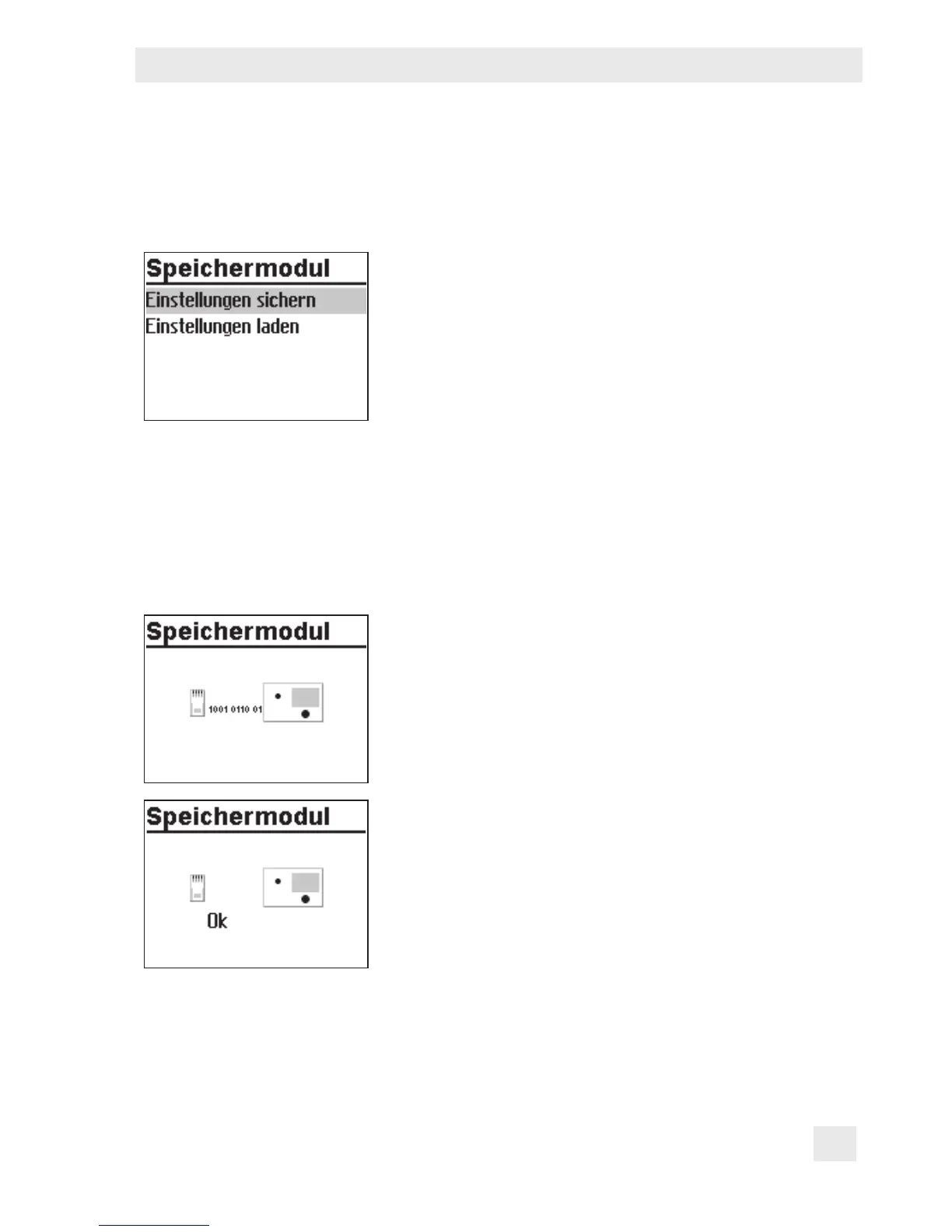
The memory module is plugged into the RJ-45 connector
socket located at the side of the controller. Once the mod-
ule has been connected, 'Save settings' appears on the
controller display. If the memory module already contains
data from a different TROVIS5573 Controller, turn the ro-
tary pushbutton until 'Load settings' is displayed.
− Pressing the rotary pushbutton to conrm 'Save set-
tings' causes the controller settings to be transferred to
the memory module.
− Pressing the rotary pushbutton to conrm 'Load set-
tings' causes the controller settings to be transferred
from the memory module.
During data transfer, the zeros and ones run across the
display. When the transfer was successful, 'OK' is dis-
played. After that, the connection between controller and
memory module can be terminated.
Using TROVIS-VIEW (order no. 6661-1014), it is possible to congure all controller settings
on a convenient user interface at the computer and to document these settings.



 To Next Page