EB 5573-1 EN 29
Operation
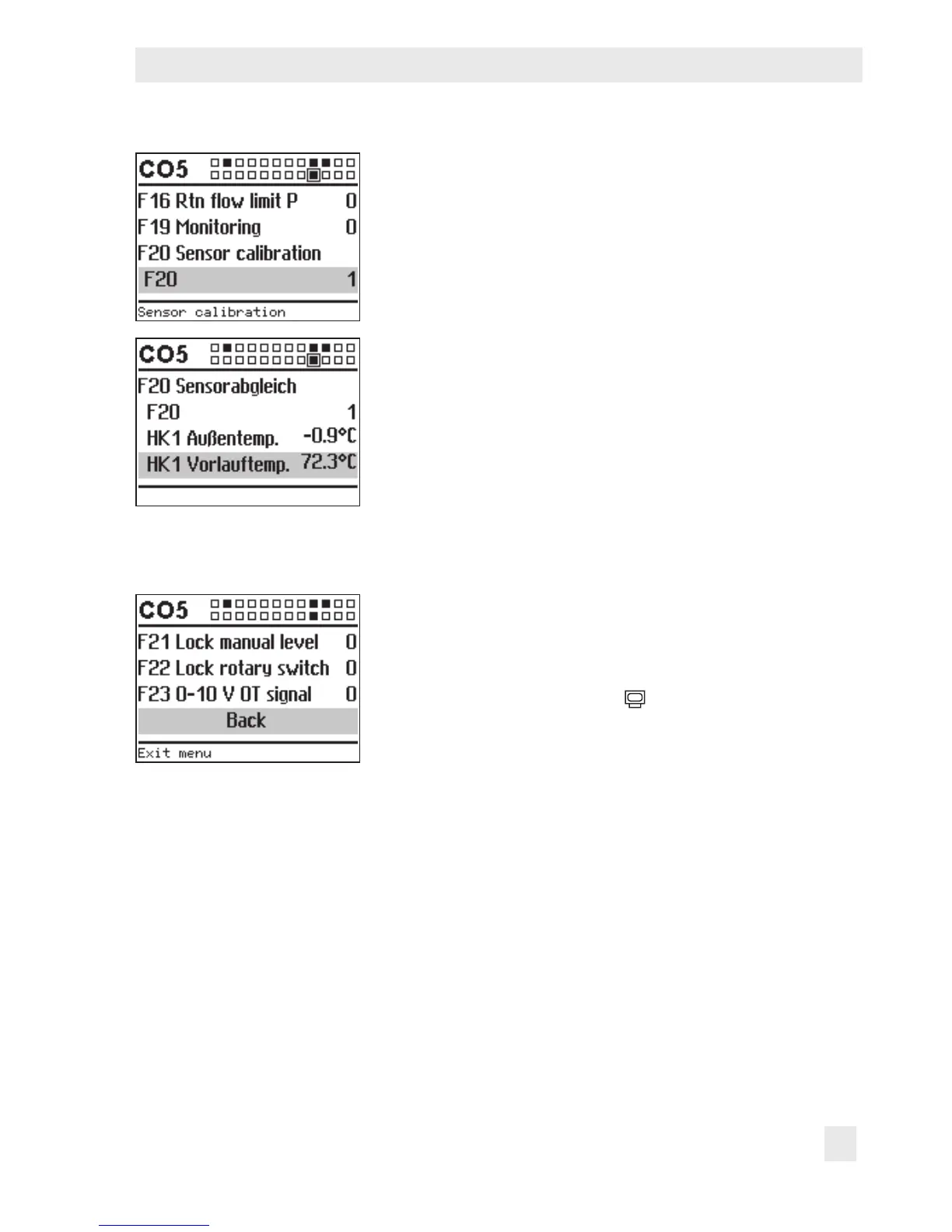
q Select F20 conguration.
¼ Activate editing mode for conguration.
The currently active conguration '0' or '1' is shown in-
verted on the display.
q Activate function block ('1').
¼ Conrm activation.
¼ Select the temperature that you want to calibrate.
¼ Open calibration.
The temperature is shown inverted on the display.
¼ Correct measured value.
Read the actual temperature directly from the thermome-
ter at the point of measurement and enter this value as
the reference temperature.
¼ Conrm corrected measured value.
¼ Proceed in the same manner to calibrate further sensors.
Exit conguration level:
q Select 'Back'.
q Exit conguration level.
Turn the rotary switch back to
(operating level).



 To Next Page