Photo Mode
Capturing..............................................................................................................53
Capturing Images ............................................................................................53
Zooming In and Out.........................................................................................54
Viewing .................................................................................................................55
Viewing Photo files on the LCD Monitor .........................................................55
Viewing Multiple Photo Files / Enlarging a Photo File....................................56
Cropping an Enlarged Photo File....................................................................57
Setting the Capturing Options...........................................................................58
Using the Shortcut Buttons..............................................................................58
Using the Scene Modes ..................................................................................60
Setting the Photo Size.....................................................................................61
Setting the Photo Quality.................................................................................62
Setting the Metering Method ...........................................................................63
Setting the Self Timer ......................................................................................64
Setting the Multi Shot ......................................................................................65
Setting Digital Effects.......................................................................................66
Adjusting the Exposure – Exposure Compensation .......................................67
Setting the ISO Speed (Sensitivity).................................................................68
Setting the White Balance...............................................................................69
Setting the Macro Mode ..................................................................................70
Setting the Flash..............................................................................................71
Setting the Sharpness .....................................................................................73
Setting the Focus Method ...............................................................................74
Setting the Anti-Shake Function (Image Stabilisation) ...................................75
Setting the Digital Zoom ..................................................................................76
Setting the Imprint Option................................................................................77
Setting the Viewing Options ..............................................................................78
Using the Shortcut Buttons..............................................................................78
Deleting Photo Files ........................................................................................82
Protecting Photo Files .....................................................................................83
Rotating a Photo File.......................................................................................84
Resizing Photos ..............................................................................................85
Setting the Slideshow ......................................................................................86
Setting the DPOF (Digital Print Order Format) Function................................87
Copying Photo Files ........................................................................................88
◆ Save important data / recordings separately on other media, to avoid accidental
loss due to a system failure or other reasons.
2
2
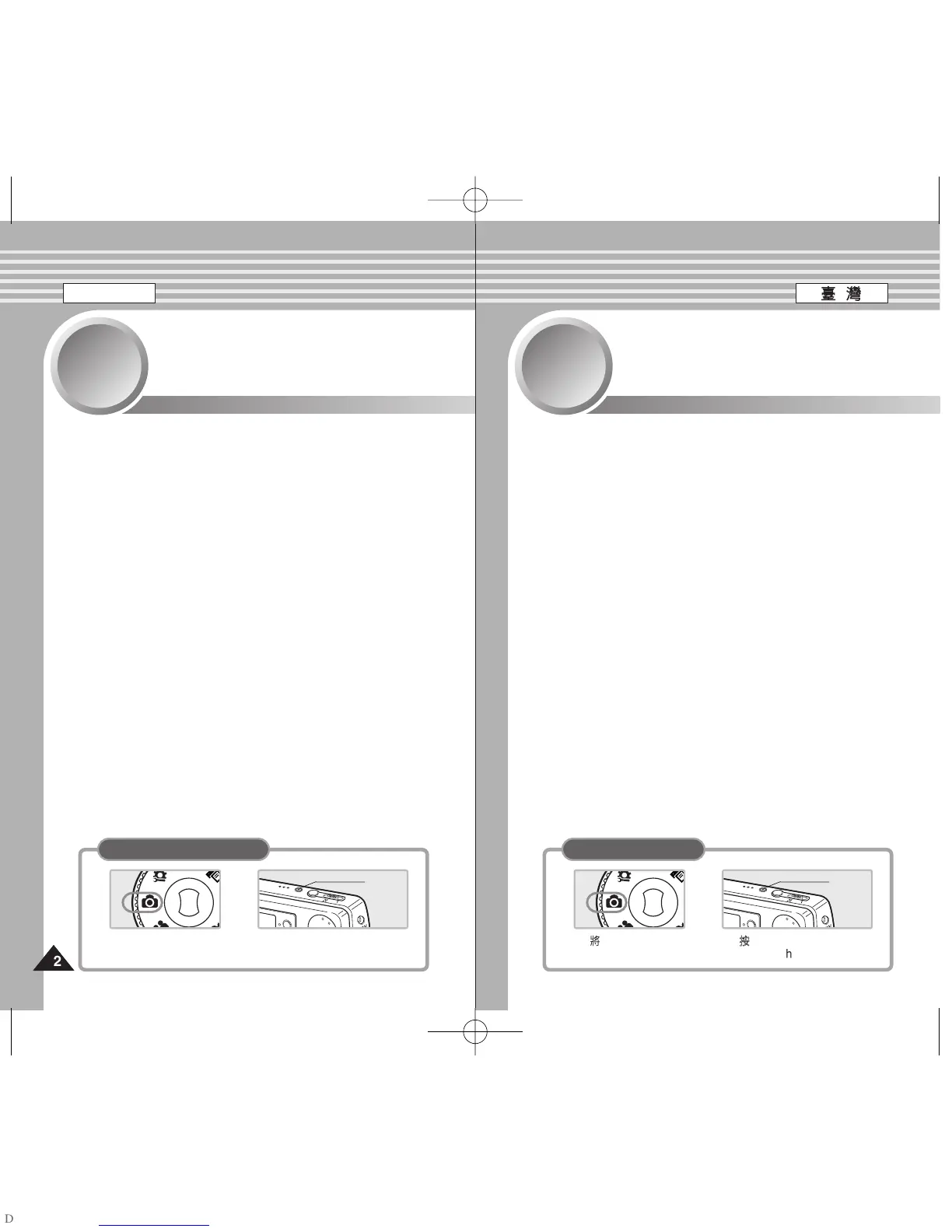
1. Turn the Mode Dial to
Photo mode.
2. Press the [POWER] button
to turn on the Miniket Photo.
Power
Button
How to set to Photo mode
PPhhoottoo 模模式式
拍拍攝攝
.......................................................................................................................53
拍攝影像
..........................................................................................................53
放大和縮小
......................................................................................................54
檢檢視視
.......................................................................................................................55
在 LCD 顯示器上檢視相片圭案
...................................................................55
檢視多個相片圭案/放大相片圭案
.................................................................56
複製放大的相片圭案
......................................................................................57
設設定定拍拍攝攝選選項項
........................................................................................................58
使用捷徑按瞿
..................................................................................................58
使用場景模式
..................................................................................................60
設定相片大小
..................................................................................................61
設定相片品質
..................................................................................................62
設定測光方法
..................................................................................................63
設定自拍計時器
..............................................................................................64
設定連拍
..........................................................................................................65
設定數位效果
..................................................................................................66
調整曝光 - 曝光補償
.....................................................................................67
設定 ISO 速度(感光度)
................................................................................68
設定白平衡
......................................................................................................69
設定微距模式
..................................................................................................70
設定閃光燈
......................................................................................................71
設定淸劉度
......................................................................................................73
設定對焦方法
..................................................................................................74
設定防震功能(影像穩定器)
..........................................................................75
設定數位縮放
..................................................................................................76
設定壓印選項
..................................................................................................77
設設定定檢檢視視選選項項
........................................................................................................78
使用捷徑按瞿
..................................................................................................78
刪除相片圭案
..................................................................................................82
保護相片圭案
..................................................................................................83
旋轉相片圭案
..................................................................................................84
調整相片大小
..................................................................................................85
設定幻燈片放映
..............................................................................................86
設定 DPOF(數位列印順序格式)功能
..........................................................87
複製相片圭案
..................................................................................................88
◆ 在其他媒體上個別儲存重要資料/錄製內容,以避免由於系統故障或其他原因導致
資料意外遺失0
2
2





 To Next Page