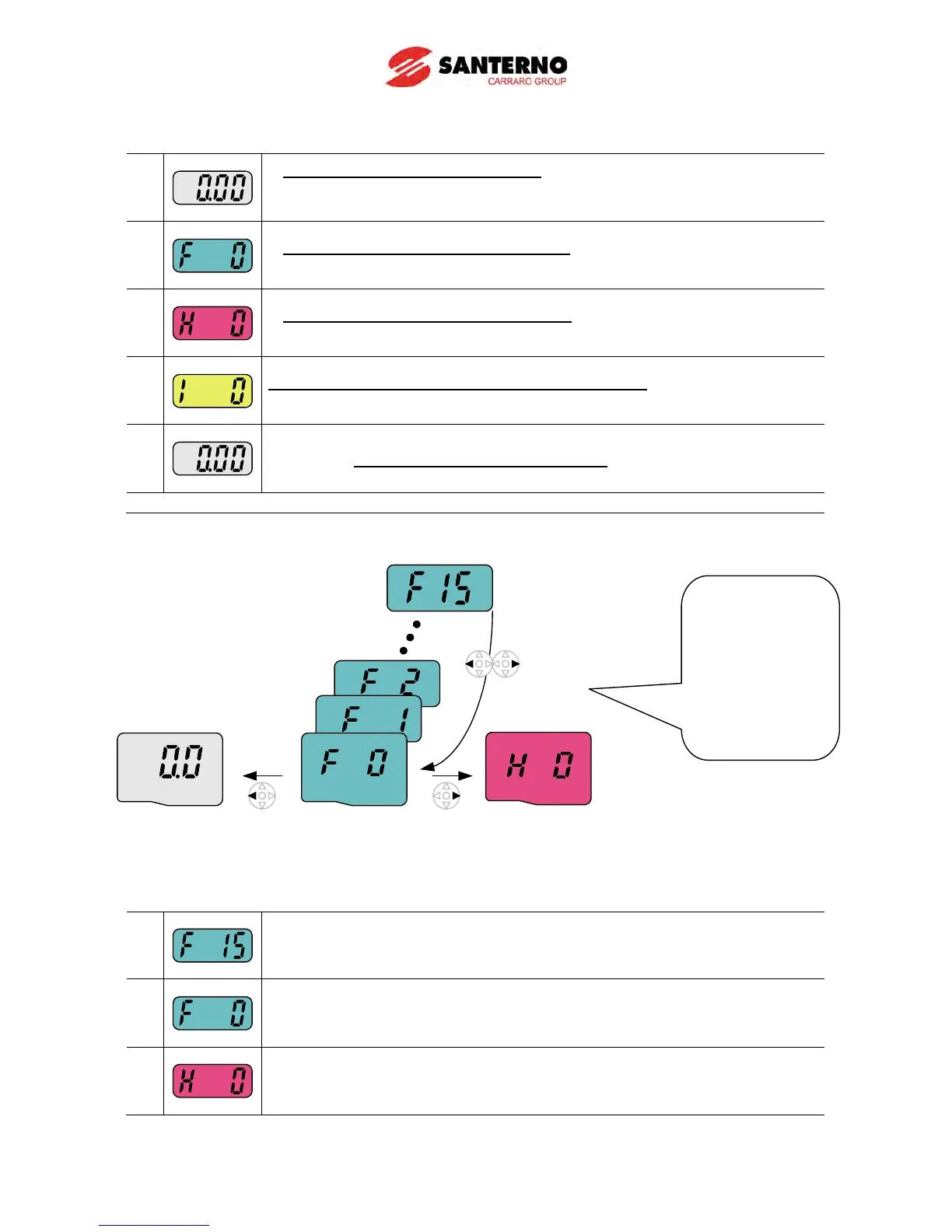
How to move to other groups at the 1st code of each group
1
-. The 1
st
code in Drive group “0.00” will be displayed when AC input
power is applied.
-. Press the right arrow () key once to go to Function group 1.
2
-. The 1
st
code in Function group 1 “F0” will be displayed.
-. Press the right arrow () key once to go to Function group 2.
3
-. The 1
st
code in Function group 2 “H0” will be displayed.
-. Press the right arrow () key once to go to I/O group.
4
-. The 1st code in I/O group “I0” will be displayed.
-. Press the right arrow () key once again to return to Drive group.
5
-. Return to the 1
st
code in Drive group “0.00”.
♣
How to move to other groups from any codes other than the 1
st
code
To move from the F15 to function group 2
1
-. In F15, press the Left () or Right arrow () key. Pressing the key goes to
the first code of the group.
2
-. The 1
st
code in function group 1 “F0” is displayed.
-. Press the right arrow () key.
3
-. The 1
st
code in function group 2 “H0” will be displayed.
Pressing left or
right arrow key in
any code will
return to first
code of each
group.



 To Next Page