EasyManua.ls Logo

Santerno Sinus M - 5.6 Monitoring of operation status; Output current display

Santerno Sinus M
219 pages
Print Icon
To Next Page IconTo Next Page
To Previous Page IconTo Previous Page
Loading...
5-10
5.6 Monitoring of operation status
Output current display
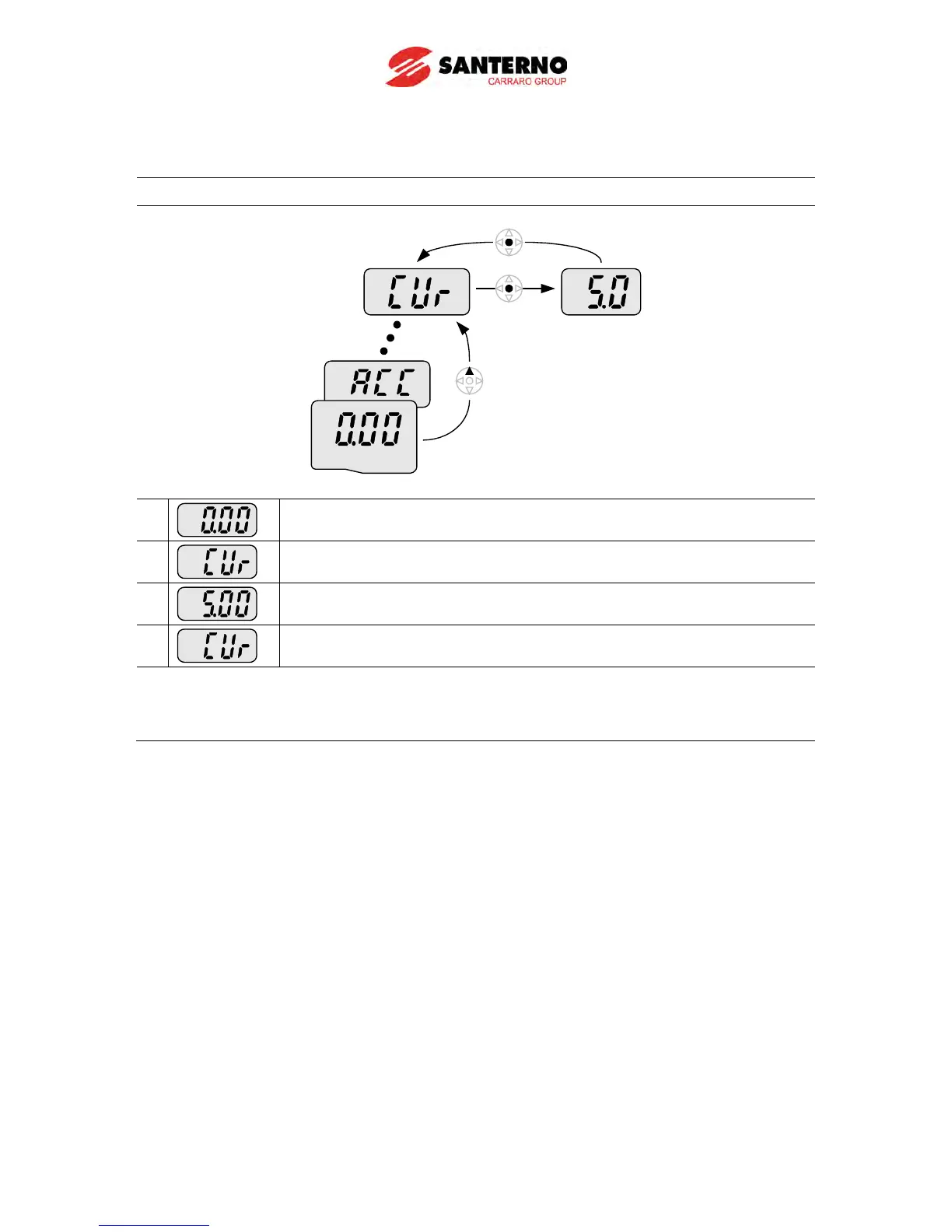
Monitoring output current in Drive group
Drive group
1
-. In [0.0], continue pressing the Up (
) or Down (
) key until [CUr] is
displayed.
2
-. Monitoring output current is provided in this parameter.
-. Press the Enter (
) key once to check the current.
3
-. Present output current is 5 A.
-. Press the Enter (
) key once to return to the parameter name.
4
-. Return to the output current monitoring code.
Other parameters in Drive group such as dCL (Inverter DC link voltage) or vOL (Inverter
output voltage) can be monitored with the same method.

Table of Contents

Other manuals for Santerno Sinus M