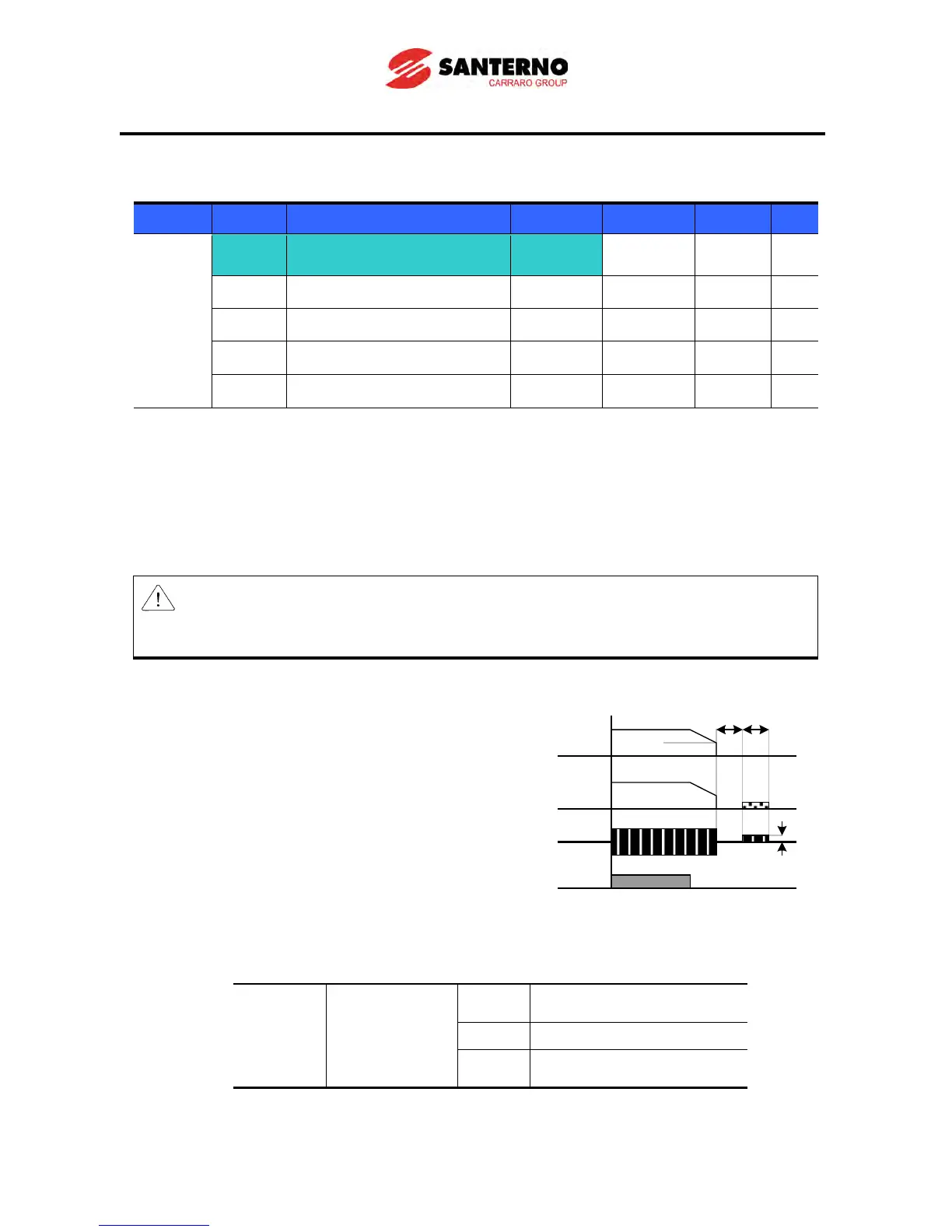
F4 [Stop mode select] 1
0 ~ 2 0
F8 [DC Brake start frequency] - 0.1 ~ 60 5.00 Hz
F9 [DC Brake wait time] - 0 ~ 60 0.1 sec
F10 [DC Brake current] - 0 ~ 200 50 %
F11 [DC Brake time] - 0 ~ 60 1.0 sec
Set F4 - [Stop mode select] to 1.
F8: The frequency at which the DC brake will become active.
F9: Inverter output will wait for this time set in F8 - [DC Brake start frequency] before
applying F10 - [DC Brake current].
F10: Set this value as a percent of H33 – [Motor rated current].
F11: It sets the time for F10 - [DC Brake current] to be applied to the motor.
Caution:
If excessive DC Brake current is set or DC Brake time is set too long, this may cause motor
overheating and the motor may be damaged.
Setting F10 or F11 to 0 will disable DC brake.
F9 – [DC Brake Wait time]: When load inertia is large or
F8 – [DC Brake Start Frequency] is too high, over current
trip may occur. It can be prevented increasing the value of
F9.
In case of DC brake at high load inertia and frequency, change the DC brake controller gain according
to H37 set value.



 To Next Page