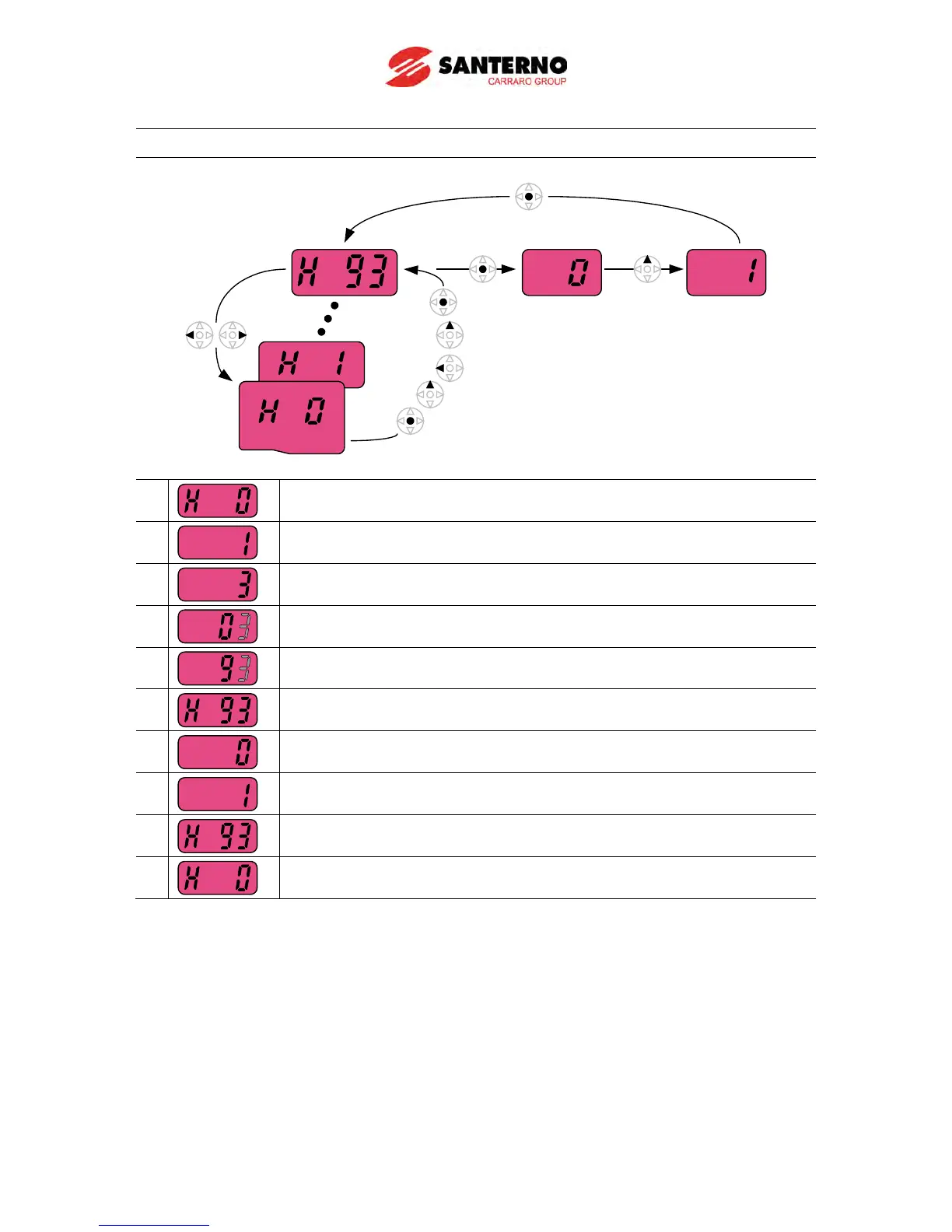
How to initialize parameters of all four groups in H93
-. In H0, press the Enter () key once.
2
-. Code number of H0 is displayed.
-. Increase the value to 3 by pressing the Up (
-. In 3, press the Left () key once to move the cursor to the left.
4
-. 03 is displayed. 0 in 03 is active.
-. Increase the value to 9 by pressing the Up (
-. 93 is set.
-. Press the Enter (
-. The parameter number is displayed.
-. Press the Enter (
-. Present setting is 0.
-. Press the Up (
) key once to set to 1 to activate parameter initialize.
-. Press the Enter () key twice.
9
-. Parameter initialize is complete.
-. Press either the Left (



 To Next Page