3-8
MACHINE CONTROLS
SY95C Excavator OMM
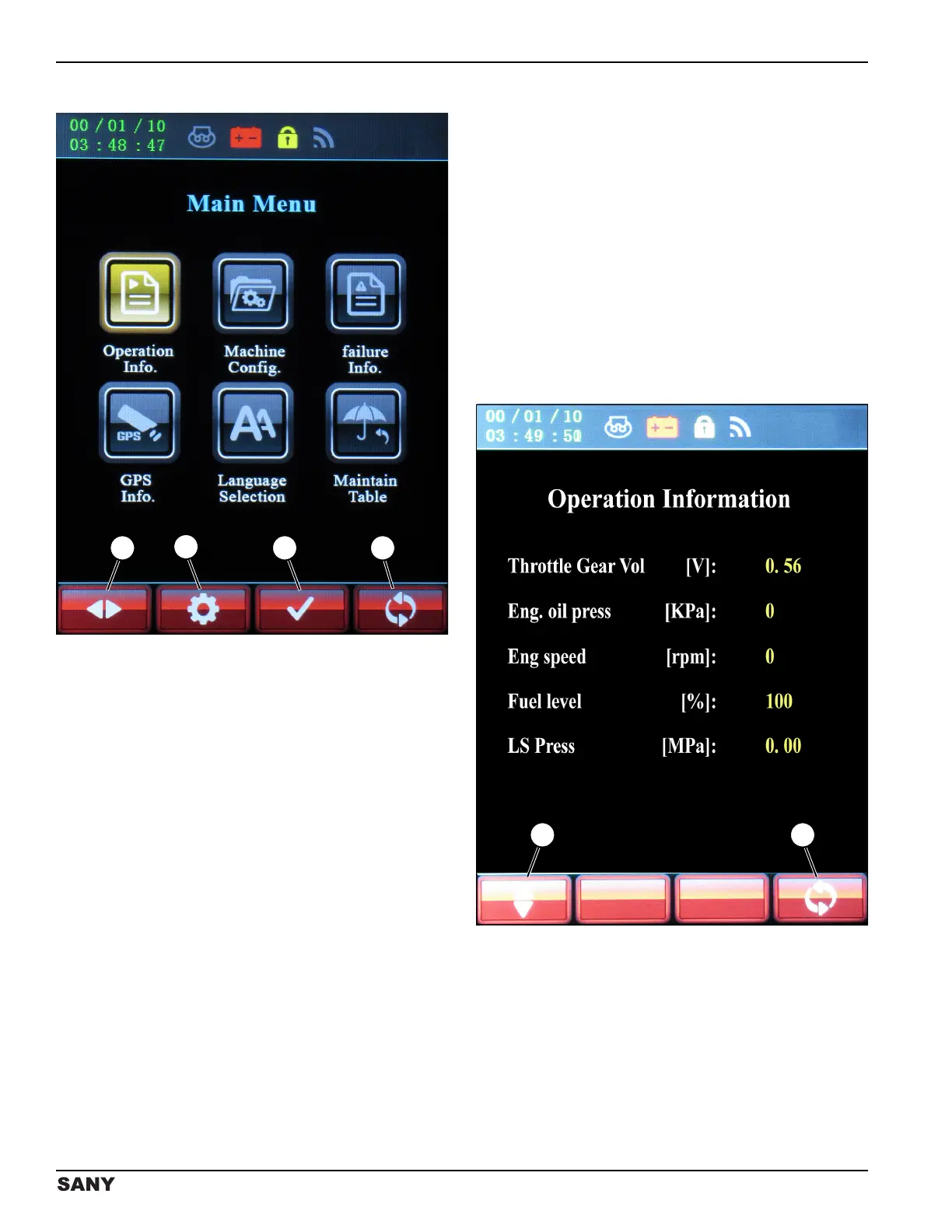
Main Menu Screen
0003810
Figure 3-8
The Main Menu screen is accessed after entering the
password on the System Information screen. See
“System Information Screen” on page 3-7.
The Main Menu screen displays the main signals to and
from the system controller, including real-time running
information, machine configuration, detailed failure
information, available languages, and maintenance
information. The Main Menu options include:
• Operation Information – Displays real-time engine
operating values, fuel level, and load sense
pressure with the engine running.
• Machine Configuration – Displays basic information
of the machine.
• Failure Information – Displays detailed failure codes
recorded by the machine.
• Global Positioning System (GPS) Information – Not
used at this time in North America.
• Language Selection – Select the language that
displays information on all display screens.
• Maintain Table – Displays when the machine is due
for maintenance. If maintenance is not due, the
Maintain Table screen will not open. The Maintain
Table screen is also used to reset the service timer.
• Press the button below the left/right arrow icon (1) to
scroll to and illuminate the selected icon.
• Press the button below the gear icon (2) to display
the System Setup screen, which is password-
protected for use by SANY only.
• Press the button below the check mark icon (3) to
access an active machine function display.
• Press the button below the return icon (4) to return
to the previous screen.
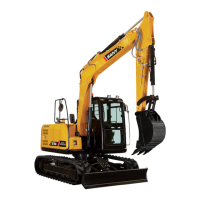
Operation Information Screen
0003084
Figure 3-9
The Operation Information screen displays real-time
engine operating values, fuel level, and load sense (LS)
pressure with the engine running:
• Press the button below the up/down arrow icon (1)
to scroll to the next active machine function page.
• Press the button below the return icon (2) to return
to the Main Menu screen.



 To Next Page