MACHINE OPERATION
4-17SY95C Excavator OMM
Standard Travel Direction
0003664
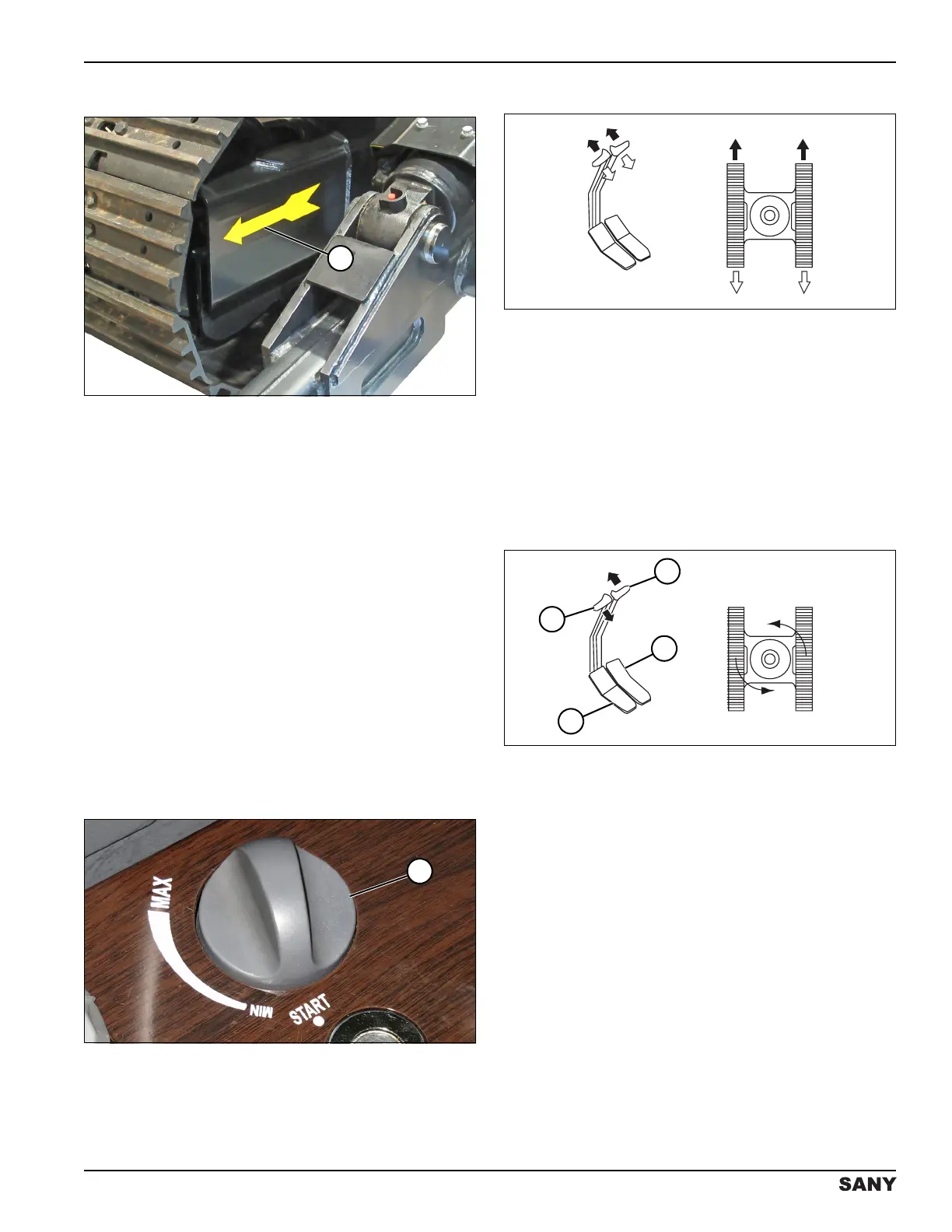
Figure 4-28
The directional arrow (1) on the inside of each track
frame indicates forward movement of the machine.
Check these arrows before using the travel control
levers/pedals. The track drive sprocket is at the rear of
the track frame. If the track frame is facing backward, the
travel direction will be opposite the maneuvering direction
of the travel control lever/pedal.
This means the machine will move forward when you pull
the control levers backward and backward when you
push the control levers forward. Left and right control
directions are also reversed when the track frame faces
backward.
Travel Control
Stop the machine for 5 minutes after every 15
minutes of traveling. Prolonged traveling may
strain the travel motors.
0002757
Figure 4-29
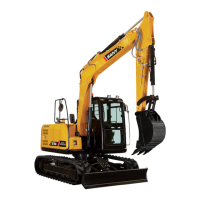
Adjust the throttle control dial (1) to MAX (high idle).
Forward Travel
0002828
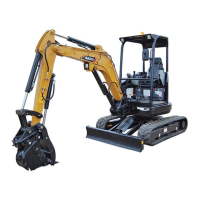
Figure 4-30
Push both travel control levers equally or press the top of
both foot pedals equally to move the machine forward.
Backward Travel
Pull both travel control levers equally or press the bottom
of both foot pedals equally to move the machine
backwards.
Spot Turning
To the Left
0002831
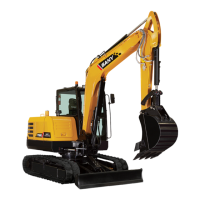
Figure 4-31
Simultaneously push the right travel control lever (1) or
press the top of the right foot pedal (2) and pull the left
travel control lever (4) or press the bottom of the left foot
pedal (3) to rotate the machine to the left.
To the Right
Simultaneously push the left travel control lever (1) or
press the top of the left foot pedal (2) and pull the right
travel control lever (4) or press the bottom of the right foot
pedal (3) to rotate the machine to the right.



 To Next Page