3-30
MACHINE CONTROLS
SY95C Excavator OMM
Radio
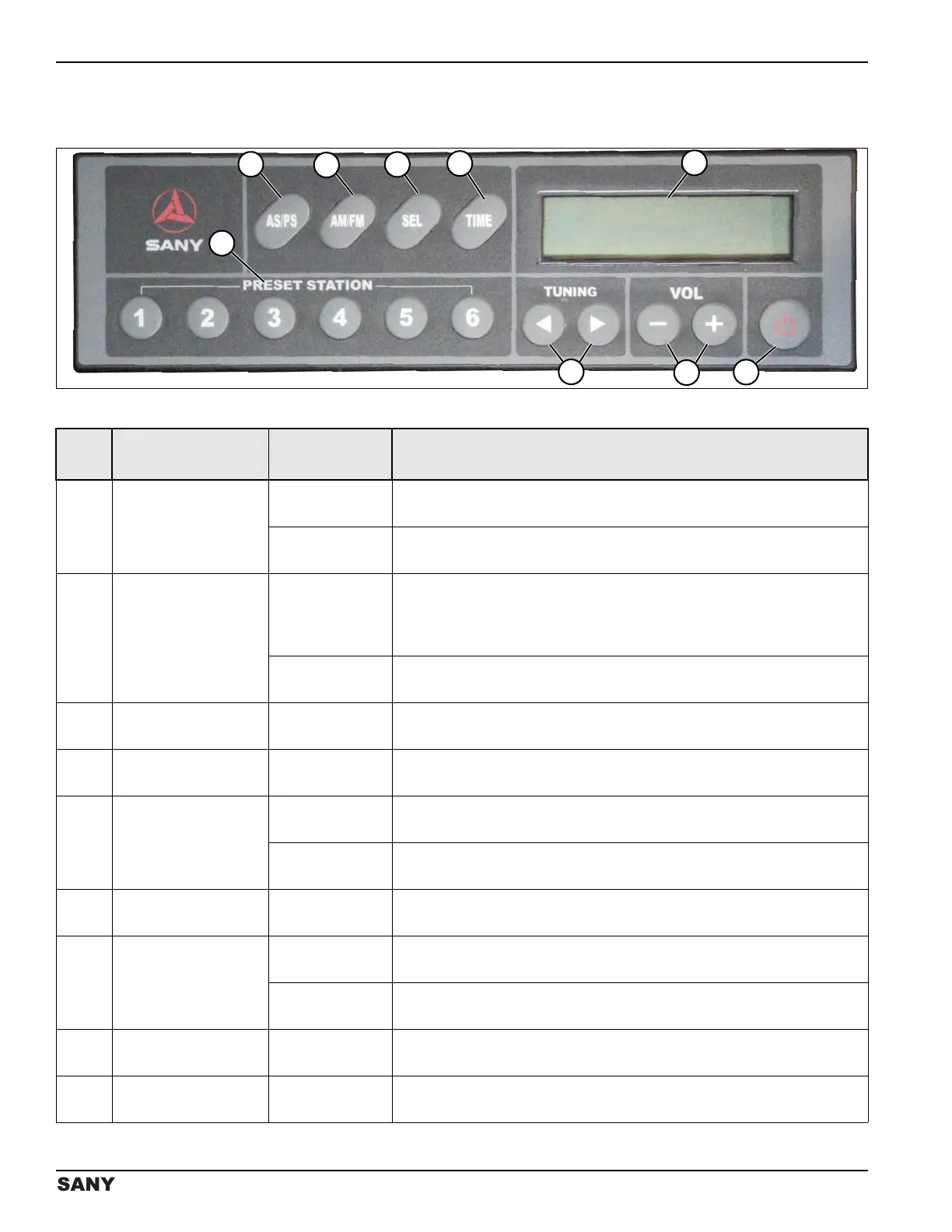
Radio Control Panel
0002860
Figure 3-59
Item Button or Display Operation Function
1 PRESET STATION
Press and
release.
Plays the station stored at each button.
Press and
hold.
Stores the selected radio station. See “Presetting Radio Stations” on
page 3-31.
2
AS/PS
(Automatic Scan)
(Preset Stations)
Press and
release.
Begins the auto scan feature where each preset station will play for 10
seconds with the currently playing station frequency blinking on the
display. Press the AS/PS button once more to remain on the current
station.
Press and hold
(2 seconds).
Scans for radio stations. See “Searching Radio Stations” on page 3-31.
3AM/FM
Press and
release.
Selects the desired frequency band (AM or FM).
4SEL (Select)
Press and
release.
Adjusts the BAS/TRE/BAL functions. See “Sound Mode Adjustment” on
page 3-32.
5TIME
Press and
release.
Displays the current time for 5 seconds.
Press and hold
(2 seconds).
Allows setting of the current time. See “Time Adjustment” on page 3-32.
6
Liquid Crystal
Display (LCD)
Displays radio station frequencies and time.
7Power
Press and
release.
Turns the radio on. (The volume is muted when the radio is on).
Press and
hold.
Turns the radio off.
8
VOL (Volume)
(- / +)
Press and
release.
Adjusts the volume.
9TUNING
Press and
release.
Press to tune to the next radio station.



 To Next Page