MACHINE CONTROLS
3-11SY95C Excavator OMM
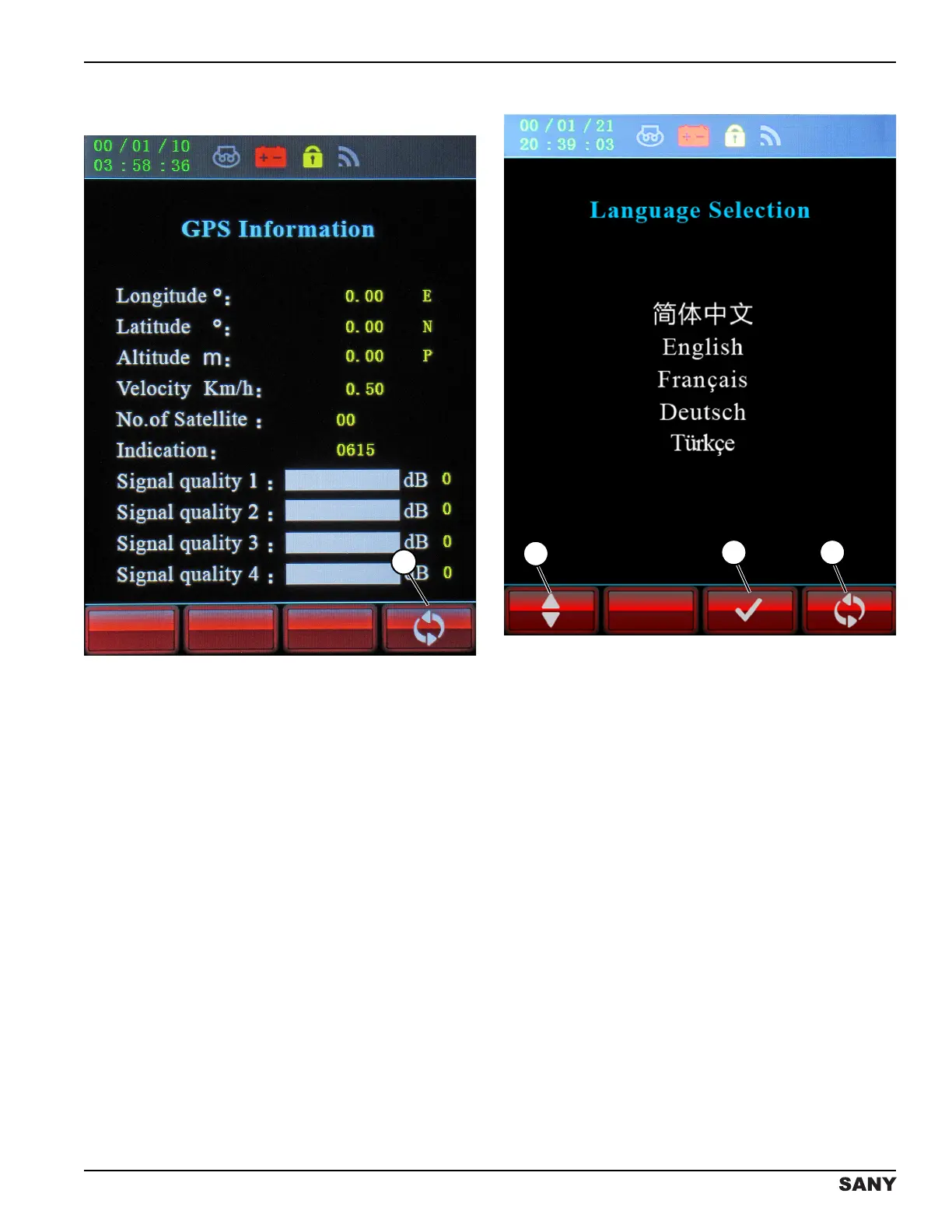
Global Positioning System (GPS)
Information Screen
0003821
Figure 3-14
NOTE: Global Positioning System (GPS) is not used at
this time in North America.
Press the button below the return icon (1) to return to the
previous screen.
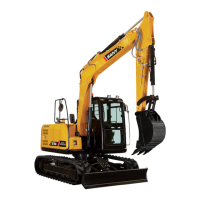
Language Selection Screen
0003820
Figure 3-15
Accessed through the Main Menu screen, the Language
Selection screen allows selection of the language that
will display on all screens.
To change the language setting:
• Press the button below the up/down arrow icon (1)
to select the desired language.
• Press the button below the check mark icon (2) to
confirm the selected language.
• Press the button below the return icon (3) to return
to the previous screen.



 To Next Page