4-18
MACHINE OPERATION
SY95C Excavator OMM
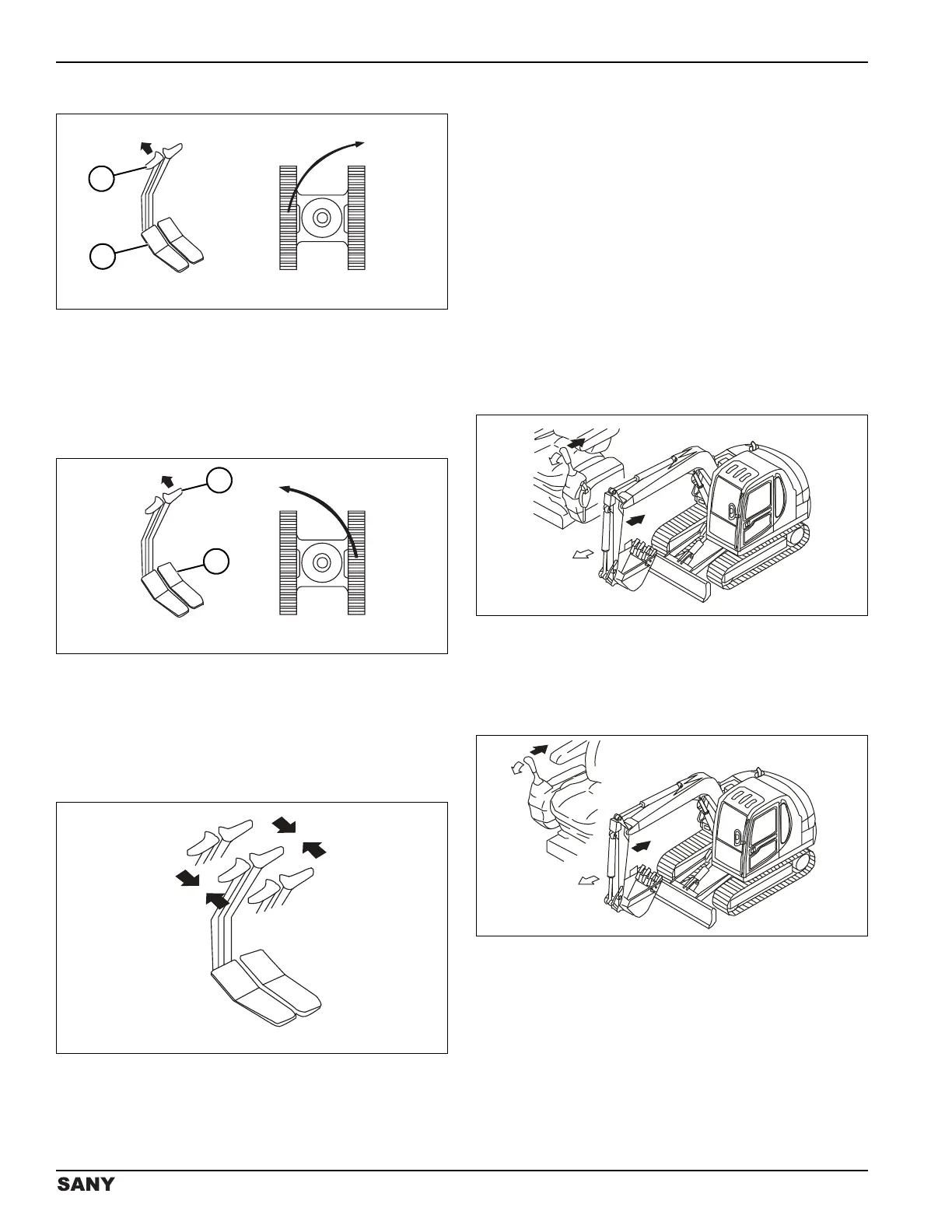
Right Turn
0002829
Figure 4-32
Push the left travel control lever (1) or press the top of the
left foot pedal (2) with the right travel control lever and
foot pedal in the neutral position to turn the machine to
the right.
Left Turn
0002830
Figure 4-33
Push the right travel control lever (1) or press the top of
the right foot pedal (2) with the left travel control lever and
foot pedal in the neutral position to turn the machine to
the left.
Stopping the Machine
0002832
Figure 4-34
Do not stop the machine suddenly, except in an
emergency. Failure to follow this notice could
result in machine damage.
The joysticks will return to the neutral position when
released, and the work equipment will hold its position.
Slowly move the travel control levers/pedals to the
neutral (N) position. The travel brake will stop and hold
the machine automatically.
Work Equipment Control and
Operation
Arm Control – SAE Mode
0003894
Figure 4-35
To extend the arm push the left joystick.
To retract the arm pull the left joystick.
Arm Control – BHL Mode
0003893
Figure 4-36
To extend the arm push the right joystick.
To retract the arm pull the right joystick.



 To Next Page