Translation of Original Operating Instructions
Airport Sweeper / Airport Stand Cleaner
2017-02-02 81
8.5.14 Putting the blower unit into
operation
DANGER
Being knocked over or injured due to thrown
objects as a result of high air speeds of the
blowing equipment
► Stop working immediately if people enter
the danger areas of the blast nozzle
► Reduce the blower output or switch it off
when passing past persons, vehicles or other
loose objects.
TIP
Changing the blowing direction is only possible
if the blower is turned off and the blower output
has dropped to below the ¼ mark.
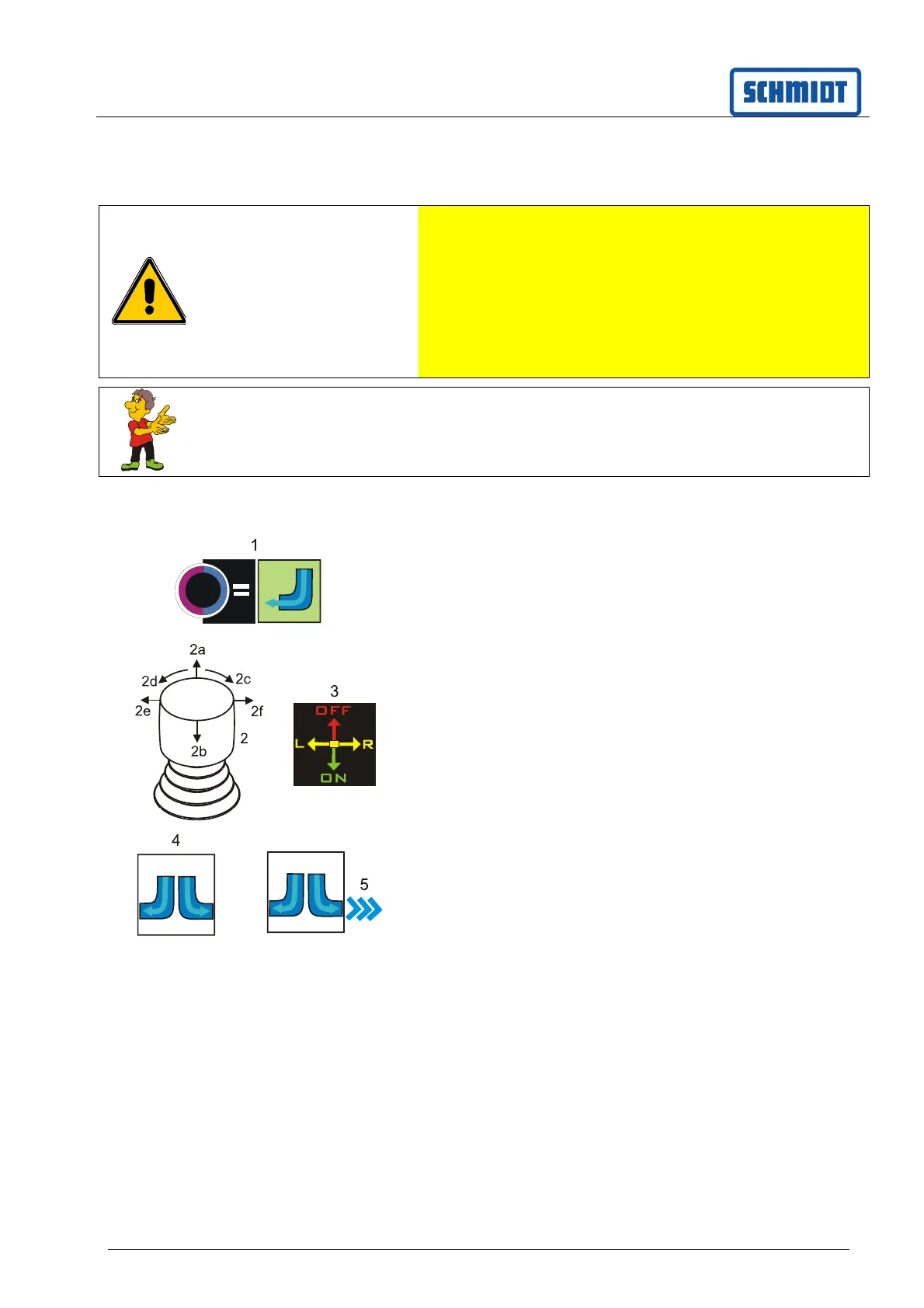
Button (1) is preselected or press.
The blower unit is preselected.
Symbol (4) appears on the display
Symbol (3) appears on the display.
The functions of the joystick (2) are displayed.
OFF Switch off blower unit
ON Switch off blower unit
L Left blowing direction
R Right blowing direction
Move joystick (2).
Direction (2b) Blowing equipment is lowered
and switched on
Set the blowing direction with the joystick (2).
Direction (2e) Left blowing direction
Direction (2f) Right blowing direction
Blowing direction is displayed with symbol (5).
The blower output (blower speed) can be
increased or reduced by turning the joystick (2)
in the direction (2c/2d).
Move joystick (2).
Direction (2a) Blowing equipment is switched
off and raised.



 To Next Page