Translation of Original Operating Instructions
Airport Sweeper / Airport Stand Cleaner
2017-02-02 89
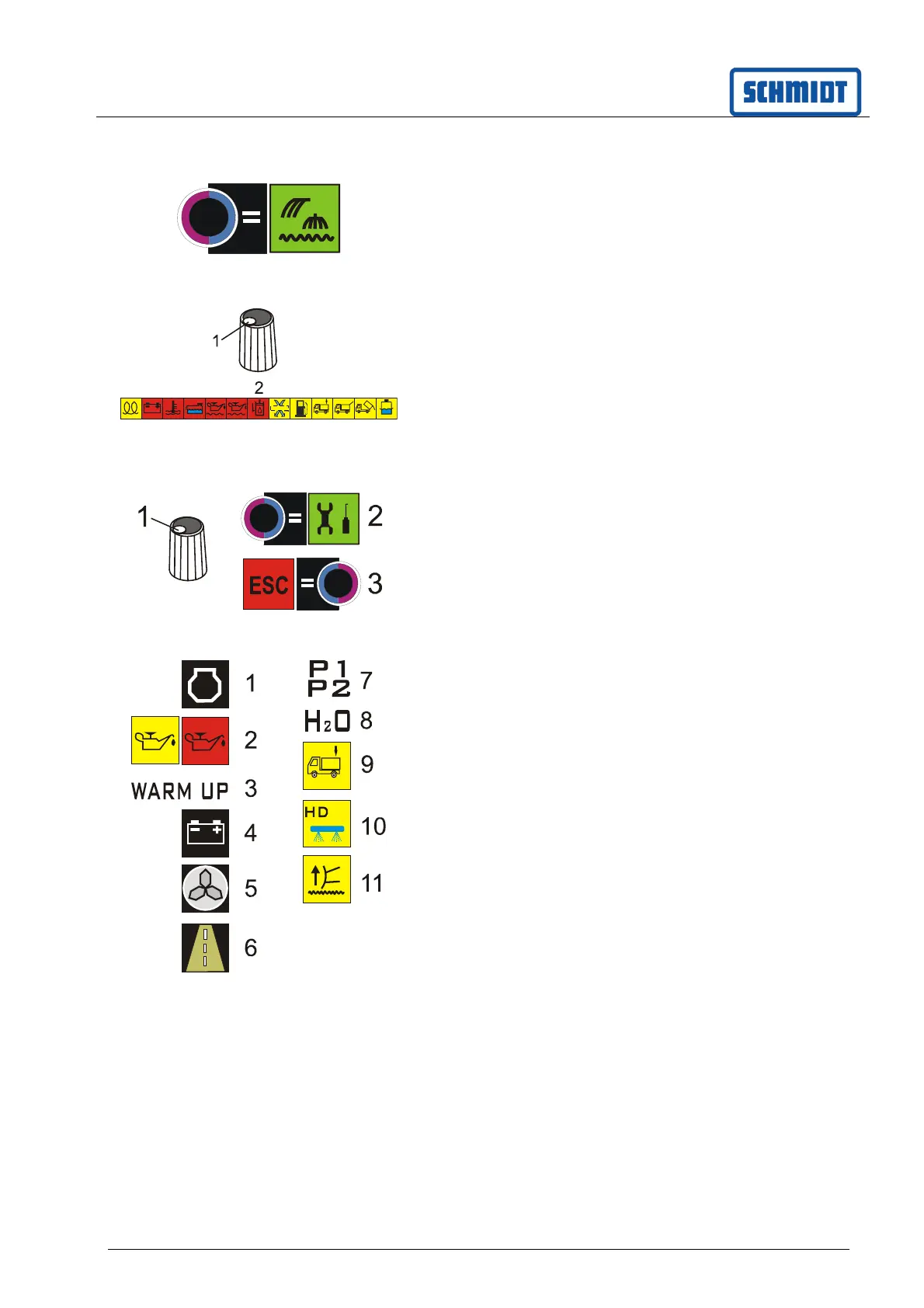
8.5.25 Debris rake
The button can be used to raise or lower the debris
rake. The symbol is illuminated in green.
8.5.26 Display warning symbols
Switch on the ignition of the auxiliary engine.
Do not start the engine
Press button (1) on the rotary knob for
6 seconds.
Warning symbol bar is displayed. Lights are
to be replaced if they fail.
8.5.27 Service menu for the driver
The driver can call up operating data using
the service menu. It is not possible to change
parameters.
Press button (1) on the rotary knob for
6 seconds.
Switch to the service menu with the (2) button
Leave the service menu with the (3) button.
The following data can be read off via the service
menu.
Auxiliary engine speed (1)
Engine oil pressure (2)
Warm running temperature (3)
Electrical system voltage (4)
Blower speed (5)
Transit speed (6)
Control pressure (7)
Fill level in percent (8)
Load display (9)
Water tank fill level (10).
If the value falls below 30%, a signal sounds.
The high-pressure water pump turns off.
Relief display of the front-mounted device in %
and mA (11)



 To Next Page