Translation of Original Operating Instructions
Airport Sweeper / Airport Stand Cleaner
2017-02-02 99
9.4.4 Disc brush, setting the contact
pressure
WARNING
Injury due to malfunctioning brush system
► Do not stand on the disc brushes or transport
people on them
WARNING
Snagging, winding up or puncturing caused
by moving brushes
► Stop working immediately if people enter
the danger area, and stop the machine
WARNING
Impacts due to raising, lowering and pivoting
the brush
► Stop working immediately if people enter
the danger area, and stop the machine
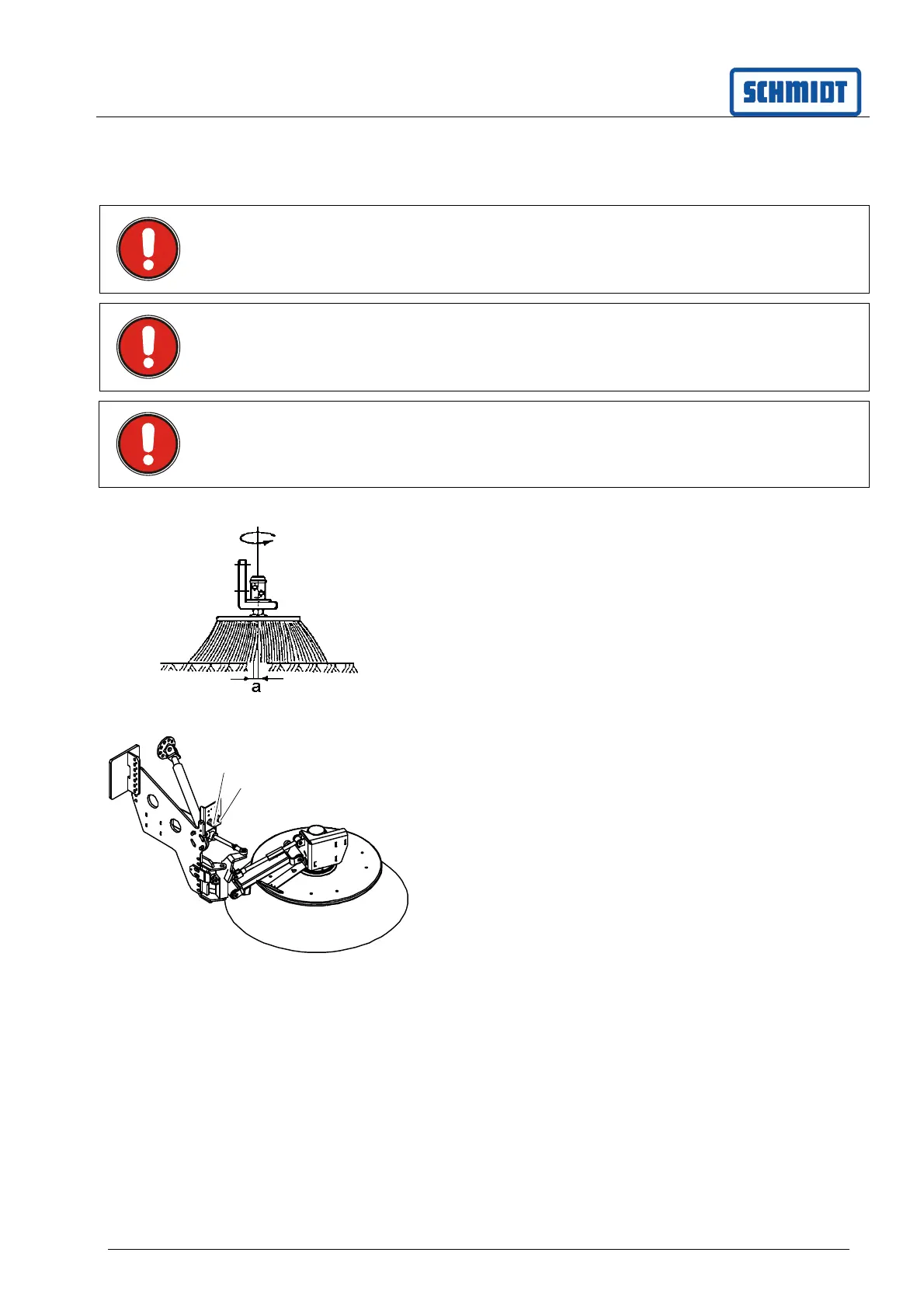
To check the adjustment optically, switch on the
disc brushes on the control panel and lower them.
As a reference guide, the following setting is
required for normal debris levels: As the brush turns,
the bristle ends, distance (a), should be bent or
trailing at a length of approx. 10 – 15 mm.
Adapting the setting
- Switch off the brushes
- Readjust the contact pressure using the pressure
control valve (1)
- Switch on the brushes and optically check the
setting
Repeat the procedure until the setting is correct.
The control valve (2) located next to it sets the
swivel pressure. When correctly set, the disc brush
should swivel inwards when it comes into contact
with the kerb.
Pull and turn the knob to set.
The contact pressure of the brushes can be
increased for dirt that is more difficult to remove.
However, this increases the wear on the bristles.
9.5 Axle load setting
The factory-set axle load can be adjusted through
the HGV suspension and should be checked
regularly.
Therefore have the axle load checked and set
by Aebi Schmidt Works Customer Service;
see Maintenance Schedule.
1
2



 To Next Page