Translation of Original Operating Instructions
Airport Sweeper / Airport Stand Cleaner
2017-02-02 96
9 Adjustment work
9.1 Set the display brightness
Switch on the ignition for the auxiliary engine.
Do not start the engine
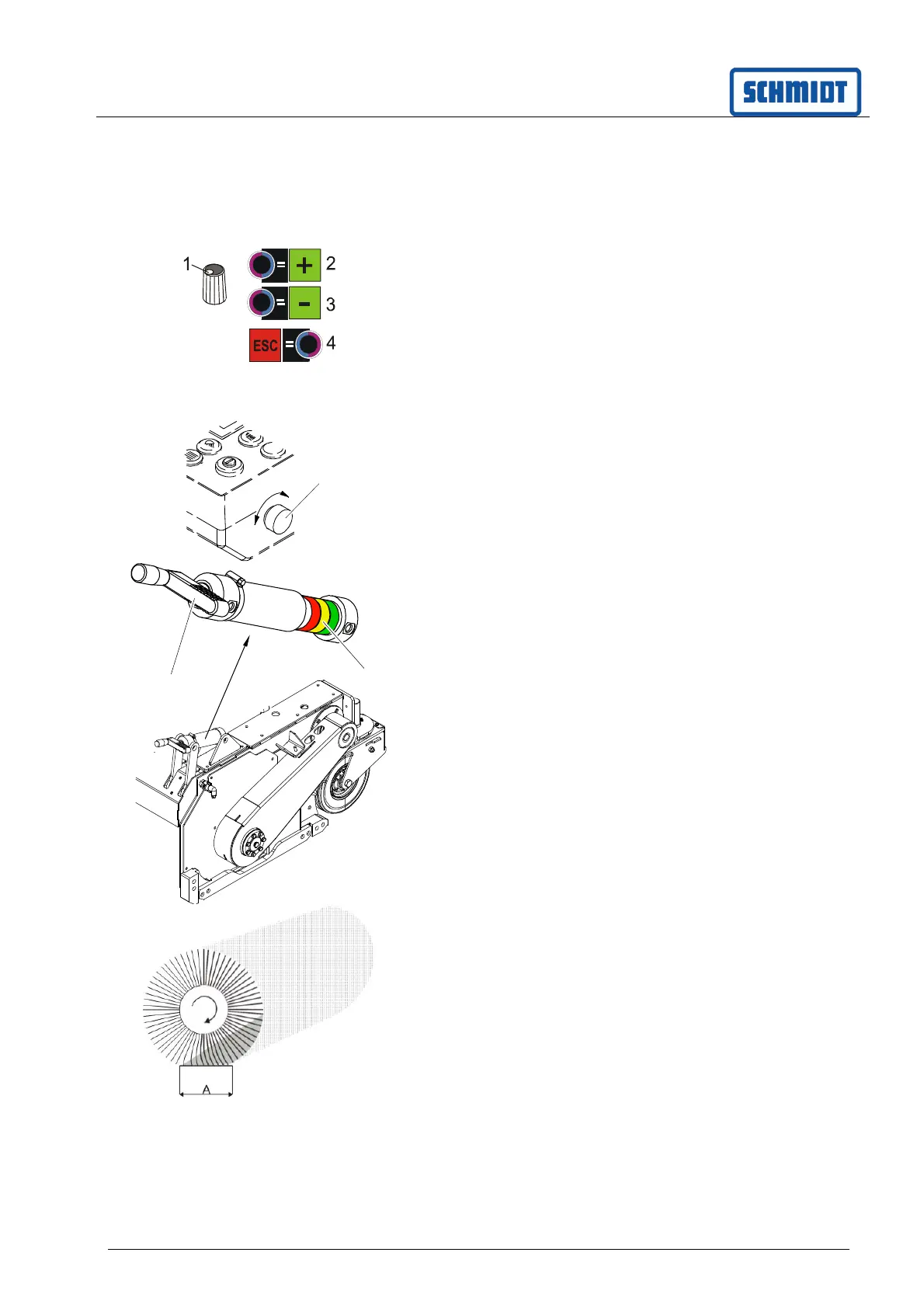
Press button (1) on the rotary knob for
6 seconds.
Set brightness from 1 to 7 with button (2/3).
Leave the setup menu with the (4) button.
9.2 Set search lighting
The brightness of the search lighting can be set
using the rotary knob (1).
9.3 Setting up and measuring the
sweep range of the cylindrical
brush
The optimum sweep range (distance A) is between
10 -30 mm (factory default setting). If the sweep
range is increased, the wear on the bristles also
increases.
9.3.1 Setting the sweeping range
Raise the cross brush.
Set the sweep range with the crank (1). A colour
scale (2) shows the degree of usage of the
cylindrical brush.
9.3.2 Measuring the sweep range
Lower the pick-up unit and cross brush.
Leave the cross brush running with the vehicle
at a stand-still.
Lift sweeper unit and drive vehicle ahead.
The sweep range, distance A (approx. 10 –
30 mm) can be identified on the visible sweeping
surface. It must be of equal width on the left and
right (parallel).
1
1
2



 To Next Page