1.13
Date Code 20020501 SEL-2701 Ethernet Processor Instruction Manual
Introduction
Ethernet Networks
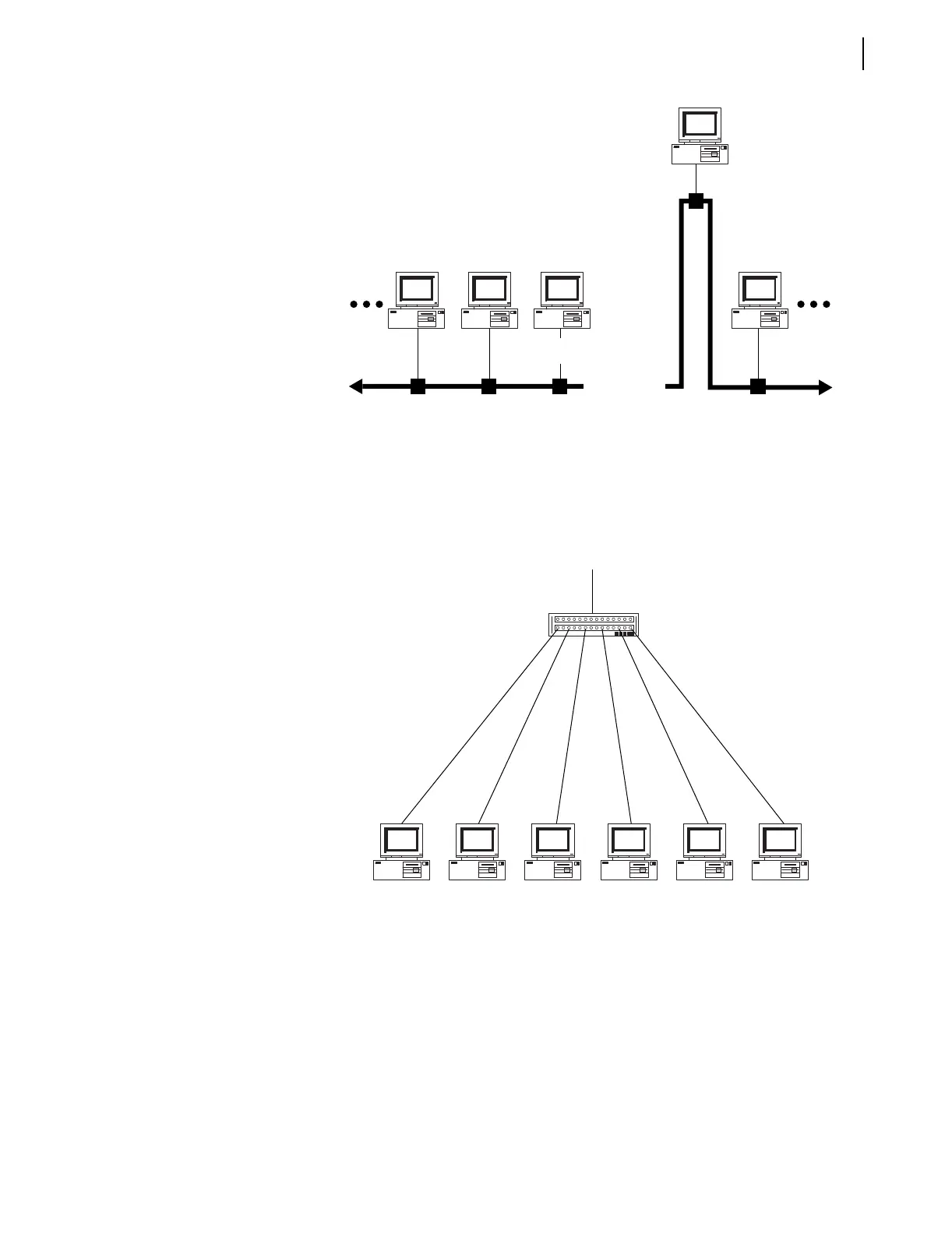
Figure 1.6 Adding a Node to a Multidrop Network.
Ethernet networks have evolved into star networks as shown in Figure 1.7. A
single cable to the central wiring node connects each node to the network.
These individual cables are connected using hubs, switches, or routers to form
logical multidrop networks.
Figure 1.7 Ethernet Star Network.
Hubs
A hub is a device that acts like a trunk cable with very short segments that
connect each node cable to the network. A hub repeats all incoming network
traffic to all nodes. An uplink connection allows the hub to send data up to
other hubs, switches, or routers. Hubs are an easy and inexpensive way to
connect many devices to an Ethernet network.
Hubs are primarily passive devices. If a node fails and sends a continuous
stream of error data onto the network, the hub repeats the error data to all
network nodes. One advantage of hubs is that they are quite reliable,
compared to switches and routers.
Trunk Cable
Tap Cable
To Other
Network Segments



 To Next Page