Date Code 20181001 SEL-3031 Instruction Manual
Job Done Examples
Using an SEL Information Processor to Collect Relay Status and Measurements
3.7
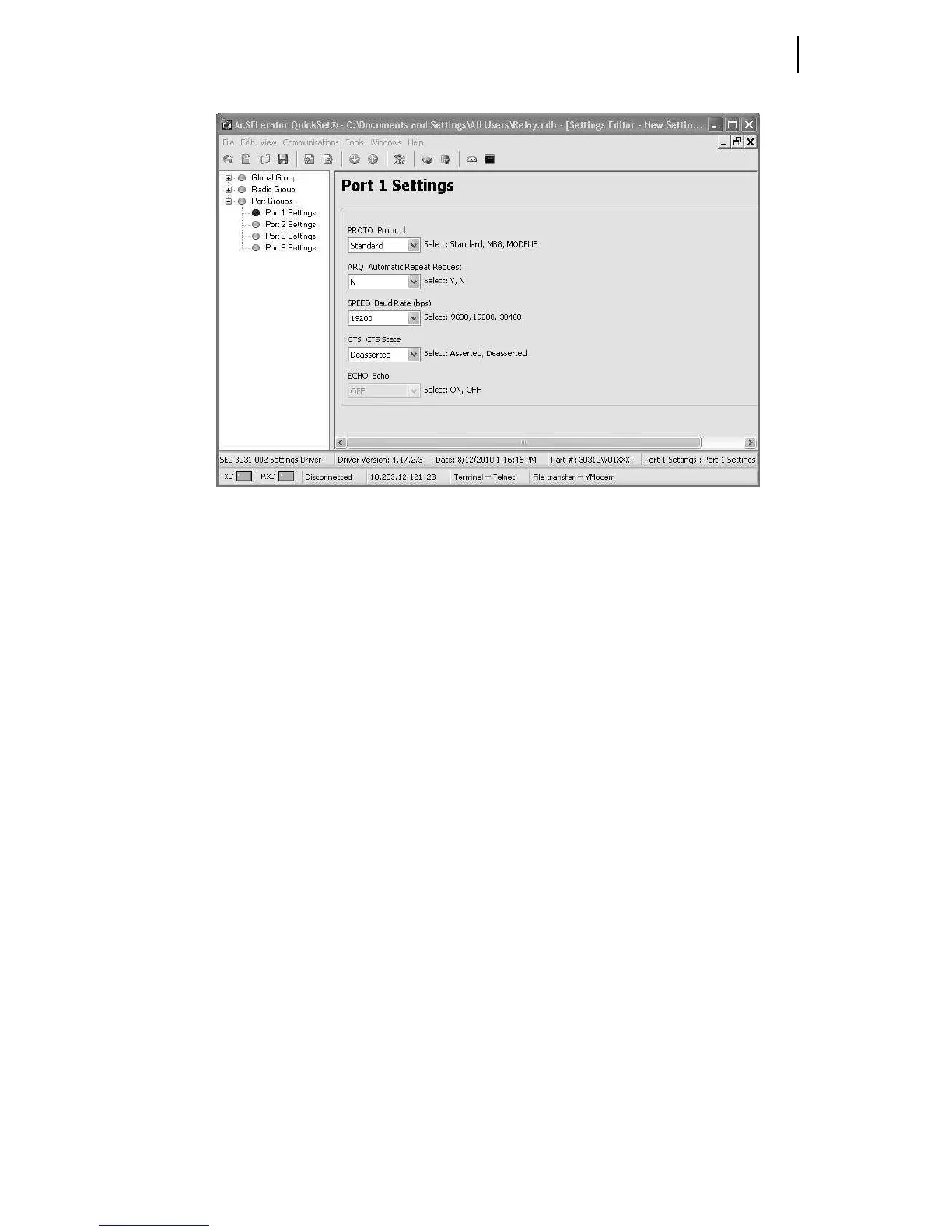
Figure 3.8 SEL-3031 Port 1 Settings for Fast Messaging
The PROTO setting must be set to Standard. The Standard setting is the default for
use on any byte-oriented protocol. The Standard setting is used with connections such
as DNP3, SEL ASCII, Compressed ASCII, Fast Operate, Fast SER, and SEL Fast
Meter with Configuration.
The ARQ setting should be set to Y. This allows data retransmission when an error is
detected. The SPEED setting can be set 9600, 19200, or 38400 bps. If you set it to
38400, it will disable Port 2. Port 3 will still operate at 9600 or 19200 bps. The CTS1
setting should be set to Deasserted. This will deassert the control lines on the
SEL-3031. Some protocols in devices require the control line to be in a high or low
state to permit proper communication. For example, with DNP3, some remote devices
will not reply back to the master until the control line is deasserted. If the control line is
asserted the DNP3 device is told to wait. Again, this setting is based upon how the
vendor implemented flow control in the devices. For most all SEL products this setting
should always be set to Deasserted.
On Port 1 of each radio, install an SEL-C285 cable to the IED. As an alternative, the
SEL-3031 can be ordered with a fiber-optic serial port that works with SEL-2812
transceivers. If you use the fiber port on the SEL-3031, the connection at the IED needs
to be an SEL-2812MR transceiver or compatible built-in port.



 To Next Page