Date Code 20181001 SEL-3031 Instruction Manual
Settings and Commands
PC Software
4.3
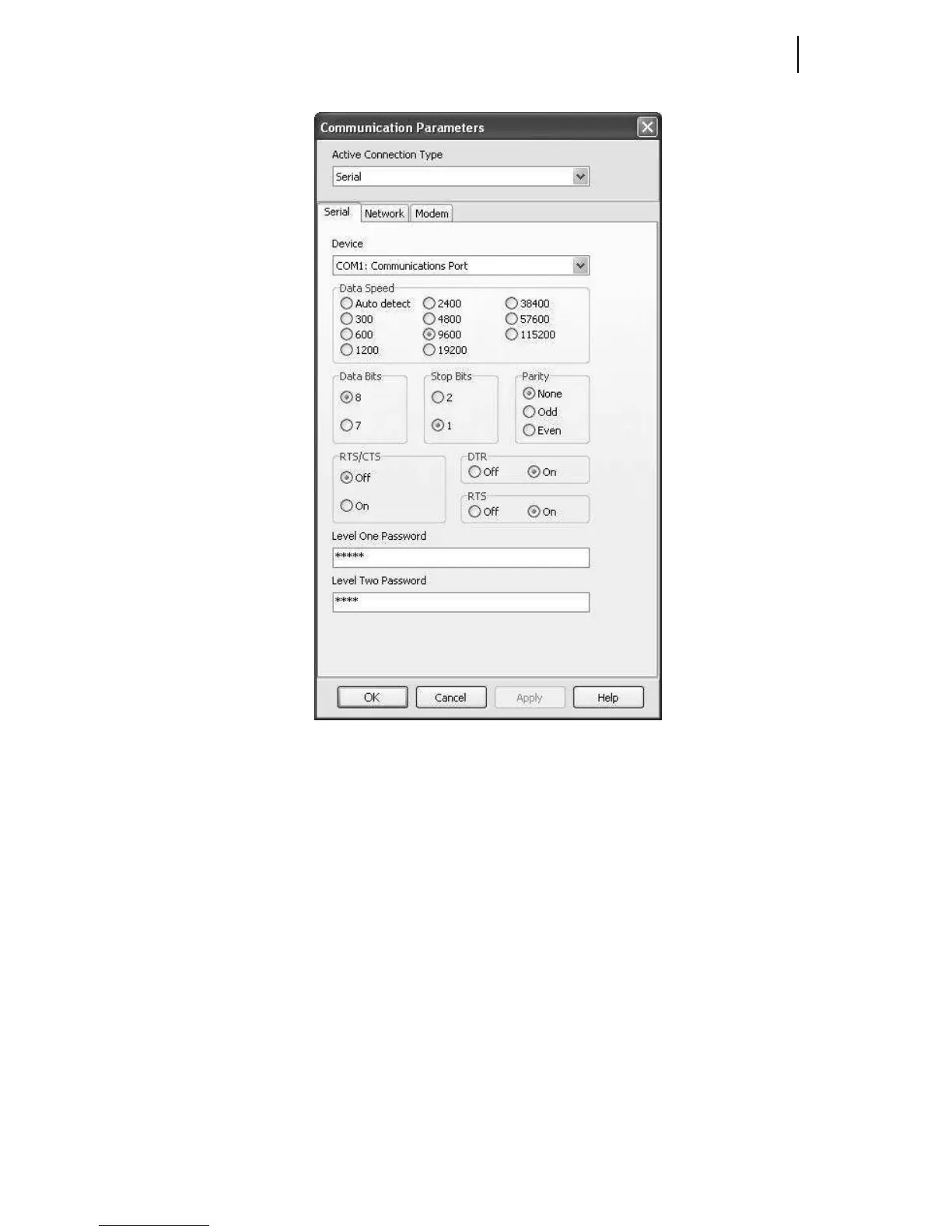
Figure 4.2 Serial Port Communications Parameters
Step 3. Configure the PC port to Data Speed 9600, Data Bits 8, Stop Bits 1,
and Parity None.
Step 4. Configure QuickSet to match the SEL-3031 default settings by
entering the Access Level 1 and Access Level 2 passwords in their
respective text boxes.
Step 5. Exit the menus by clicking OK when finished.
Terminal Window
Select Communications > Terminal on the QuickSet main menu bar to open the
terminal window (shown in Figure 4.3).



 To Next Page