SEL-3031 Instruction Manual Date Code 20181001
Job Done Examples
Setting Up a Point-to-Multipoint Link Using DNP3 SCADA Protocol
3.12
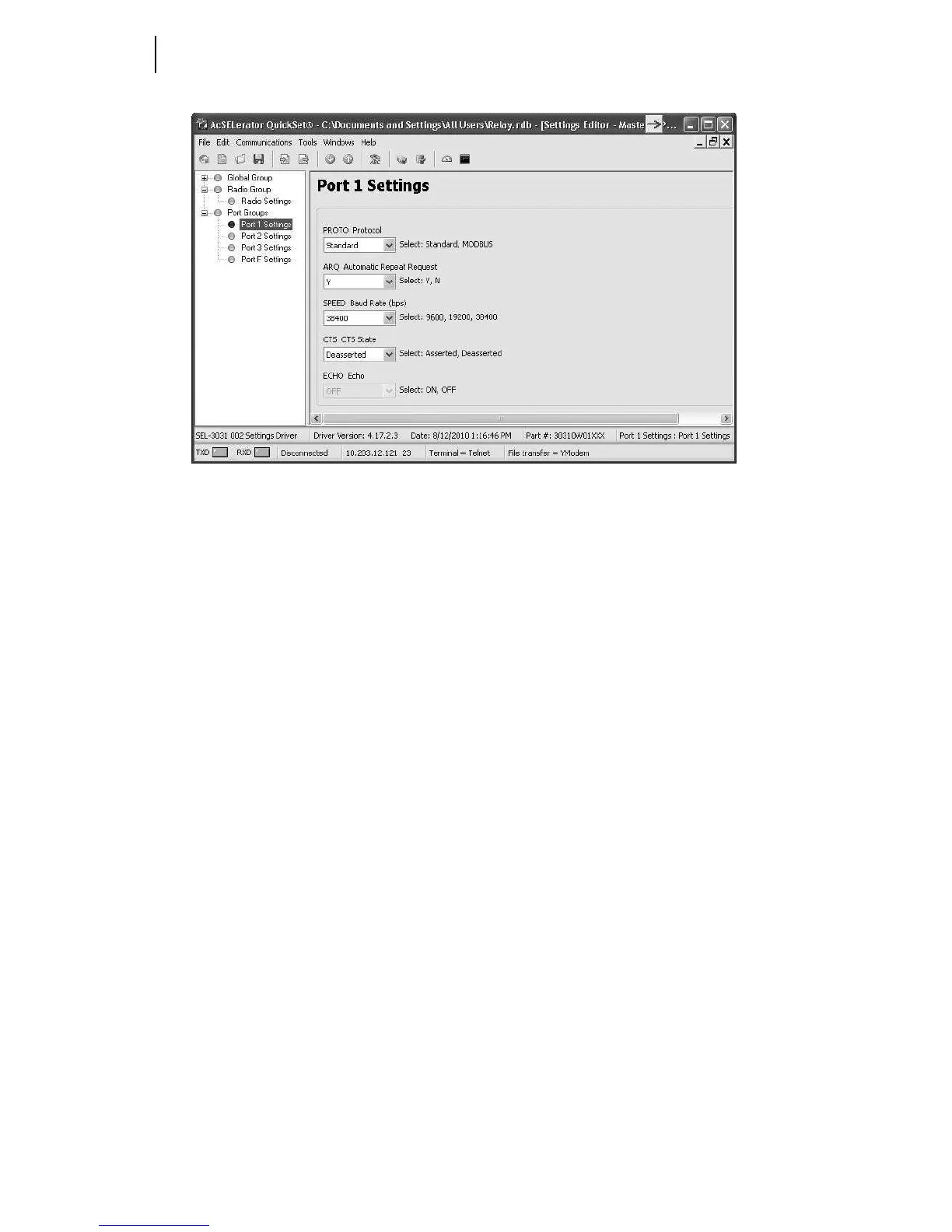
Figure 3.13 Port 1 Settings for Point-to-Multipoint
Figure 3.13 shows the correct settings needed for creating a DNP channel for P2MP.
The PROTO setting should be set to STANDARD. Setting the PROTO to Standard
allows all byte-oriented multidrop protocols to pass through the port. If using
MODBUS then set PROTO to MODBUS.
Leave the ARQ setting to Y. In P2MP mode this allows the message being sent from
the remote to the master to retransmit on error. In P2MP mode this will not allow the
master transmit message to retransmit on error.
The SPEED setting can be set for 9600, 19200, or 38400 bps. It is preferred to set this
to 38400 to take advantage of higher throughput to reduce the overall polling time. If
any of the end devices do not support 38400 then the whole system must be set down to
9600 or 19200 bps.
The CTS State should be set to DEASSERTED by default. Setting to deasserted allows
proper communication with most SEL devices. If the remote device is not responding
to DNP messages then this setting may need to get set to ASSERTED. Most DNP
devices look at the CTS line and will not send the DNP message unless the CTS line is
in an asserted or deasserted state. This setting allows you to set the line high or low to
always give the device permission to transmit.
SEL-3530 RTAC Settings
To properly set the RTAC it is best to review the SEL-3530 manual under Section 4:
DNP3. This section explains how to setup a DNP3 connection.



 To Next Page