Navigation (NAV)*102
If you are approaching a turn-off, an arrow will indicate the direction of the
turn-off. The name of the street onto which you must turn-off will also appear
under the arrow. The bar graph (countdown) ⇒ page 101, fig. 119 on the
right in the display corresponds to the distance up to the turn-off.
If a change of lanes (e.g. on the motorway) is necessary before the turn-off,
you will be informed accordingly beforehand ⇒ page 99, fig. 116.
Route guidance on the instrument panel display remains visible during navi-
gation even when you have selected other functions (e.g. radio).
Note
To switch from the route guidance display to the on-board computer* display,
press the Reset* button for the on-board computer. Press the Reset* button
repeatedly to return to the route guidance screen. For detailed information
regarding the on-board computer*, please refer to your Owner's Manual.
Switching on the navigation system
The navigation functions can be selected with the func-
tion button.
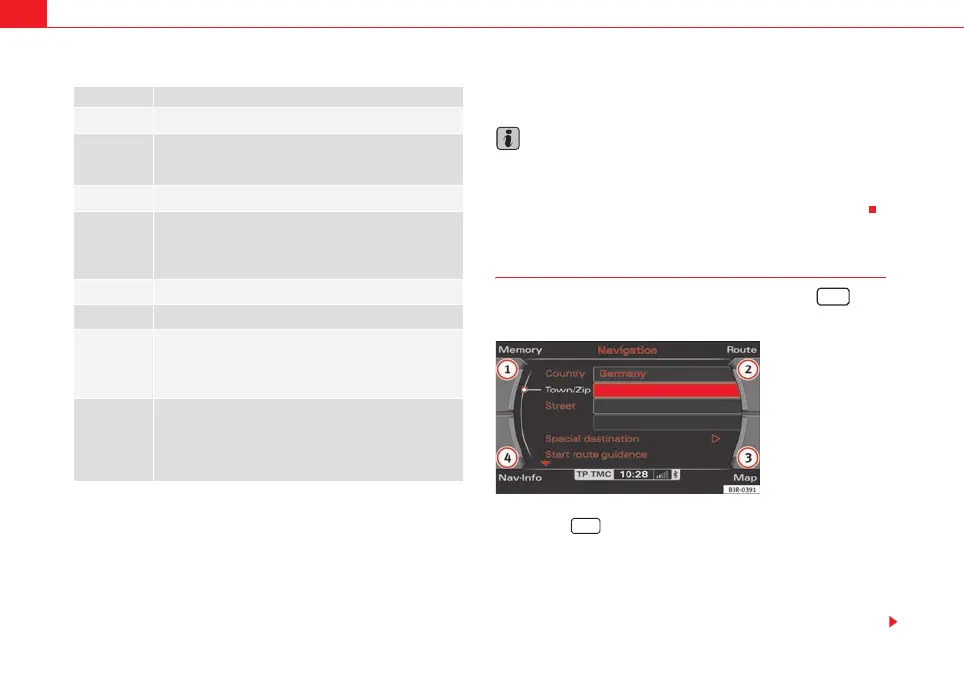
– Press the function button ⇒ page 9. The main navigation
menu ⇒ fig. 120, the route plan ⇒ page 120, fig. 143 or the
previous active navigation function menu will appear on the
display.
– Press one of the control buttons ⇒ page 9 ( to ⇒ fig. 120)
to move to the appropriate submenus.
Display Description
Remaining distance to next turn-off.
Indication of whether TMC radio stations are being received
and whether the dynamic navigation function is switched
on or off ⇒ page 146.
Estimated time of arrival at destination or stopover.
Motorway, major road and street names displayed accord-
ing to the vehicle location.
A turn-off arrow ahead of these names indicates the road
onto which you should turn-off.
Total miles to destination or stopover.
Directional arrow
Bar graph (countdown): the bars decrease in size to indi-
cate how the distance to the immediate turn-off point is
decreasing. The bar graph is not shown until a change of
direction arrow is displayed.
If there is another side street before the turn-off point that
is not part of current guidance, this side street is repre-
sented by a side-street symbol on the instrument panel dis-
play. The side-street symbol will disappear as soon as there
are no more before the turn-off point.
1
A
2
3
A
4
5
A
6
7
A
8
NAV
Fig. 120 Display: Main
navigation system menu
NAV
1
4
media_systemE_EN.book Seite 102 Montag, 21. September 2009 1:48 13



 To Next Page