Navigation (NAV)* 101
Operating RADIO, MEDIA (audiovisual
systems)
NAME, TEL NAV, INFO CAR, SETUP
Representation of maps on the navigation system display
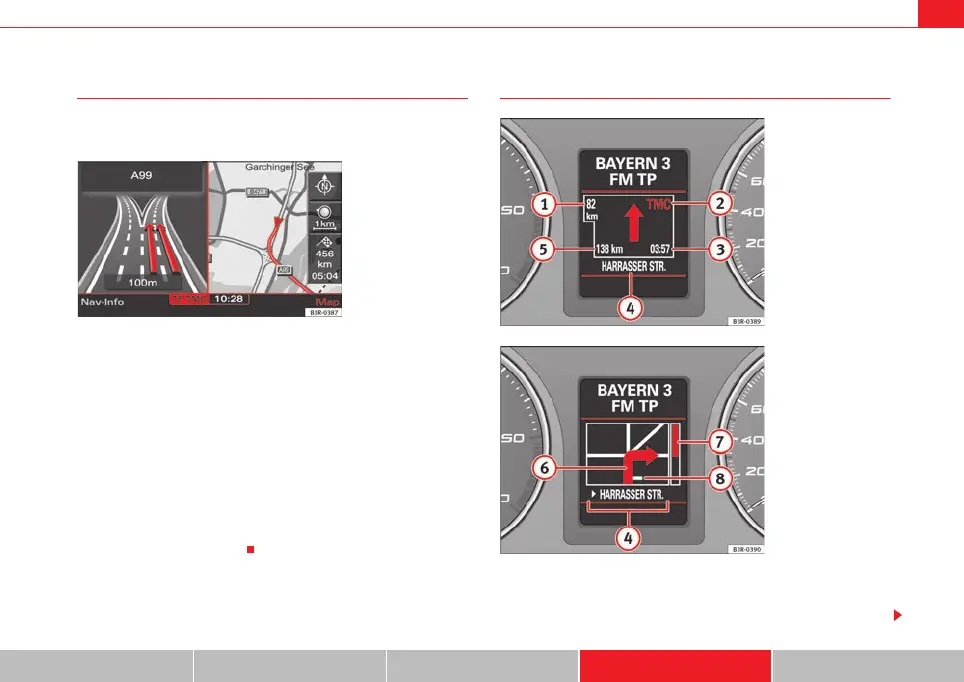
A comprehensive route will be shown graphically on a map on
the display.
– Press the Map control button ⇒ page 123 from the navigation
menu. The route will be displayed on a map ⇒ fig. 117.
In addition to the route guidance, you can also display detailed information
about your route on the map. Settings can be entered directly on the map
⇒ page 124 and in Navigation Setup ⇒ page 131 to display the map.
If you are navigating without stopovers, you can select from up to three routes
⇒ page 113. Detailed route information is also available.
If you are navigating with stopovers, you are shown the entire route with all
stopovers and detailed route information in an overview ⇒ page 114.
You can also use the map as presented in the navigation system display to
enter a destination ⇒ page 111.
Route guidance on the instrument panel display*
After you have entered a route and begun navigating, guidance to your desti-
nation will also be shown on the instrument panel display
(⇒ fig. 118/⇒ fig. 119).
Fig. 117 Navigation:
Example of a map on the
navigation system display
Fig. 118 Instrument
panel display: Example of
route guidance
Fig. 119 Instrument
panel display: Example of
route guidance (turn-off)
media_systemE_EN.book Seite 101 Montag, 21. September 2009 1:48 13



 To Next Page