INFO (Traffic information)142
Note
• You can select a preferred station for TMC reports* ⇒ page 147.
• When the dynamic navigation* ⇒ page 121 is switched on, the route
guidance will automatically avoid any obstructions.
Selecting traffic information
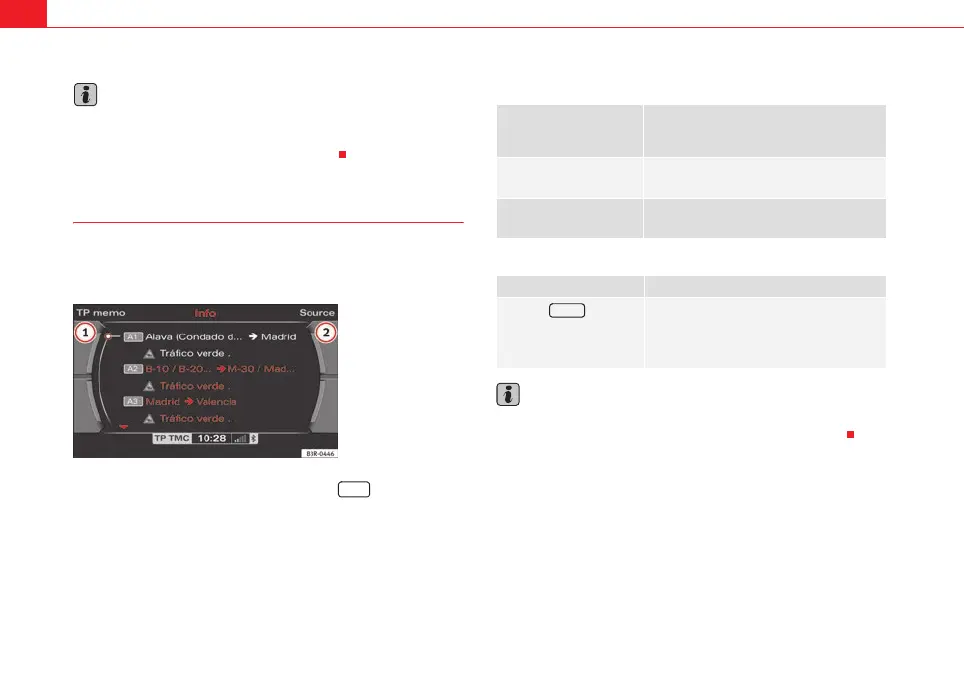
TMC traffic announcements* are displayed in the main menu;
recorded traffic announcements can be called up via “TP
memo”.
– Press the function selector button marked ⇒ page 9. The
main traffic information menu ⇒ fig. 178 or the last activated
menu will be displayed.
– Press one of the control buttons ⇒ page 9 to access the corre-
sponding submenus for TP memo and Source ⇒ fig. 178.
A list will be shown in the main traffic information menu containing the TMC
traffic announcements available ⇒ page 143.
The following submenus are available in the traffic information menu:
The following submenus are available in the traffic information setup menu:
Note
TMC traffic announcements* are displayed in the main menu; recorded traffic
announcements can be called up via the control button for TP memo
Fig. 178 Display: Main
traffic information menu
INFO
1
2
Control button
functions
⇒ fig. 178
INFO menus
TP memo
List of recorded traffic announcements
Source
Preferred TMC station*
INFO menus
Press the button
in INFO mode
⇒ page 148
TP timer*
TMC announcement*
1
2
SETUP
media_systemE_EN.book Seite 142 Montag, 21. September 2009 1:48 13



 To Next Page