INFO (Traffic information)144
• TMC traffic announcements of the highest priority (e.g. car travelling in
wrong direction) are displayed regardless of the main function you are using.
You can cancel these announcements by pressing the button.
Consult the next TMC traffic announcement
You can scroll through the list of TMC traffic announcements
while using the detailed view.
– Press the ⇒ page 9 button another menu is currently being
displayed.
– Select one of the available TMC traffic announcements by
rotating and pressing the control knob ⇒ page 143, fig. 179.
The detail view will be shown.
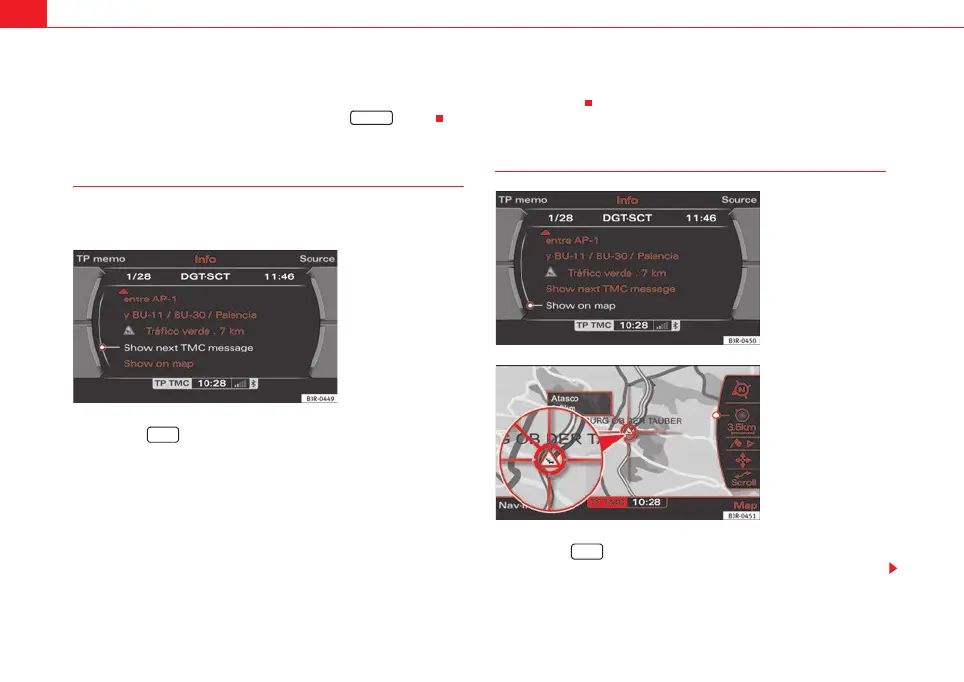
– Select Show next announcement ⇒ fig. 181. The details of the
next TMC traffic announcement will be shown.
When you have called up the detailed view of a TMC traffic announcement,
the function Show next announcement will automatically be displayed. You
can then press the control knob repeatedly to call up the following TMC traffic
announcements.
Shown announcement on the map
–Press the ⇒ page 9 function button if another menu is
currently being displayed.
RETURN
Fig. 181 Info: TMC traffic
announcement - detailed
view
INFO
Fig. 182 Info: Display a
TMC traffic announcement
on the map
Fig. 183 Info: Display a
TMC traffic announcement
on the map
INFO
media_systemE_EN.book Seite 144 Montag, 21. September 2009 1:48 13



 To Next Page