1 - 105
18-8 Spare Tool Screen
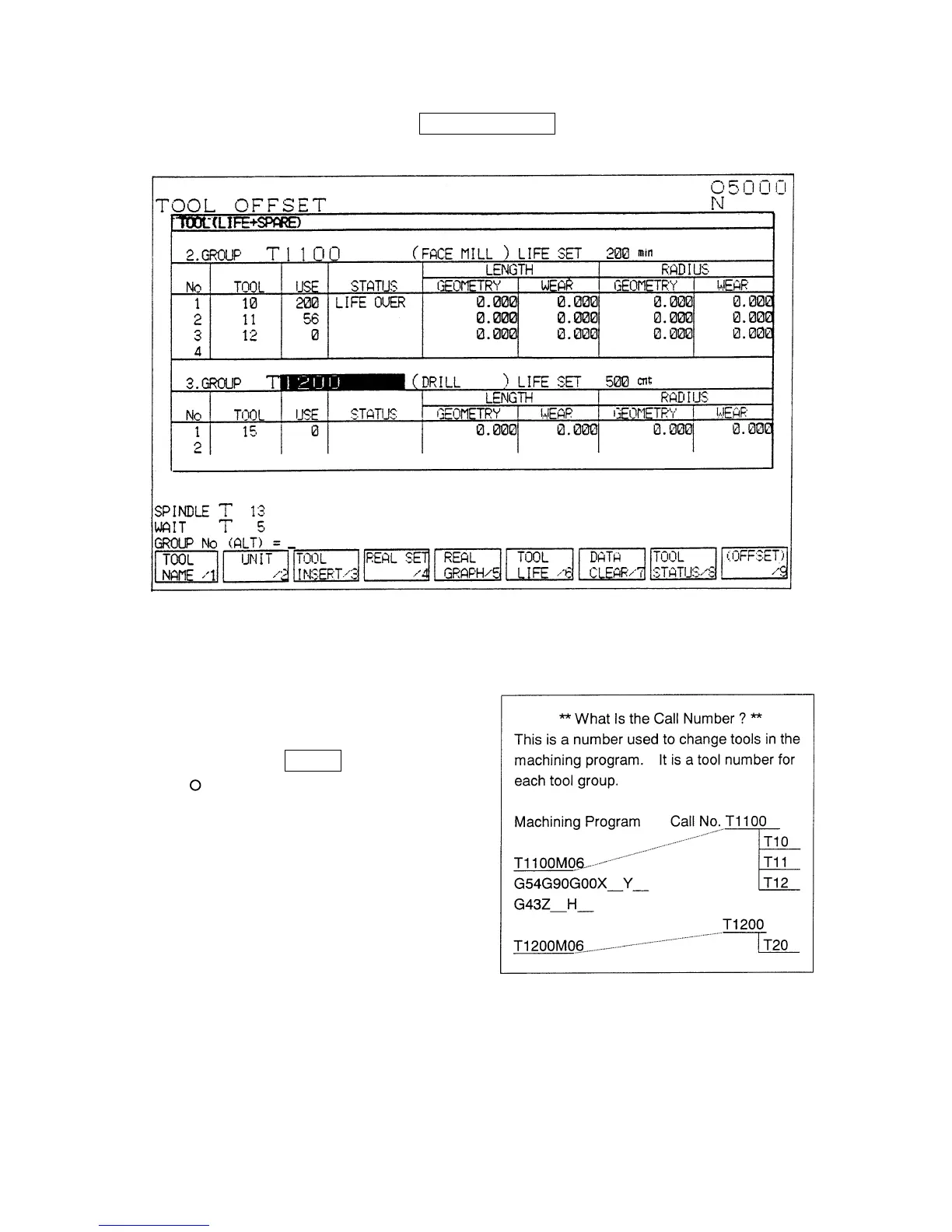
In the screen shown in Fig. 1, press F6/SPARE TOOL . The SPARE TOOL screen in Fig. 2
appears.
Fig. 2
1. Setting the Call Number
[1] Move the cursor to a position of “CALL
NO.”.
[2] Input a call number (1,000 or greater)
and press INPUT .
The call number must be greater than
the value set in the monitor parameter
No. 8078. (Standard value: 1,000)
2. Setting the Tool Name
Set a tool name for the tool group. The
spare tool function is not affected even if
the tool name is not set.
3. Setting the Life Units
Set the life units for the tool group.



 To Next Page