1 - 53
11-2 Explanation of Actions
ATC operates continuously according to command contents.
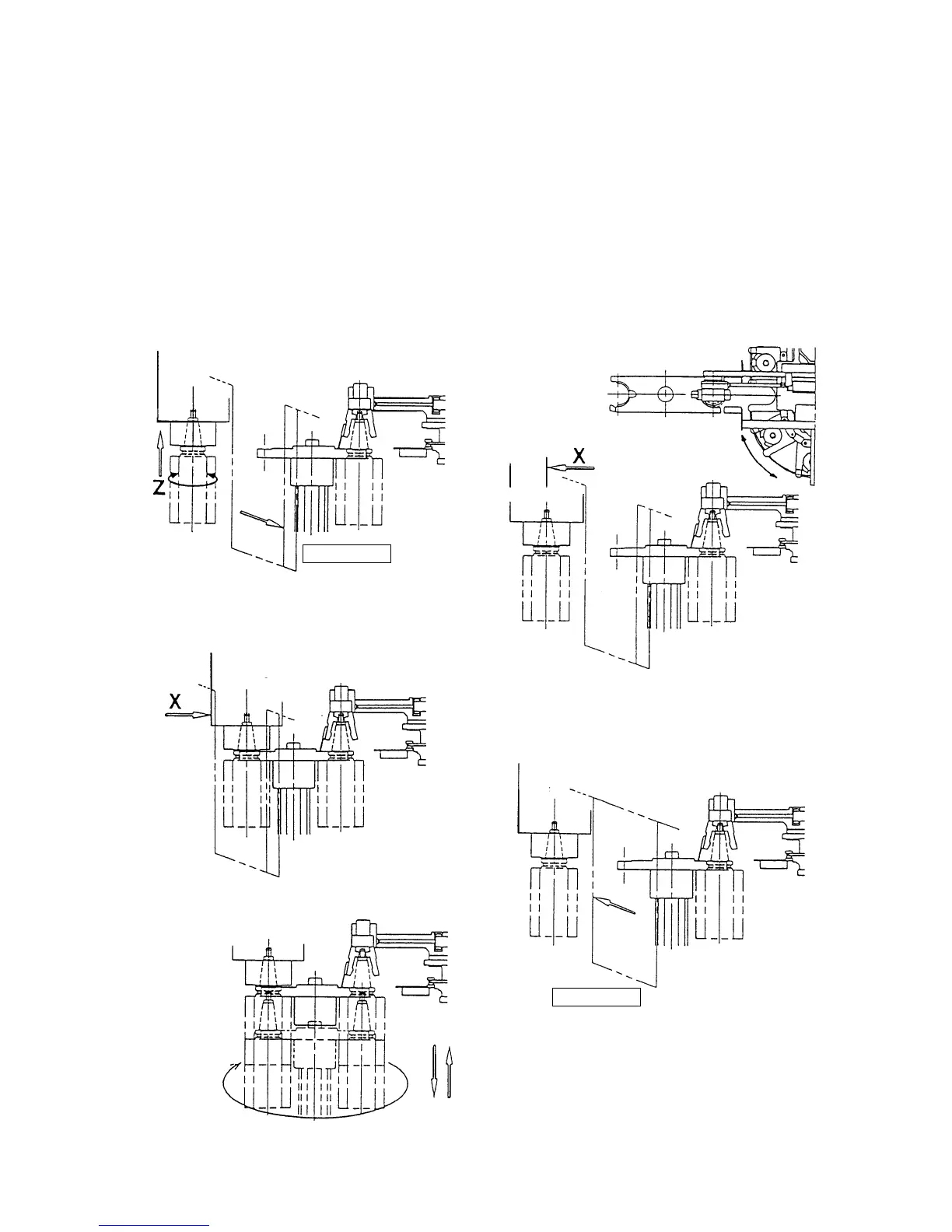
1. Change Spindle and Waiting Tool……M06 Operation
Note) (M1**) in the figures operates only at the maintenance mode.
Z-axis second original point
Third original point position
Tool loosened
Arm downward
movement
Arm rotation
Arm upward
movement
Tool fastened
1) Open the shutter, and move to the
spindle orientation Z-axis second
original point.
4) Move to X-axis second original point, and
index magazine of waiting tool number.
Shutter closed
(M100)
Second original point
Shutter closed
(M101)
2) Move to X-axis third original point (tool
change position).
3) Tool change action (M117)
5) Shutter is closed.



 To Next Page