1 - 66
14. Animated Drawing
14-1 Outline
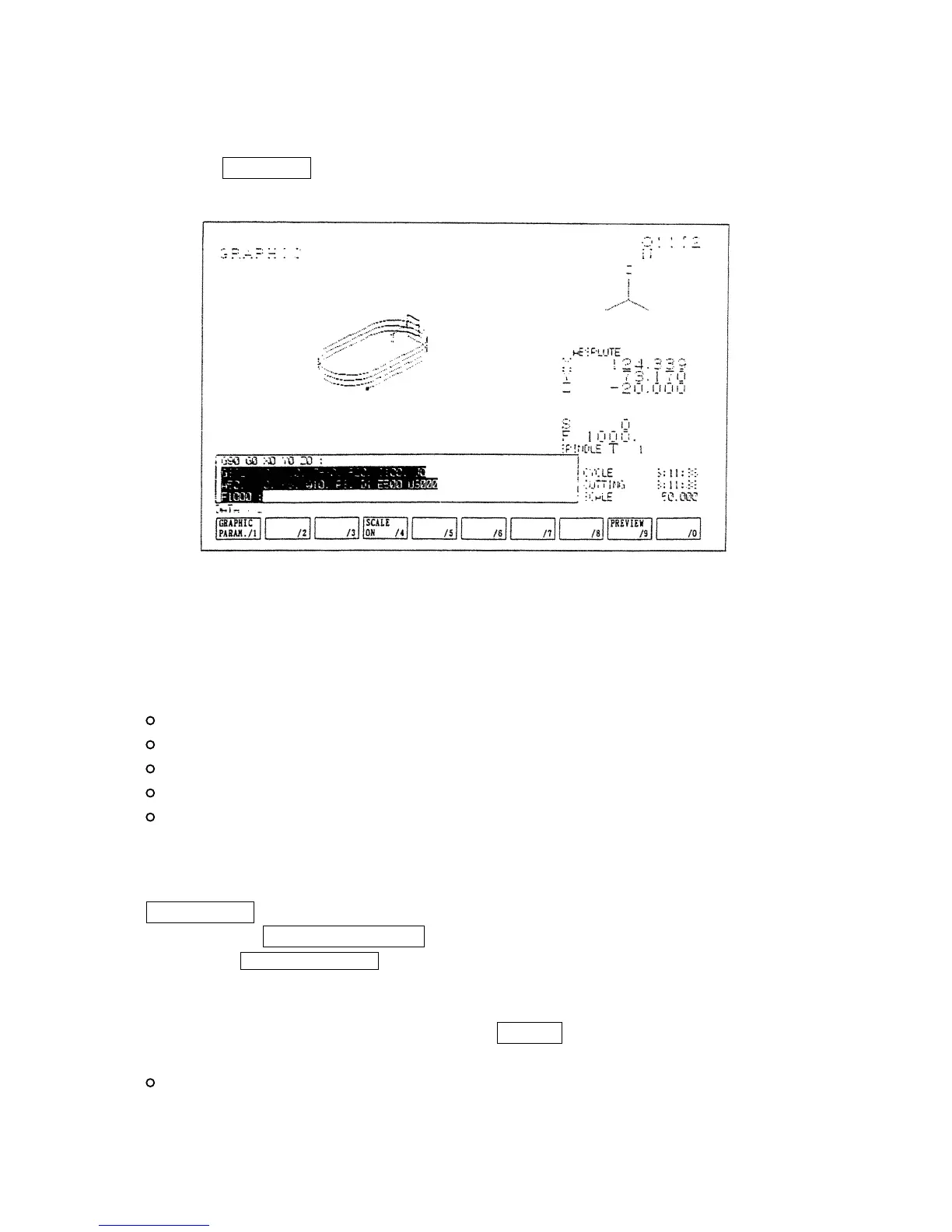
When the F7/GRAPH key is pressed, the animated drawing screen is displayed.
Animated drawing of a locus of a tool is executed here. Also, the following data are displayed for
the reference of animated drawing.
Animated drawing plane of parameter
Tool tip position
Rotation S, Feed F, Tool command T
Machining time, Cutting time
List of programs currently under execution
A locus is drawn based on a value of the tool tip coordinate system. Since a moving point becomes
unclear if drawing consist of plenty of lines, a tip is expressed by a small point.
Normally, synchronous drawing is displayed. For pre-processing drawing, press the
F9/PREVIEW key and get the display of the list of function keys for pre-processing drawing.
Then, press the F3/PREVIEW START key and pre-processing drawing will start.
Pressing the F2/AUTO RANGE key, pre-processing drawing will start and the drawing range is
set in such a way that the locus of the cutting feed is properly shown within the frame of the screen
when drawing finishes.
For canceling the display of a drawing, press the ORIGIN key.
Following setting can be done for drawing. Refer to the following item for details.
Selection of drawing plane



 To Next Page