1 - 80
(Note 3) Data of the touch probe used for measurement is set in parameter (No.6252~6255) in
advance. There are two ways of the setting, one is to write in as parameter and the
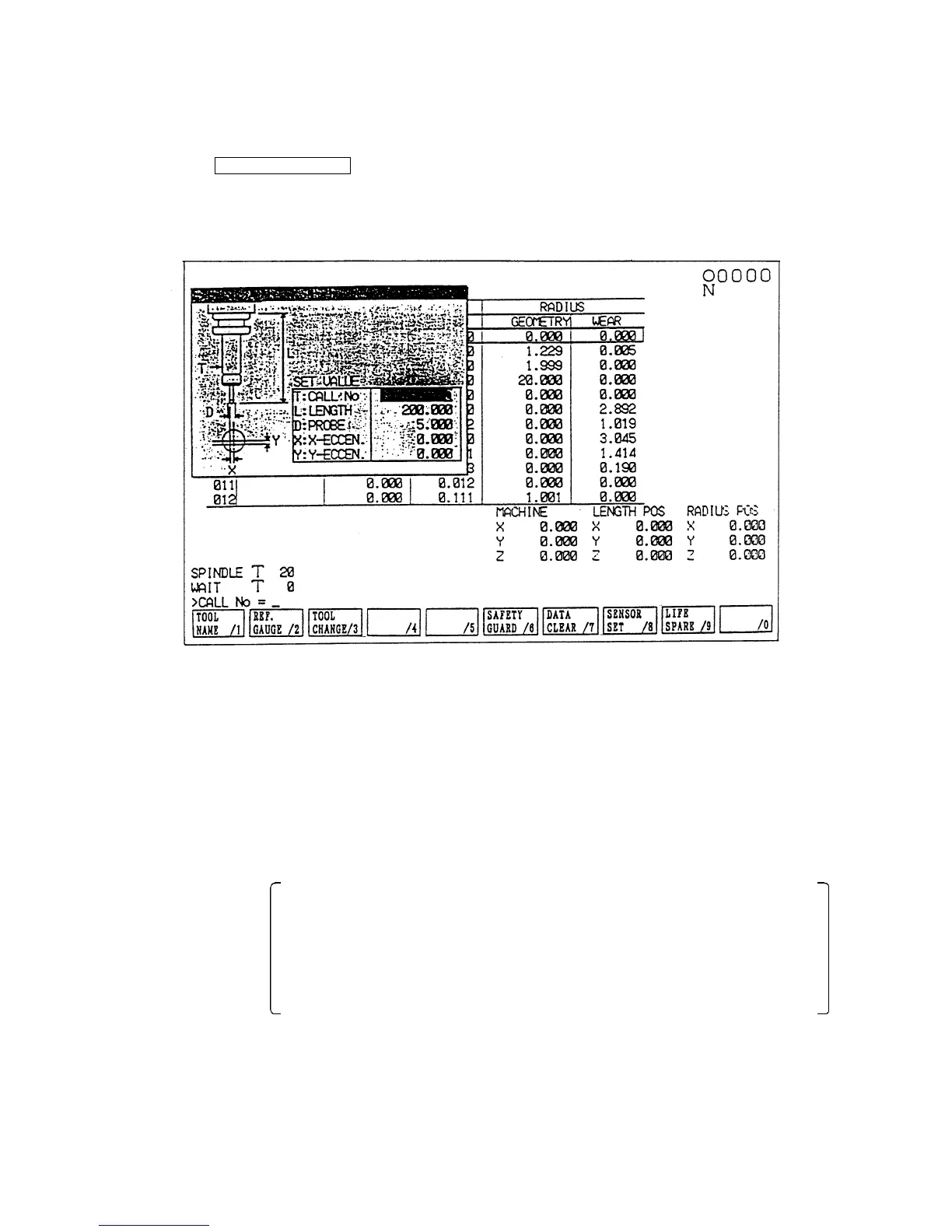
other is to write in on the tool (compensation) screen. For the latter method, press
F8/SENSOR SET and get the multi-window setting screen (Fig.1.9) on which data
setting can be arranged.
Fig. 1.9 Sensor Setting
Instead of using a touch probe, it is also possible to measure the distance to the reference
gauge by using a tool of known size (called as a reference tool). In this case, set the parameter
(No.6242, 5-bit) as “1” and set the size of the reference tool in advance with parameter
(No.6260~6263).
16-8 Tool Length Measuring Mode, Tool Diameter Measuring Mode
By setting “1” with parameter No.6242 4-bit, the tool length measuring mode and the tool
diameter measuring mode.
In these modes: If tool diameter is measured in the tool length measuring mode, alarm
(No.716) is issued.
If tool length is measured in the tool diameter measuring mode, alarm
(No.716) is issued.
If measurement is made on screen other than tool (compensation) scene,
alarm (No.716) is issued.
This system enables to prevent offset setting error arising from any wrong probe contact.



 To Next Page