1 - 124
19-7 Set Load Screen
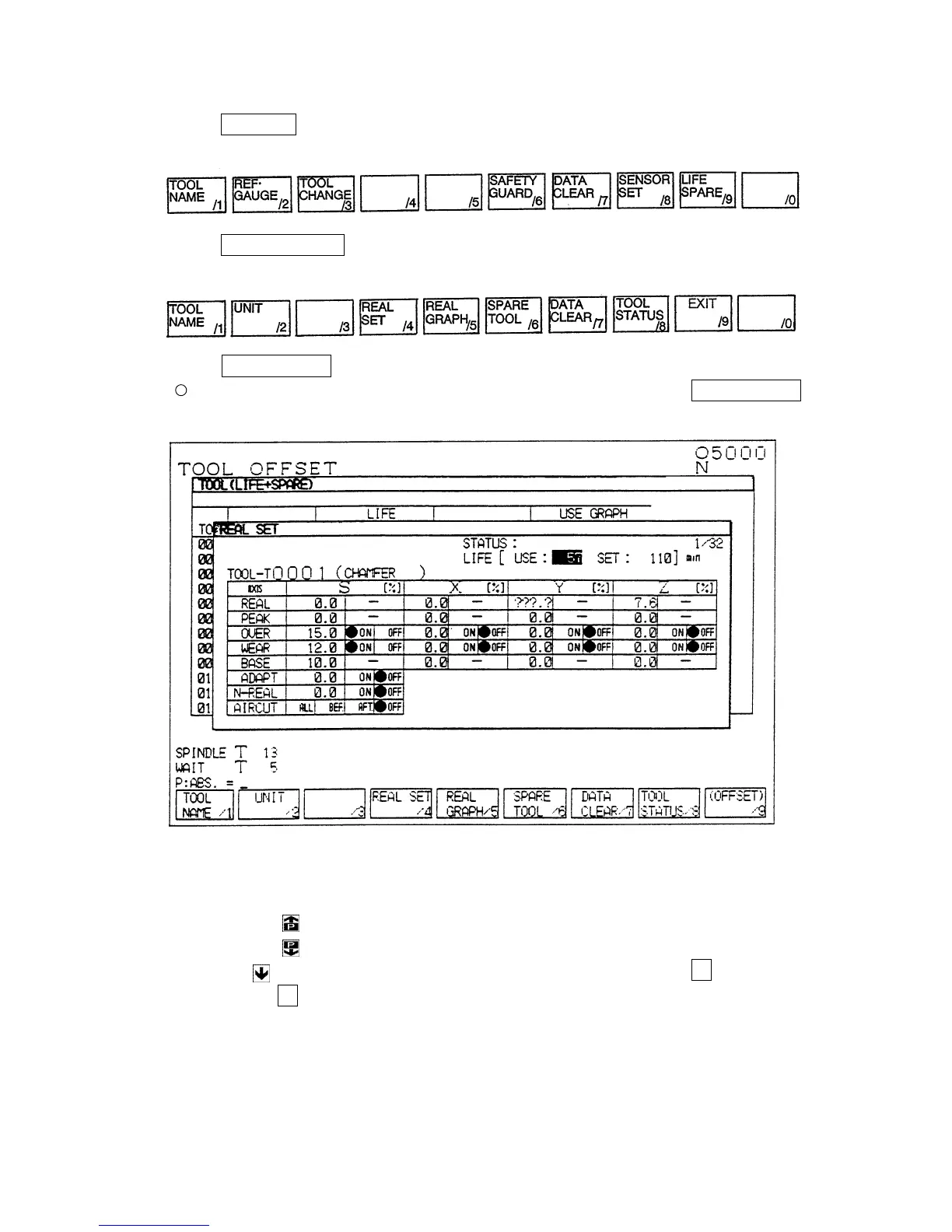
[1] Press F3/TOOL in the OVERALL screen → The TOOL screen appears and displays the
following functions.
[2]
Press F9/LIFE SPARE → The TOOL LIFE screen appears and displays the following
functions.
[3]
Press F4/REAL SET → The SET LOAD screen appears.
When interrupting operation (turning off the SET LOAD screen), press F4/REAL SET
again.
Fig. 5
• Screen selecting method
[1] Press the
(previous page) key to display the previous TOOL NUMBER screen.
[2] Press the
(next page) key to display the next TOOL NUMBER screen.
[3] Enter following by a tool number (numerical value) and press the N key.
Pressing N replaces “P:ABS. =” on the lower left of the screen by “N: TOOL NO. =.”



 To Next Page