1 - 39
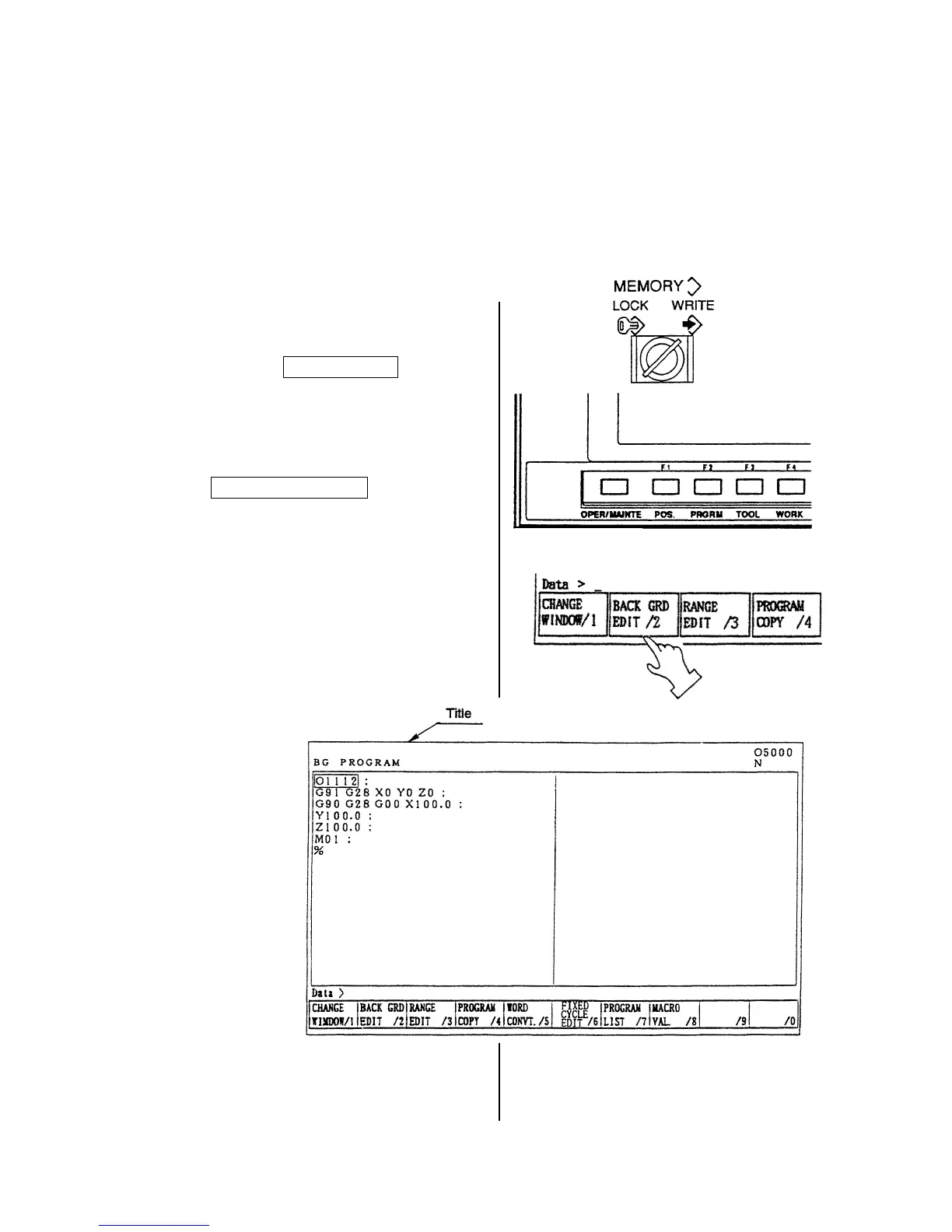
8-4 Back Ground Editing
Generally, “Editing” means front side editing, however this editing could not watch contents of
program and also edition is not available while executing a program.
In fact, giving a possibility to edit a program while executing a program is a back ground editing.
• An editing is available to other than currently executing program.
• A program under back ground editing can not execute.
• Editing can be done both manual and automatic mode.
1) Turn the memory key to [WRITE].
2) Press the F2/PROGRAM key.
3) Press the
F2/BACK GRD EDIT key.
A title of the screen becomes a “Back
ground editing”.



 To Next Page