1 - 38
(c) Boundary deletion
Delete blocks after the cursor to before the
designated sequence No.
[1] Set the cursor to the head word to be
deleted.
[2] Key in the sequence No. just after the
last block to be deleted and press the
DELETE key.
Note) Search the sequence No. before
deletion and check how far is it
deleted.
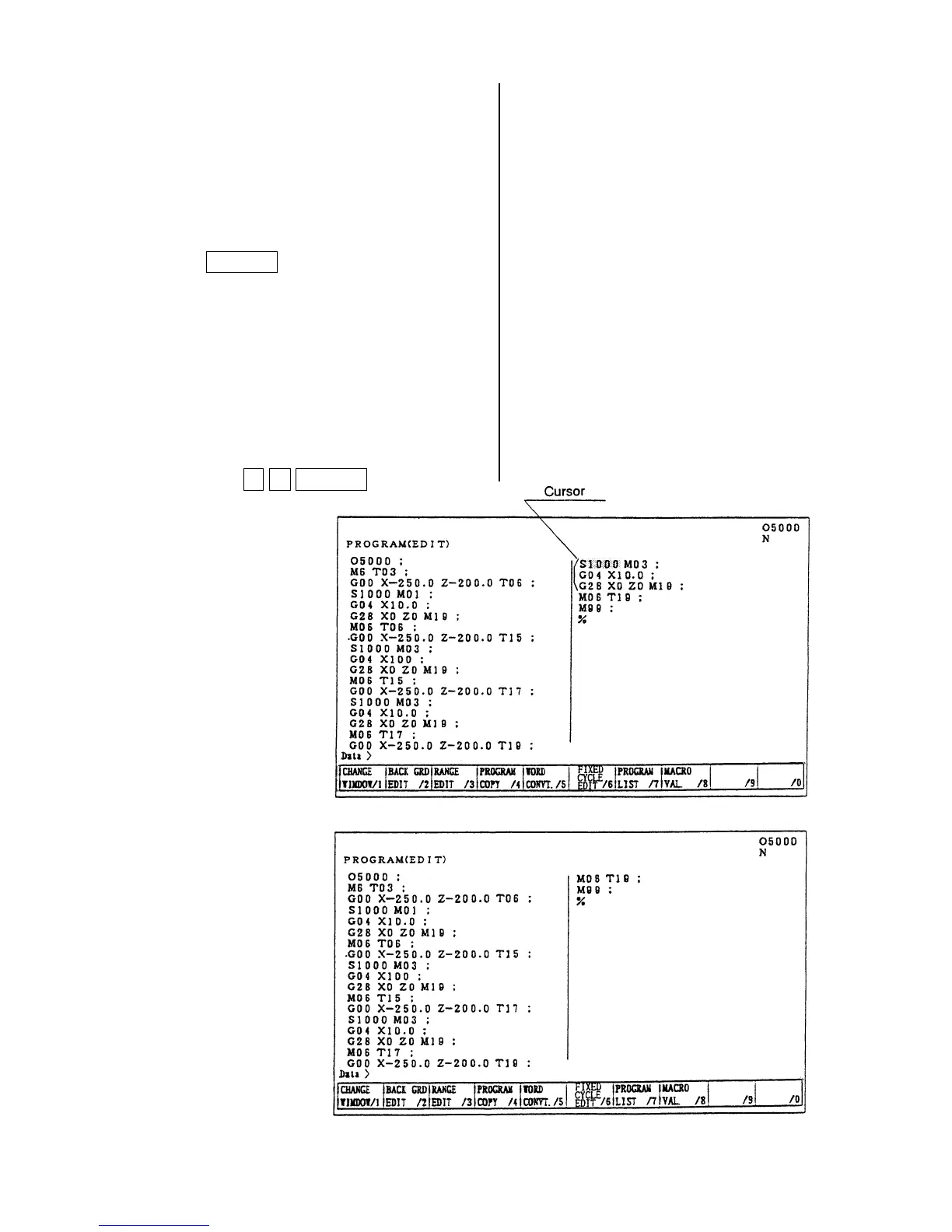
Example: When deleting
S1000 M03;
G28 X0 Z0 M19;
Set the cursor to S1000 and press
N 3 DELETE key.
~
After alteration
The program
moves upward.


 To Next Page
 Loading...