1 - 48
9. Output of Program
NC program can be outputted to the external in/output equipment.
1) Connect an output device to the RS-232-C
terminal and make it ready.
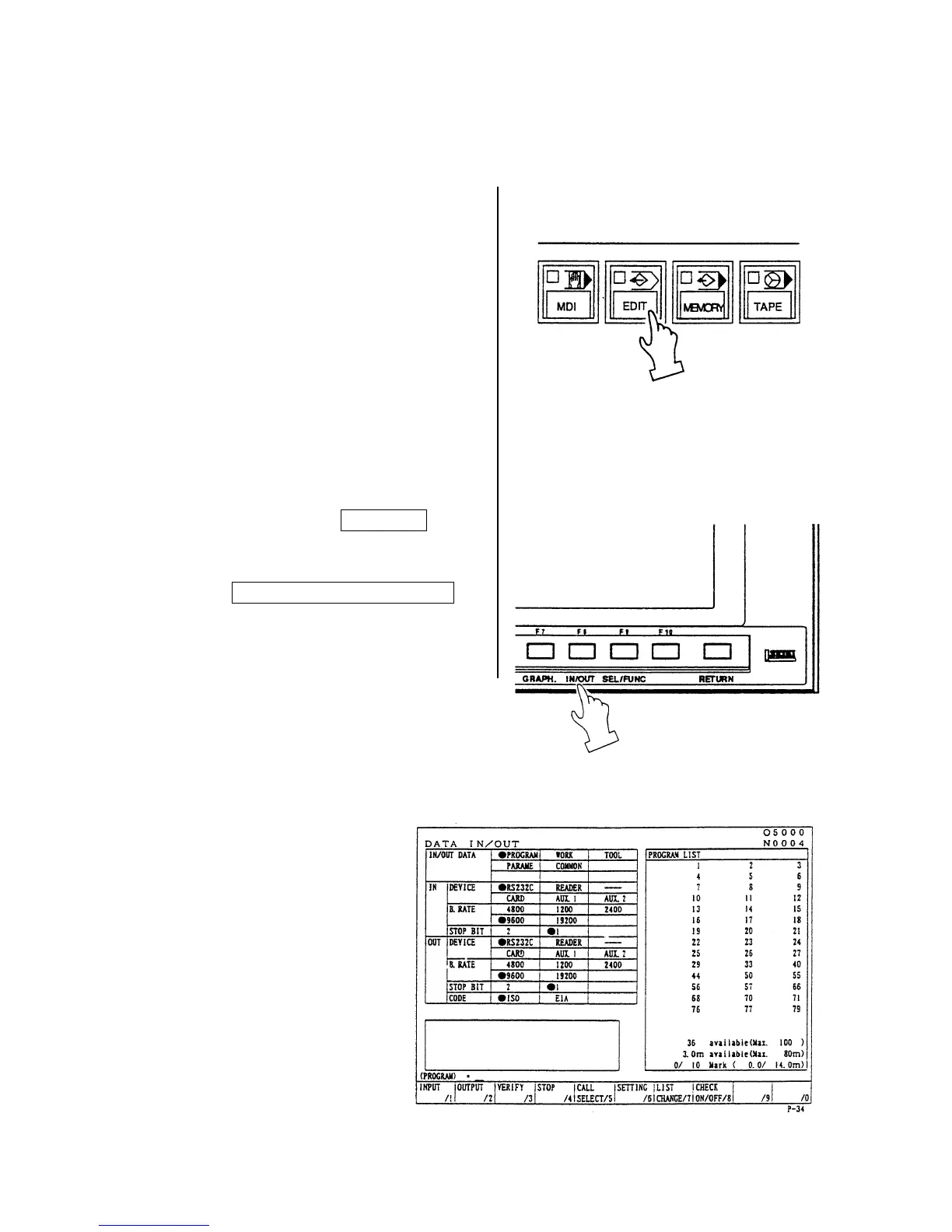
2) Make a mode selection to [EDIT].
3)
Press the function key F8/IN/OUT .
Note) When “Dondon FD” is on the screen
display, press the
F5/DONDON FD COMPLETE
key, and get the “Data Output”
screen.
A right sketch is displayed.
Refer to the instruction manual of output
device.



 To Next Page