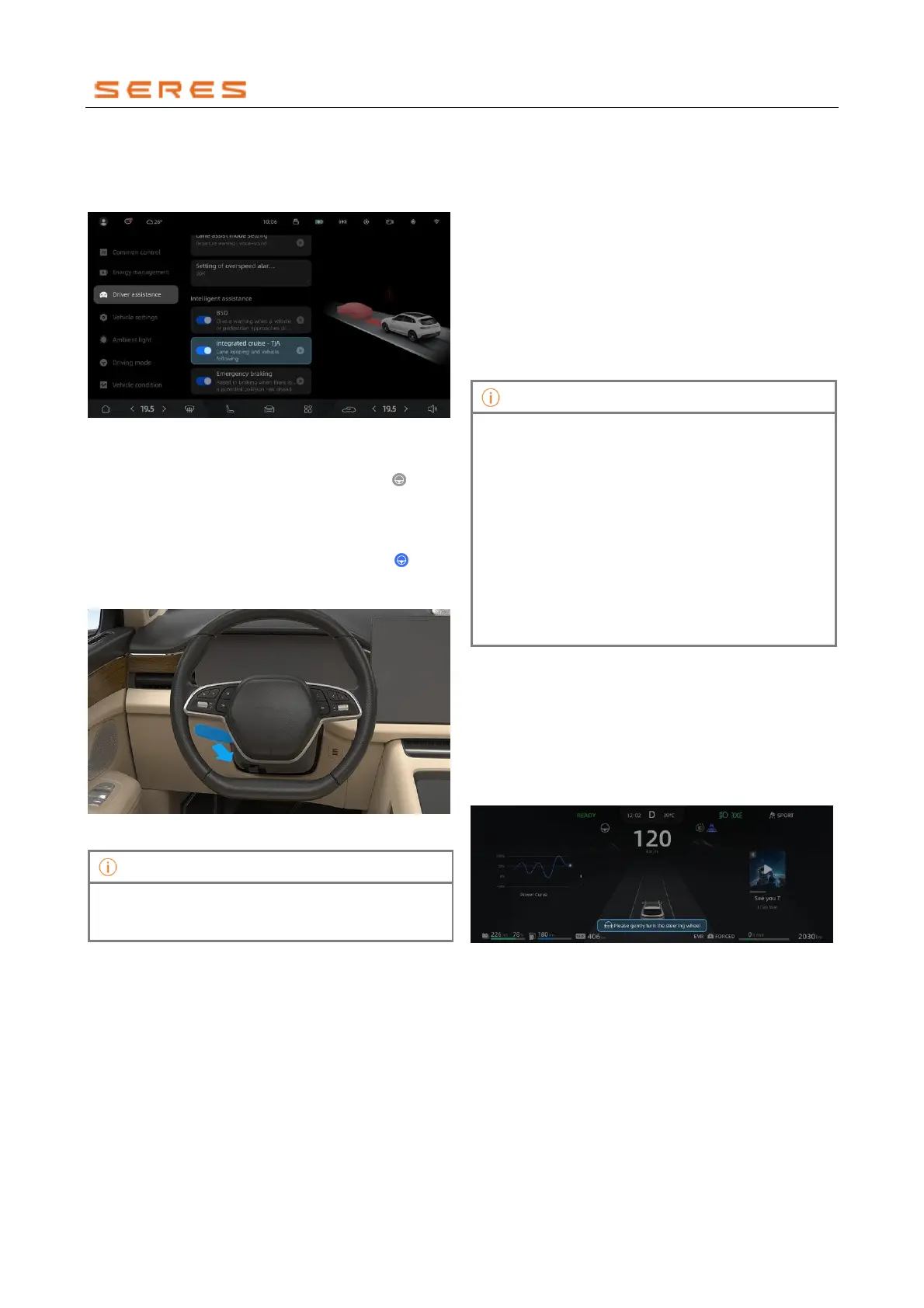
Activate or Deactivate TJA
Go to Vehicle Setting > Driving assistance on the
central control screen, and activate or deactivate Lane
Cruise Assistant.
* The image is for reference only; please refer to the actual
product
Enable TJA
When TJA has no restraint conditions and the " " cruise
icon on the instrument display screen is gray, move the
cruise control lever backward twice to the "ON" position or
press the "Lane Cruise Assist" button on the steering
wheel to enable TJA. TJA enters the enabled state and
sets the current speed as the target speed. The " " cruise
icon on the instrument display screen turns blue.
* The image is for reference only; please refer to the actual
product
If ACC is enabled, moving the cruise control lever
backward twice to the 'ON' position under this condition
directly activates TJA.
Enable and disable TJA
Enable TJA in standby mode
● When TJA is in standby mode, it automatically
activates when the vehicle meets the required
conditions for cruising speed and gear position.
● When there are restraint conditions, move the cruise
control lever backward twice to the "ON" position or
press the "Lane Cruise Assist" button on the steering
wheel. If the conditions are met within 1 minute, TJA
automatically activates. If the conditions are not met
within 1 minute, it exits standby mode.
Disable TJA
TJA will be disabled when performing the following actions:
● Lane markings do not meet requirements (lane too
wide, too narrow, high lane curvature, or lane
markings are lost).
● Front windshield wipers are in the high-speed wiping
position.
● Activate the turn signal indicator lights.
● Driver actively takes control (changing lanes, driver
intervention).
● Temporary blinding of the Driving Assistance camera.
● Move the cruise control lever forward to the
"CANCEL" position.
TJA cannot be enabled under the following (including
but not limited to) restraint conditions:
• Lane Cruise Assist function not enabled on the
central control screen.
• The vehicle has ACC restraint conditions.
• Lane markings do not meet requirements.
• Turn signal indicator lights conditions are not met.
• MPC state is abnormal.
• Steering wheel turning speed is too fast.
• Front windshield wipers are in the high-speed
wiping position.
• Other activation conditions are not met.
Hands-off warning
When using Lane Cruise Assist, the driver should always
keep both hands on the steering wheel and remain
attentive to traffic conditions and road environment.
1. If the system detects that the driver has not held the
steering wheel for more than 20 seconds, the
instrument display screen will show a "Please grip the
steering wheel" pop-up warning. Please grip the
steering wheel with both hands.
* The image is for reference only; please refer to the actual
product



 To Next Page