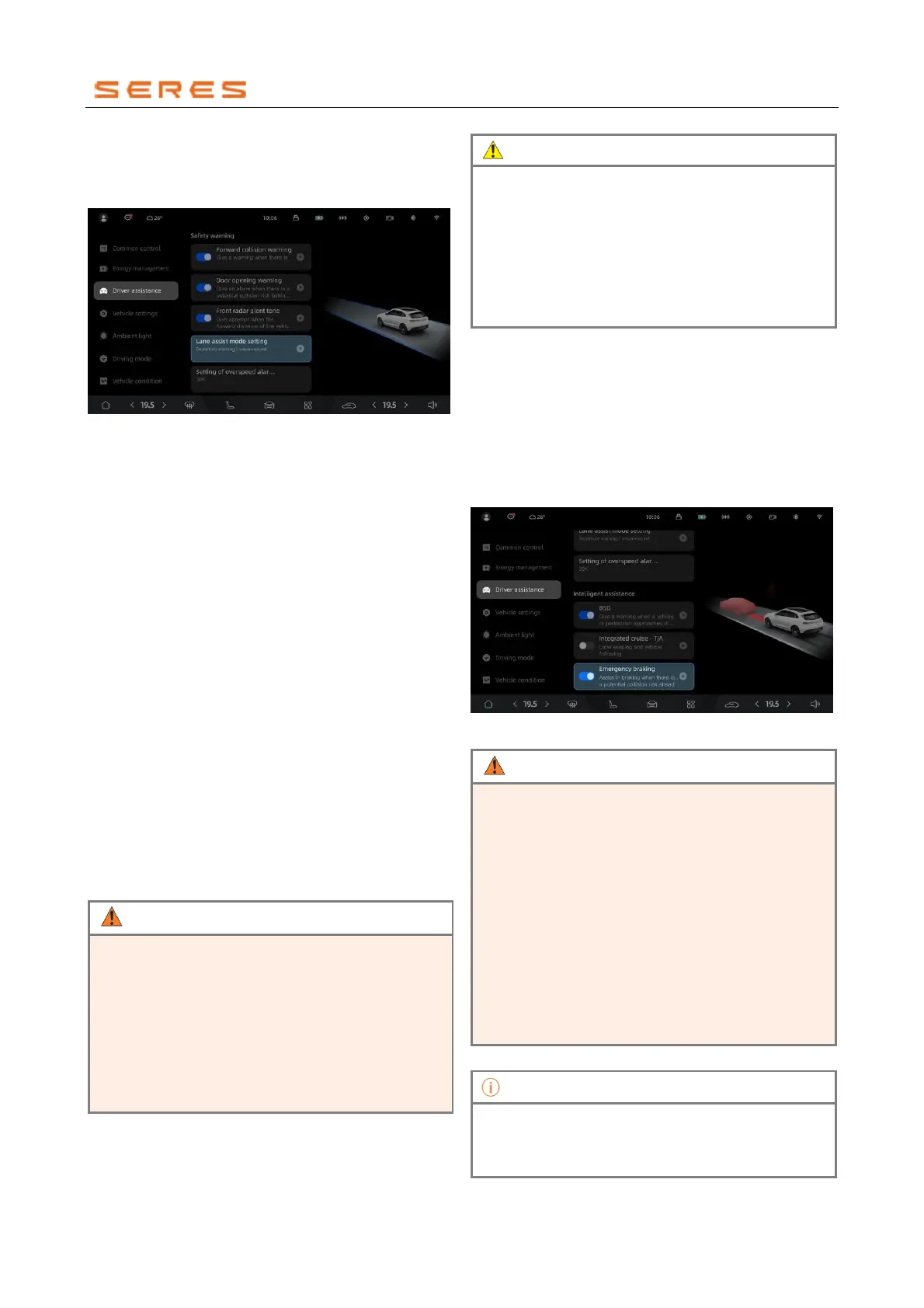
Activate or Deactivate LAS
In the central control screen, enter the Vehicle Setting >
Driving assistance, and choose different Lane Departure
Warning modes:
* The image is for reference only; please refer to the actual
product
● Warning: When the vehicle deviates from the lane,
LAS only provides a warning alert without
automatically correcting the vehicle.
● Warning + Correction: When the vehicle deviates from
the lane, LAS issues a warning alert. If the driver does
not effectively control the vehicle to return to the lane
after the warning, LAS will automatically correct the
vehicle back to the lane.
● Off: Turn off Lane Departure Warning and Assistant.
Limitations of LAS
The Lane Departure Warning system may not operate
normally in all driving conditions, weather conditions, traffic
situations, or road conditions.
The Lane Departure Warning function cannot be used in
the following conditions:
● The Turn signal indicator lamp is on.
● The Vehicle Stability Control System (ESC) is active
or deactivated.
● Excessive braking force is applied.
● The vehicle speed is less than 60 km/h.
● Lane markings are obstructed, unclear, or missing.
● The camera is severely dirty, covered in a lot of ice, or
obstructed (e.g., covered with adhesive).
● Inclement weather conditions are encountered (such
as heavy rain, sunset, etc.).
• This function is only intended to issue alerts and
assist steering when the vehicle unintentionally
deviates from the lane. Drivers should not fully rely
on this system, even when the lane departure
warning system is enabled. The driver remains
responsible for driving.
• Do not obstruct the camera area of the interior
rearview mirror with objects (such as stickers).
• The camera must always be kept clean and free of
ice and snow to ensure its proper functioning.
• Throughout the driving process, such as
maintaining lane discipline, drivers remain
responsible for driving even if the lane departure
warning system is activated. The driver cannot
fully rely on this system to monitor all situations.
• Always pay attention to traffic conditions and road
conditions around the vehicle.
• Adjust the vehicle speed according to traffic
conditions.
Emergency braking
The Autonomous Emergency Braking (Autonomous
Emergency Braking abbreviated as AEB) function,
operates through the forward-facing camera and front
millimeter-wave radar. When there is a collision risk, the
system engages in emergency braking.
Activate or Deactivate AEB
In the central control screen, go to Vehicle Setting >
Driving assistance, and activate or deactivate the
Emergency Braking.
* The image is for reference only; please refer to the actual
product
• Emergency braking cannot guarantee the
avoidance of collisions in all conditions. The driver
must maintain control of the vehicle at all times
and is fully responsible for the vehicle.
• Do not arbitrarily disable the Emergency Braking
function, as this assistant feature will not intervene
in the event of a collision risk with the preceding
vehicle or pedestrians.
• Heavy rain, water mist, ice, or mud may reduce
the performance of radar sensors. Keep the
surface of the radar sensors clean to ensure their
normal operation.
• In open areas, tunnels, construction sites, or
parking lots, radar sensors may not function
properly.
• Disabling the Emergency Braking function only
applies to the current journey. When the vehicle is
powered on again, the Emergency Braking
function will automatically re-enable.



 To Next Page