• When the vehicle speed is between 4 km/h and 85
km/h, in the event of a danger where the driver
does not apply sufficient braking or does not apply
brakes at all, the system assists the driver by
applying brakes or increasing braking force to
avoid or reduce collisions. Visual reminders are
displayed on the instrument display screen.
Forward Collision Warning
The Forward Collision Warning (Forward Collision
Warning, abbreviated as FCW) function operates through
the forward-facing camera and front millimeter-wave radar.
It is designed to alert the driver to take evasive action to
avoid obstacles in the front and prevent traffic accidents.
Function Introduction
When the system detects a collision risk with an object in
the front, it will alert the driver through the instrument
display screen, warning sounds, and brake point
deceleration reminders.
* The image is for reference only; please refer to the actual
product
The instrument display screen warning is as shown in the
diagram below:
* The image is for reference only; please refer to the actual
product
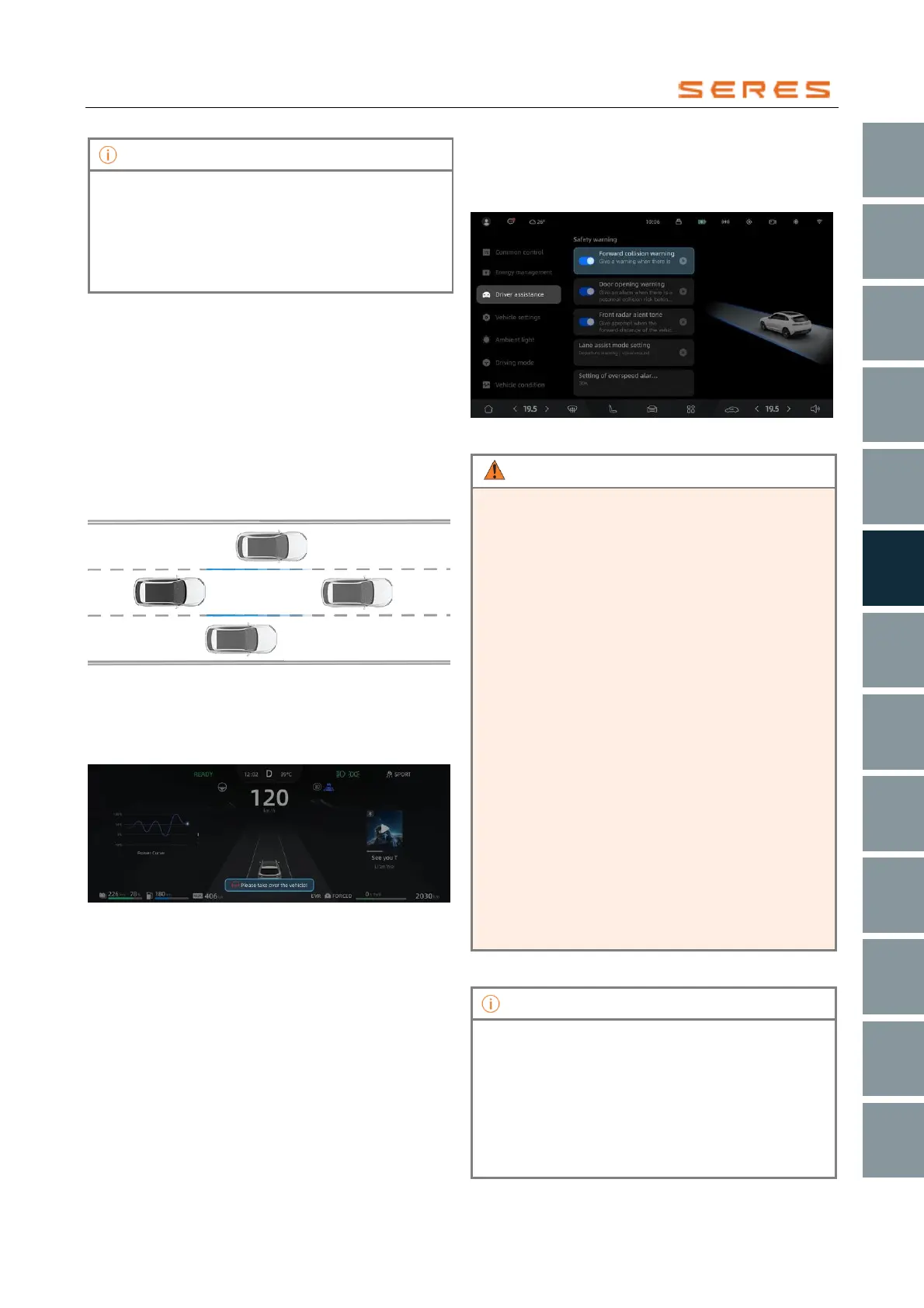
Activate or Deactivate FCW
Access the vehicle setting on the central control screen >
Driver assistance, and activate or deactivate Forward
Collision Warning.
* The image is for reference only; please refer to the actual
product
• This function is only intended to assist the driver in
operating the vehicle and cannot completely
replace the driver's control of the vehicle. The
driver always bears full responsibility for safely
operating the vehicle, including constant
observation of the surrounding environment and
vehicle conditions to prevent traffic accidents.
• If the Forward Collision Warning function issues
an alert, the driver must step on the brake pedal to
reduce speed or steer to avoid obstacles based on
the actual road conditions.
• Heavy rain, water mist, ice, or mud may reduce
the performance of radar sensors. Keep the
surface of the radar sensors clean to ensure their
normal operation.
• In open areas, tunnels, construction sites, or
parking lots, radar sensors may not function
properly.
• The installation of radar sensors requires
calibration using specializedDriver’s Tool. Do not
disassemble them without authorization.
• In the process of actual use of the vehicle, the
Forward Collision Warning function may be
influenced by various factors. Therefore, always
pay attention to the surrounding driving
environment and prioritize driving safety while
operating the vehicle.
• Disabling the Forward Collision Warning function
only applies to the current journey. When the
vehicle is powered on again, the Forward Collision
Warning function will automatically re-enable.
• When the vehicle speed reaches 30 km/h or
above, the system detects a potential collision risk
with other moving vehicles or stationary objects
and alerts the driver through auditory and visual
notifications.



 To Next Page