Doc# E166703 8-8
8: Using Ethernet Communication
Electro Industries/GaugeTech
The Leader In Power Monitoring and Smart Grid Solutions
Electro Industries/GaugeTech
The Leader In Power Monitoring and Smart Grid Solutions
Electro Industries/GaugeTech
The Leader In Power Monitoring and Smart Grid Solutions
8.3.3: Detailed Configuration Parameters
Certain parameters must be configured before the Ethernet interface can function on
a network. The following procedure can be locally or remotely configured.
Use a Telnet connection to configure the MP200 unit over the network. The Ethernet
interface's configuration is stored in meter memory and is retained without power.
The configuration can be changed at any time. The Ethernet interface performs a
reset after the configuration has been changed and stored.
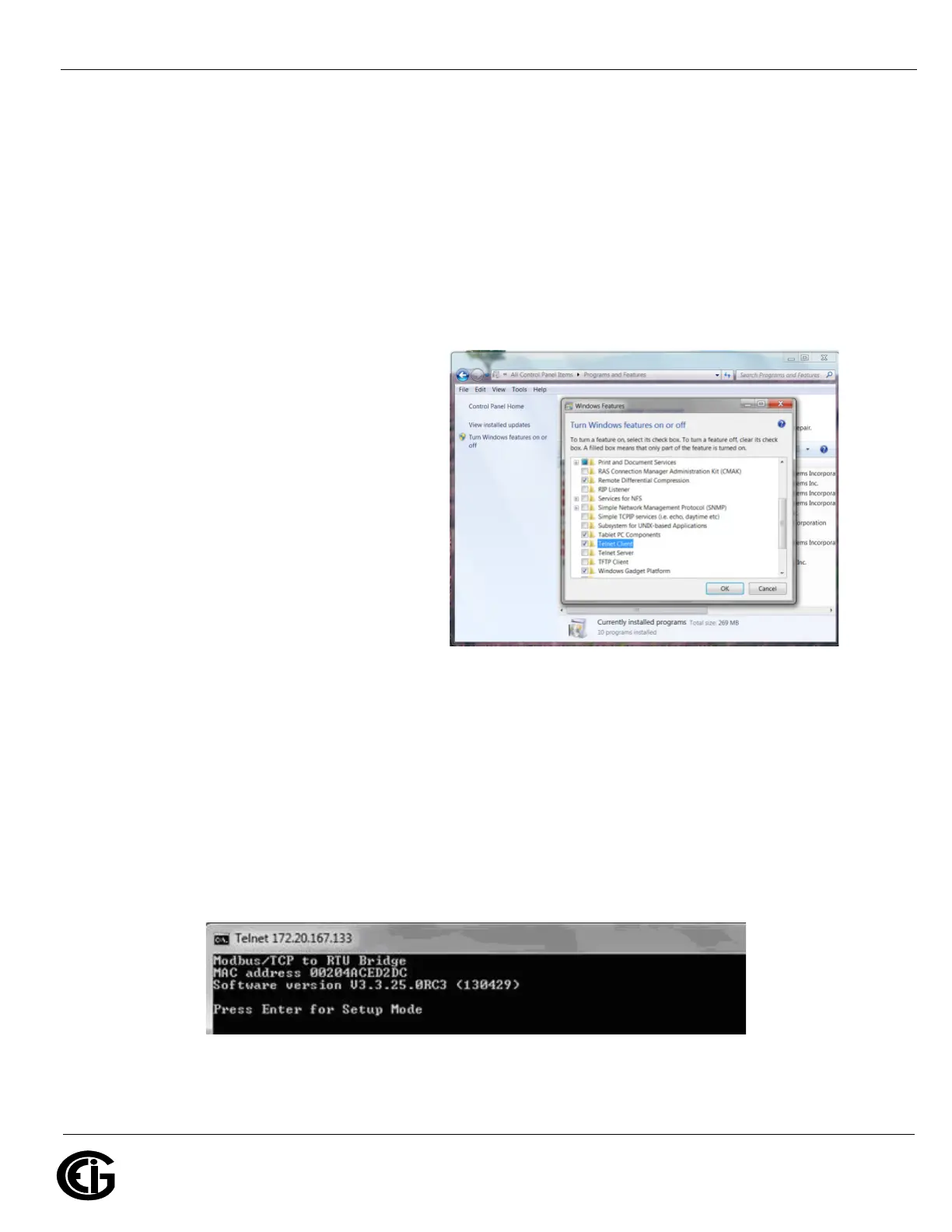
NOTE: If your PC is running the
Windows® 7 Operating System,
you need to enable Telnet before
using it.
1. Open the Control Panel.
2. Select Programs and Features.
3. Select Turn Windows features
on or off.
4. Check the box for Telnet Client.
5. Click OK. The Telnet client is
now available.
Establish a Telnet connection to port 9999:
1. From the Windows Start menu, click Run and type 'cmd'.
2. Click the OK button to bring up Windows Command Prompt window.
3. In the Command Prompt window, type:
telnet 10.0.0.1 9999 and press the Enter key.
NOTE: Make sure to include a space between the IP address and 9999.
You will see the following information.
4. Press Enter.



 To Next Page