Doc# E166703 10-20
10: Using the Optional Display
Electro Industries/GaugeTech
The Leader In Power Monitoring and Smart Grid Solutions
Electro Industries/GaugeTech
The Leader In Power Monitoring and Smart Grid Solutions
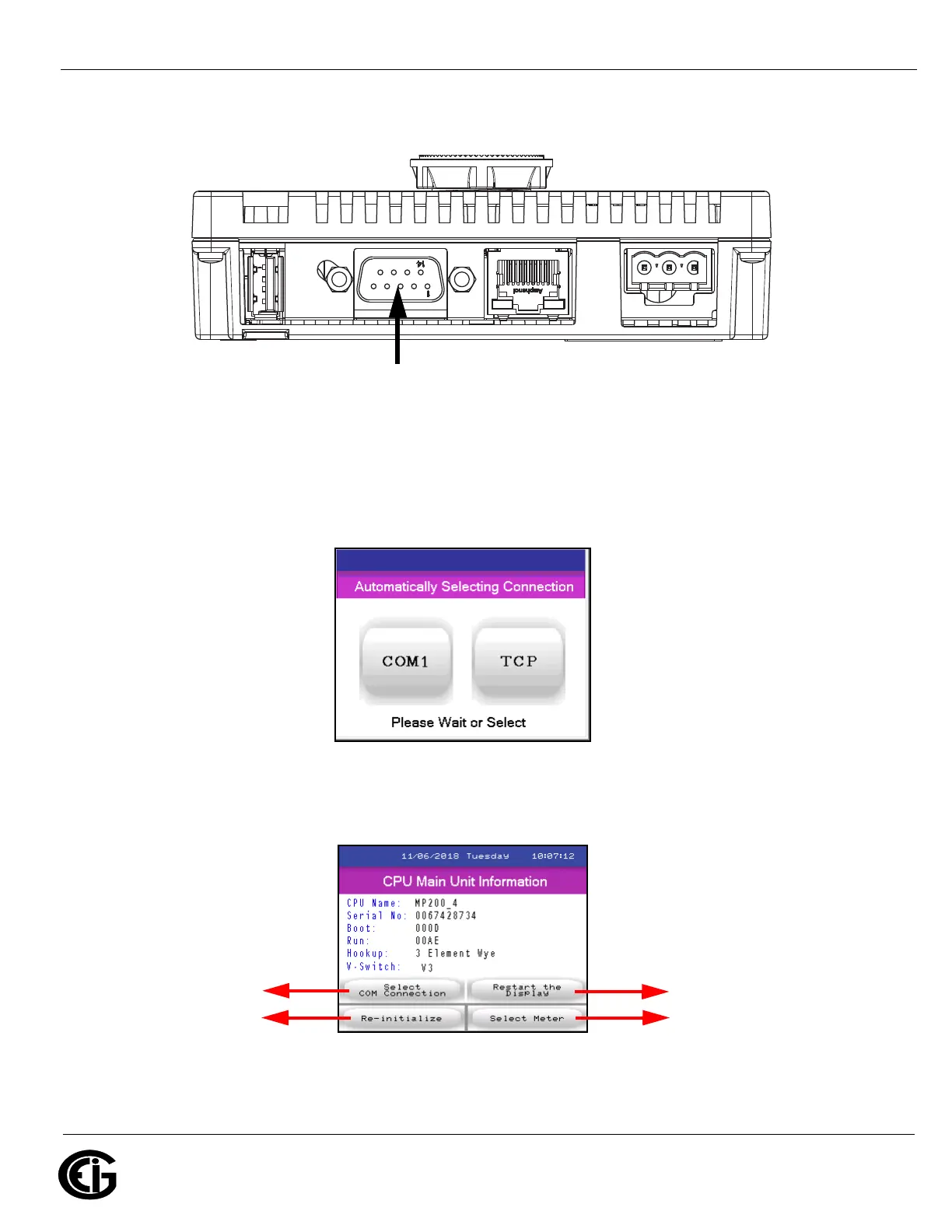
2. Connect the MP200 unit’s Com 3 to the MDLN/MDSN display’s 9-pin RS485
connection, at the bottom of the display.
Figure 10.11: Display’s RS485 Connection
3. Plug in the display. The display will show messages as it boots up. You will then see
the screen below. You can either click the COM 1 button or else wait for the display
to select the RS485 connection automatically.
4. The display will initialize and then show the first screen, which lists information
about the MP200 unit. An example screen is shown below. Continue to 10.7: Dis-
play Screens, on page 10-24.
Display’s 9-pin
RS485 Connection
Reboots display
Continues to meter
Displays the
selection
connection screen
Initializes settings
from meter



 To Next Page