I
Setting
the
clock
on a
12-hour
AM/PM
basis
1. Press I SHIFT I ICLOCK I.
rUE 11 1I'
91
~
1f/i0:00
I
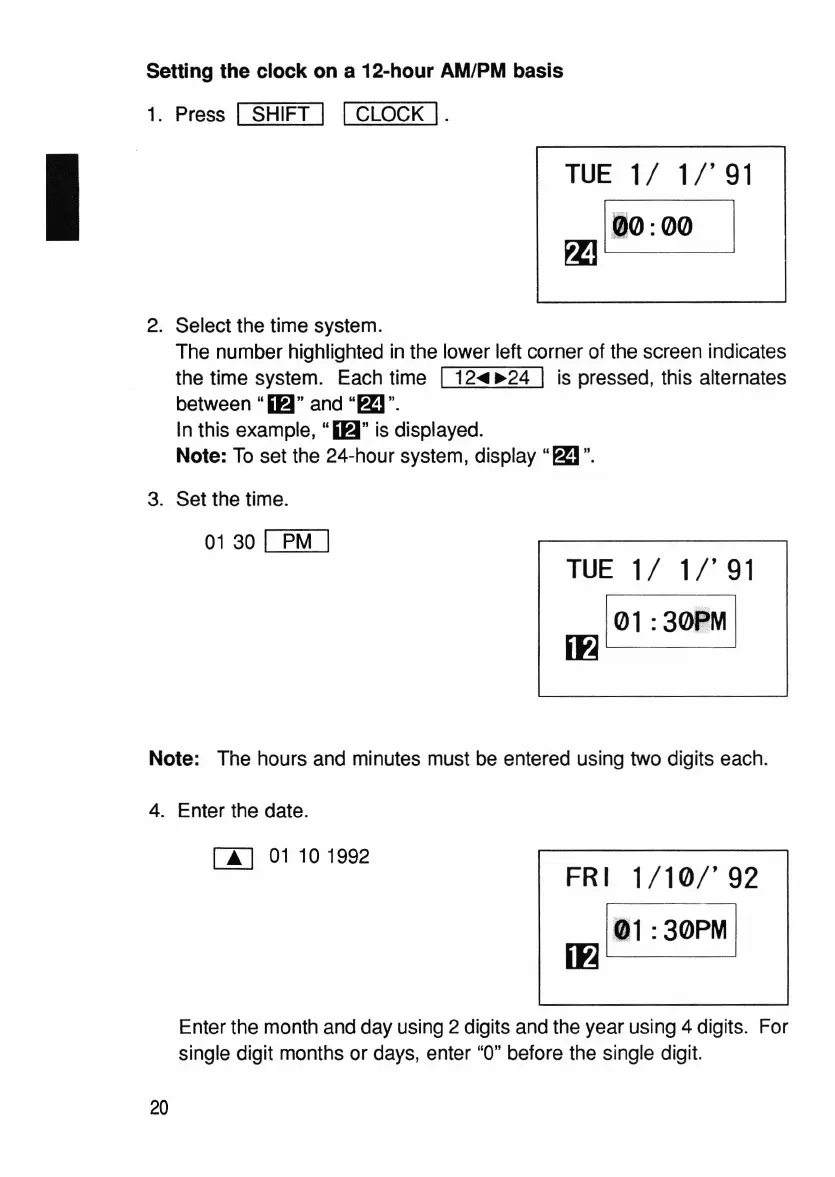
2. Select the time system.
The number highlighted in the lower left corner of the screen indicates
the time system. Each time
I 12...
~24
I is pressed, this alternates
between
"16" and
"~"
.
In this example, "16" is displayed.
Note: To set the 24-hour system, display
"~".
3. Set the time.
01 30
[:EM]
rUE 11
1/'
91
m
l01
:
30PM
I
Note: The hours and minutes must be entered using two digits each.
4. Enter the date.
rn
01
101992
FRI
1/10/'92
m
101:30PM
I
Enter the month and day using 2 digits and the year using 4 digits. For
single digit months or days, enter "0" before the single digit.
20



 To Next Page