2. Select the data transfer function on the transmitter and perform backup
data transfer.
I SHIFT I IOPTION I I SHIFT I 1 Y
Verifying data
It is possible to verify data by mode or by data item. If any discrepancies
are found, the message "VERIFY ERROR" is displayed.
Verify data in the SCHEDULE mode.
1. Select the mode on the transmitter and the receiver.
ISCHEDULE I IC'CE I (Transmitter)
ISCHEDULE I (Receiver)
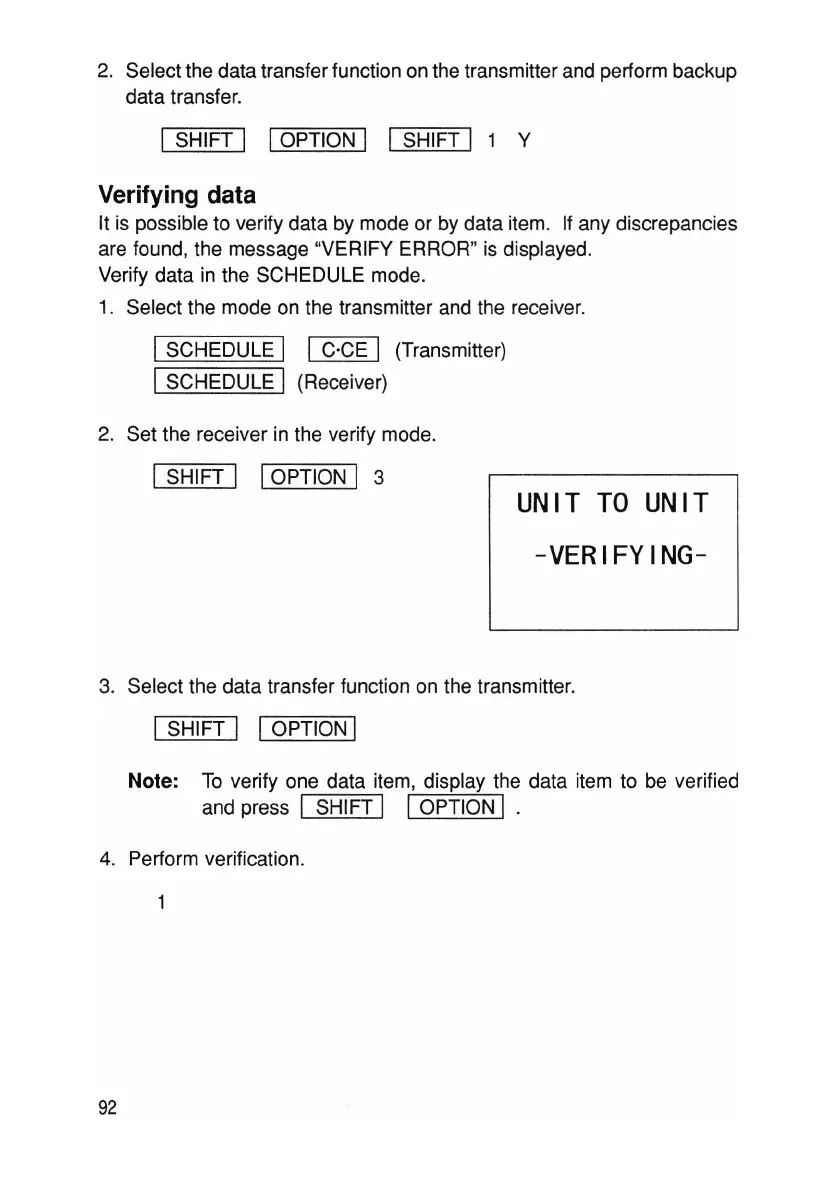
2. Set the receiver in the verify mode.
ISHIFT I IOPTION I 3
UNIT
TO
UNIT
-VERIFYING-
3. Select the data transfer function on the transmitter.
ISHIFT I IOPTION I
Note: To verify one data item, display the data item to be verified
and press I SHIFT I IOPTION I .
4. Perform verification.
92



 To Next Page