31
6.2.4 Auxiliary function setting mode 2
In the PV/SV display mode, if the
key is pressed for approx. 3 seconds while
holding down the
and keys, the unit will proceed to Auxiliary function setting
mode 2.
The set value can be increased or decreased using the
, and keys.
Pressing the
key registers the set value, and proceeds to the next setting item.
If the
key is pressed at the last setting item, the set value will be registered and the
unit will revert to the PV/SV display mode.
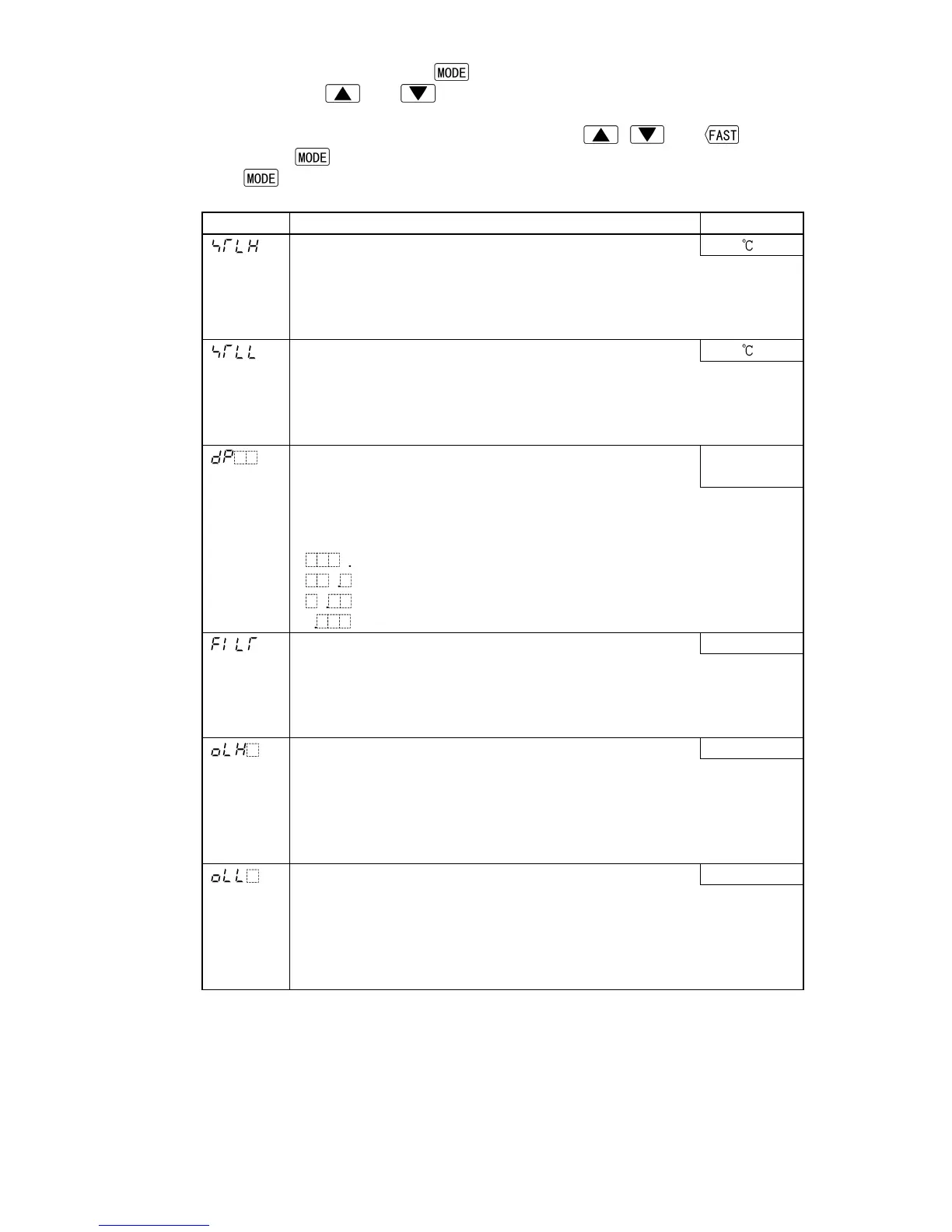
Character Name, Function, Setting range Default value
Scaling high limit 1370
• Sets scaling high limit value.
If scaling high limit value is changed, SV high limit also alters to the
scaling high limit value.
• Setting range: Scaling low limit to Input range high limit value
Scaling low limit –200
• Sets scaling low limit value.
If scaling low limit value is changed, SV low limit also alters to the
scaling low limit value.
• Setting range: Input range low limit to scaling high limit value
Decimal point place
• Selects the decimal point place.
No decimal
point
• Not available if RTD or thermocouple is selected during Sensor input
selection
• Selection item:
(No decimal point)
(1 digit after the decimal point)
(2 digits after the decimal point)
(3 digits after the decimal point)
PV filter time constant 0.0 sec
• Sets PV filter time constant.
However, if the set value is set too large, it affects control result due to
the delay of response.
• Setting range: 0.0 to 10.0 sec
OUT1 high limit 100%
• Sets the high limit value for OUT1.
• Not available if ON/OFF control is selected during Control action
selection
• Setting range: OUT1 low limit value to 100%
(DC current output: OUT1 low limit value to 105%)
OUT1 low limit 0%
• Sets low limit value for OUT1.
• Not available if ON/OFF control is selected during Control action
selection
• Setting range: 0% to OUT1 high limit value
(DC current output: –5% to OUT1 high limit value)



 To Next Page