33
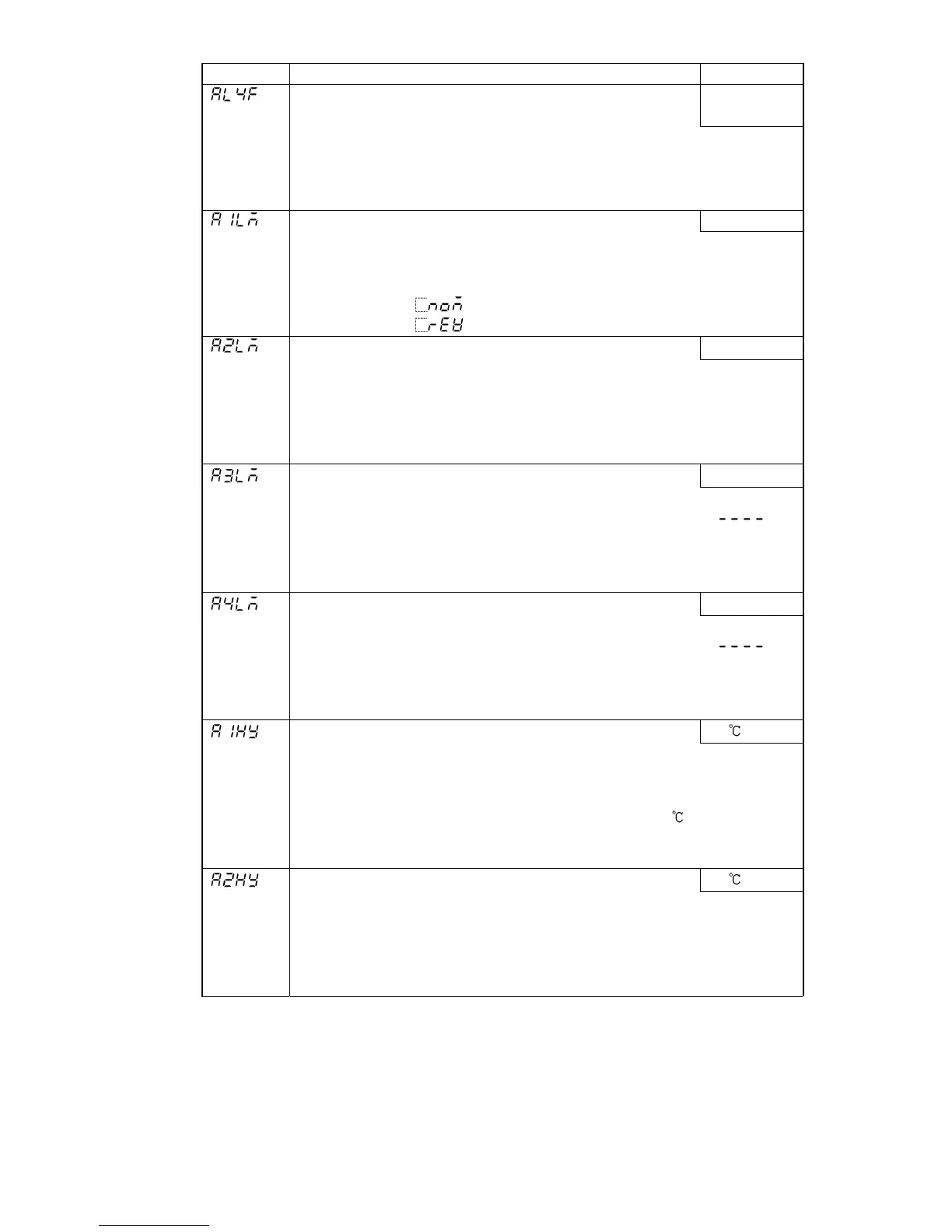
Character Name, Function, Setting range Default value
A4 type
• Selects an Alarm 4 (A4) type.
No alarm
action
Note: If an alarm type is changed, the alarm set value becomes
0 (0.0).
• Available only when SA option (A3, A4 output) is added
• Selection items are the same as those of Alarm 3 (A3) type selection.
A1 action Energized/De-energized Energized
• Selects A1 action Energized/De-energized.
• Not available if Rotary switch is set to No.0 or No.7 during A1 type
selection.
• Selection item:
(Energized)
(De-energized)
A2 action Energized/De-energized
Energized
• Selects A2 action Energized/De-energized.
• Not available if A2 option is not added or if Rotary switch is set to No.0
or No.7 during A2 type selection even if A2 option is added
• Selection items are the same as those of A1 action Energized/
De-energized selection.
A3 action Energized/De-energized
Energized
• Selects A3 action Energized/De-energized.
• Not available if SA option (A3, A4 output) is not added, or if [
] is
selected during Alarm 3 type selection even if SA option is added
• Selection items are the same as those of A1 action Energized/
De-energized selection.
A4 action Energized/De-energized
Energized
• Selects A4 action Energized/De-energized.
• Not available if SA option (A3, A4 output) is not added, or if [
] is
selected during Alarm 4 type selection even if SA option is added
• Selection items are the same as those of A1 action Energized/
De-energized selection.
A1 hysteresis
1.0
• Sets A1 hysteresis.
• Not available if Rotary switch is set to No.0 or No.7 during A1 type
selection
• Setting range: Thermocouple, RTD input: 0.1 to 100.0
DC input: 1 to 1000 (The placement of the decimal point
follows the selection.)
A2 hysteresis
1.0
• Sets A2 hysteresis.
• Not available if A2 option is not added
Not available if Rotary switch is set to No.0 or No.7 during A2 type
selection even if A2 option is added
• Setting range: The same as those of the A1 hysteresis setting.



 To Next Page