32
Character Name, Function, Setting range Default value
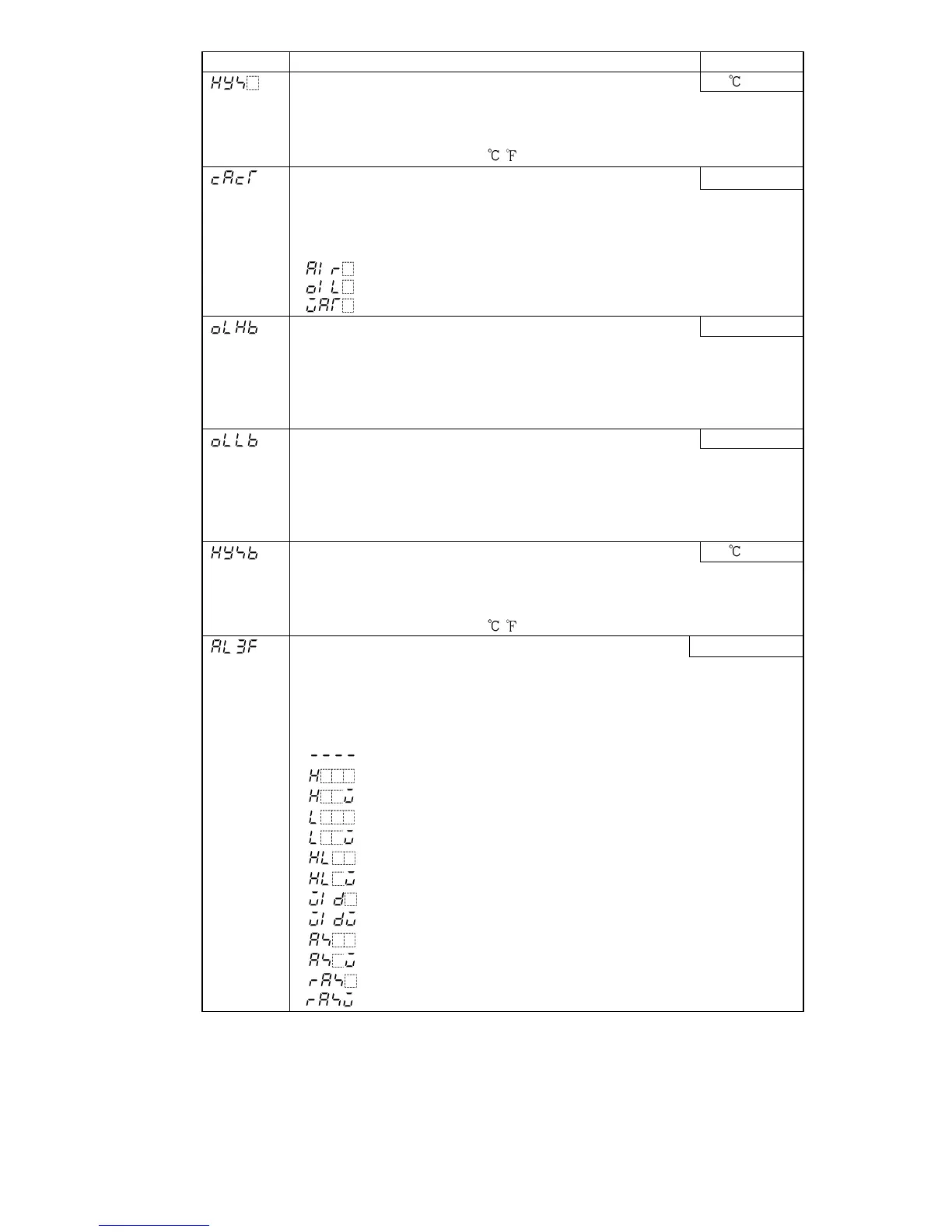
OUT1 ON/OFF hysteresis 1.0
• Sets ON/OFF hysteresis for OUT1.
• Available only when ON/OFF control is selected during Control action
selection
• Setting range: 0.1 to 100.0
( )
OUT2 action mode
Air cooling
• Selects OUT2 action from a choice of: Air cooling, oil cooling and water
cooling.
• Available only when Heating/Cooling control (DR, DS, DA option) is added
• Selection item:
(Air cooling, linear characteristic)
(Oil cooling, 1.5th power of the linear characteristic)
(Water cooling, 2nd power of the linear characteristic)
OUT2 high limit 100%
• Sets the high limit value for OUT2.
• Not available if Heating/Cooling control (DR, DS, DA option) is not
added, or if OUT2 is ON/OFF control
• Setting range: OUT2 low limit value to 100%
(DC current output: OUT2 low limit value to 105%)
OUT2 low limit 0%
• Sets the low limit value for OUT2.
• Not available if Heating/Cooling control (DR, DS, DA option) is not
added, or if OUT2 is ON/OFF control
• Setting range: 0% to OUT2 high limit value
(DC current output: –5% to OUT2 high limit value)
OUT2 ON/OFF hysteresis 1.0
• Sets ON/OFF hysteresis for OUT2.
• Not available if Heating/Cooling control (DR, DS, DA option) is not
added, or if OUT2 is PID or PD control
• Setting range: 0.1 to 100.0
( )
A3 type No alarm action
• Selects an Alarm 3 (A3) type.
Note: If an alarm type is changed, the alarm set value becomes 0(0.0).
• Available only when SA option (A3, A4 output) is added
• Default: No alarm action
• Selection item
: No alarm action
: High limit alarm
: High limit alarm with standby
: Low limit alarm
: Low limit alarm with standby
: High/Low limits alarm
: High/Low limits alarm with standby
: High/Low limit range alarm
: High/Low limit range alarm with standby
: Process high alarm
: Process high alarm with standby
: Process low alarm
: Process low alarm with standby



 To Next Page