40
8 Operation
After the controller is mounted to the control panel and wiring is completed, operate
the unit following the procedures below.
8.1 When using the FCD-13A as a Temperature controller
(1) Turn the power supply to the FCD-13A ON.
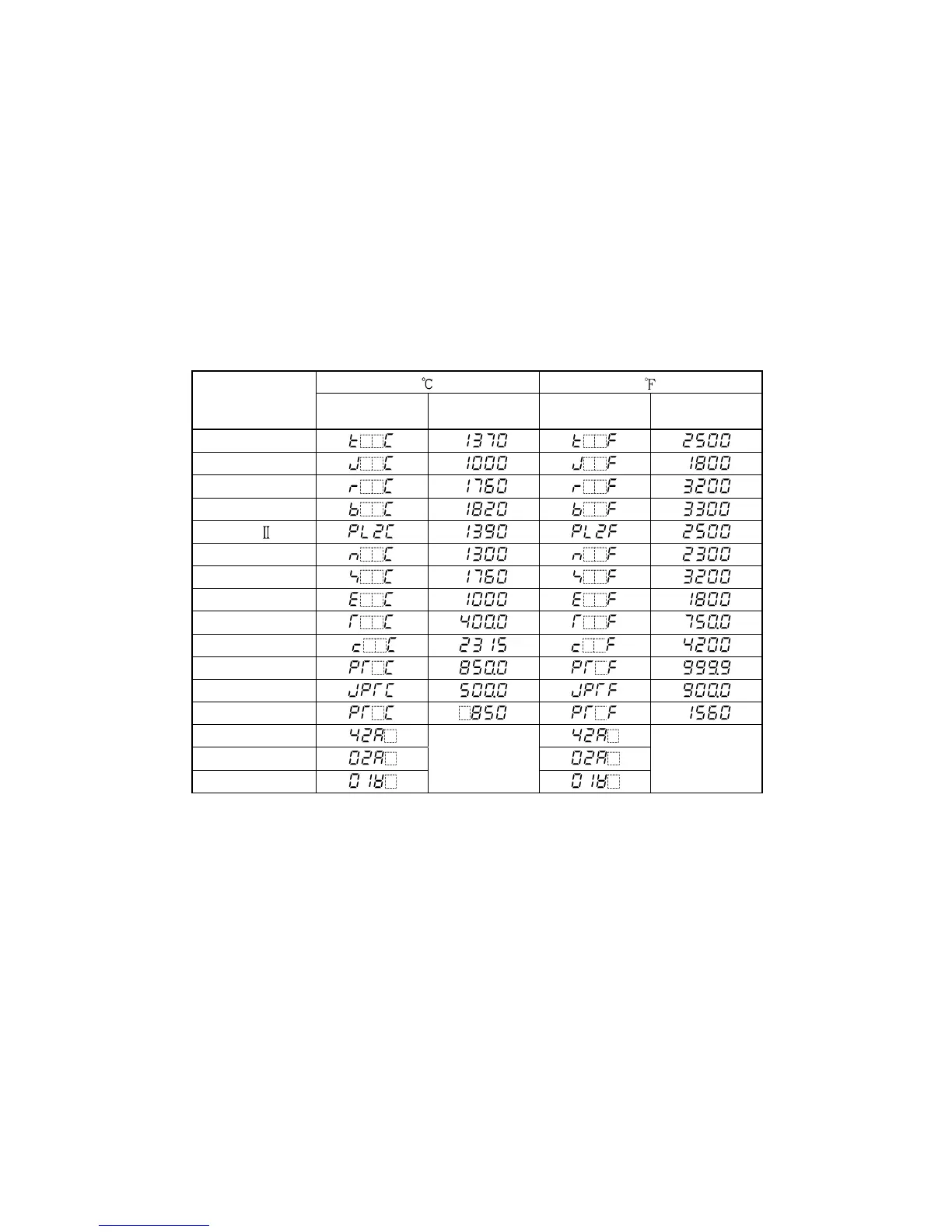
For approx. 2sec after power-on, the sensor characters and the temperature unit
selected during Sensor input selection will be indicated on the PV display, and input
range high limit value or Scaling high limit value will be indicated on the SV/MV/TIME
display. See (Table 8.1-1).
During this time, all outputs and LED indicators are in OFF status.
After that, control starts indicating PV on the PV display and SV on the SV/MV/TIME
display.
When the Control output OFF function is working, the item selected during the
[Indication when control output OFF] mode is indicated on the PV display.
(Table 8.1-1)
Input
PV display
SV/MV/TIME
display
PV display
SV/MV/TIME
display
K
J
R
B
PL-
N
S
E
T
C(W/Re5-26)
Pt100
JPt100
Pt100
4 to 20mA DC
Scaling high
limit value
Scaling high
limit value
0 to 20mA DC
0 to 1V DC
(2) Input each set value.
Refer to Section “6. Settings”.
When controlling by Fuzzy self-tuning PID action, select ”Perform” during the
“AT Perform/Cancel” mode to start control in optimal conditions.
(3) Turn the load circuit power ON.
Control action starts so as to keep the control target at the SV (desired value).



 To Next Page