60
13 Troubleshooting
If any malfunctions occur, refer to the following items after checking the power and
the wiring.
Warning
Turn the power supply to the instrument off before wiring or checking.
Working or touching the terminal with the power switched on may result in
severe injury or death due to Electric Shock.
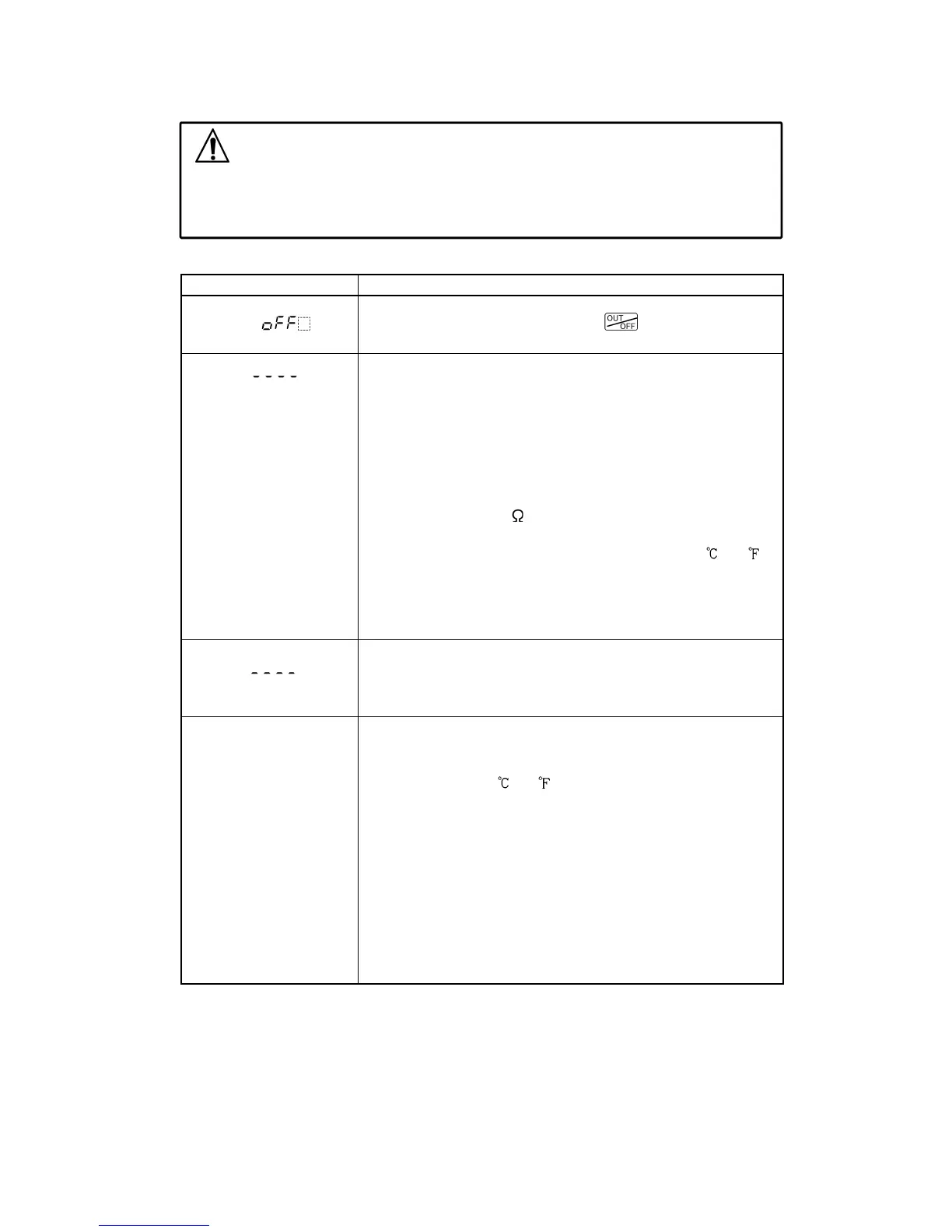
<Indication>
Problem Presumed cause and solution
The PV display is
indicating [ ], no
indication or only PV.
• Control output OFF function is working.
To release the function, press the key for approx.
1 sec.
The PV display is
flashing [
].
• Thermocouple or RTD is burnt out.
Change each sensor.
[In the case of thermocouple]
If the input terminals of the instrument are shorted, and
if a value around room temperature is indicated, the
instrument is likely to be operating normally, however,
the sensor may be burnt out.
[In the case of RTD]
If approximate 100
of resistance is connected to the
input terminals between A-B of the instrument and
between B-B is shorted, and if a value around 0
(32 )
is indicated, the instrument is likely to be operating
normally, however, the sensor may be burnt out.
• Check whether the lead wire of thermocouple or RTD
is securely mounted to the instrument input terminals.
The PV display is
flashing [ ].
• Check if polarity of thermocouple or compensating lead
wire is correct.
• Check whether codes (A, B, B) of RTD match with the
instrument terminals.
The indication of the
PV display is irregular
or unstable.
• Selection of the Sensor input is incorrect.
Set the Sensor input properly using Rotary switch (SW303)
and the DIP switch (SW304).
• Temperature unit (
or ) is not correct.
Set it to a suitable unit with the DIP switch.
• Sensor correction value is not suitable.
Set it to a suitable value.
• Specification of the Thermocouple or RTD is improper.
• AC leaks into thermocouple or the RTD circuit.
Use an ungrounded type sensor.
• There may be equipment that interferes with, or makes
noise near the controller.
Keep equipment that interferes with or makes noise away
from the controller.



 To Next Page