Getting Started Call Appearance Buttons
1
ShoreTel IP Phone 420 User Guide 8
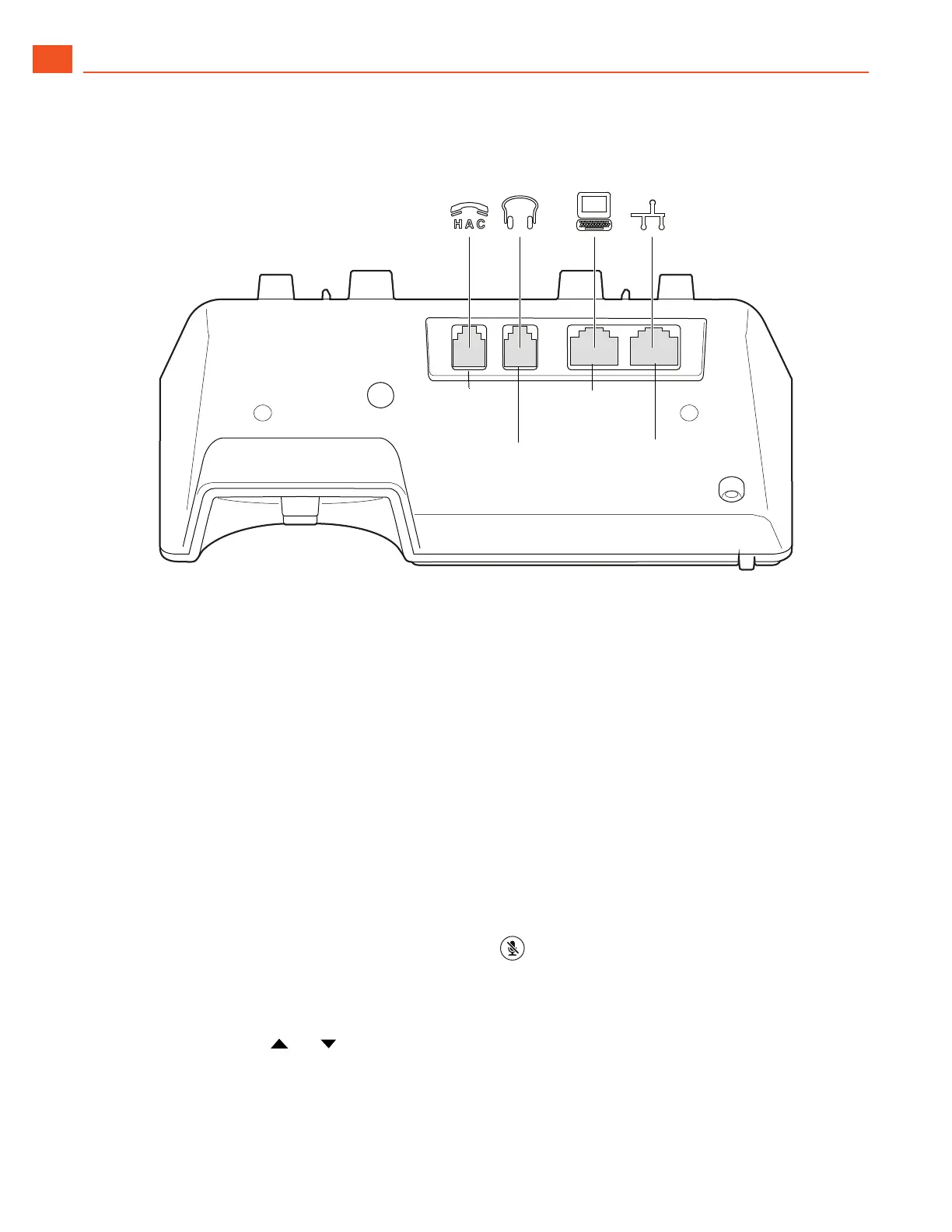
Figure 2: Ports on the Back of the IP Phone 420
Call Appearance Buttons
Your phone features two call appearance buttons that show incoming, active, or held calls. You cannot
program these buttons for other functions.
Reducing Glare on the Phone’s Screen
If glare makes it difficult to see your phone’s display screen, you can adjust the tilt angle of the stand
on the back of your phone. Detailed instructions are provided in the Quick Install Guide packaged with
your phone.
Adjusting the Display Contrast
1. With the phone on hook, press and hold the button.
The LED should not light and you shouldn't hear any tones; if this isn't the case, lift and replace the
handset.
2. Press the or key on the navigation key pad to increase or decrease contrast.
Handset
port
Headset
port
Network
port
PC port



 To Next Page