System overview
3.6 Menu-based operation
3UG4 / 3RR2 monitoring relays
Manual, 05/2016, NEB927043002000/RS-AC/004
41
Menu levels "RUN" and "SET"
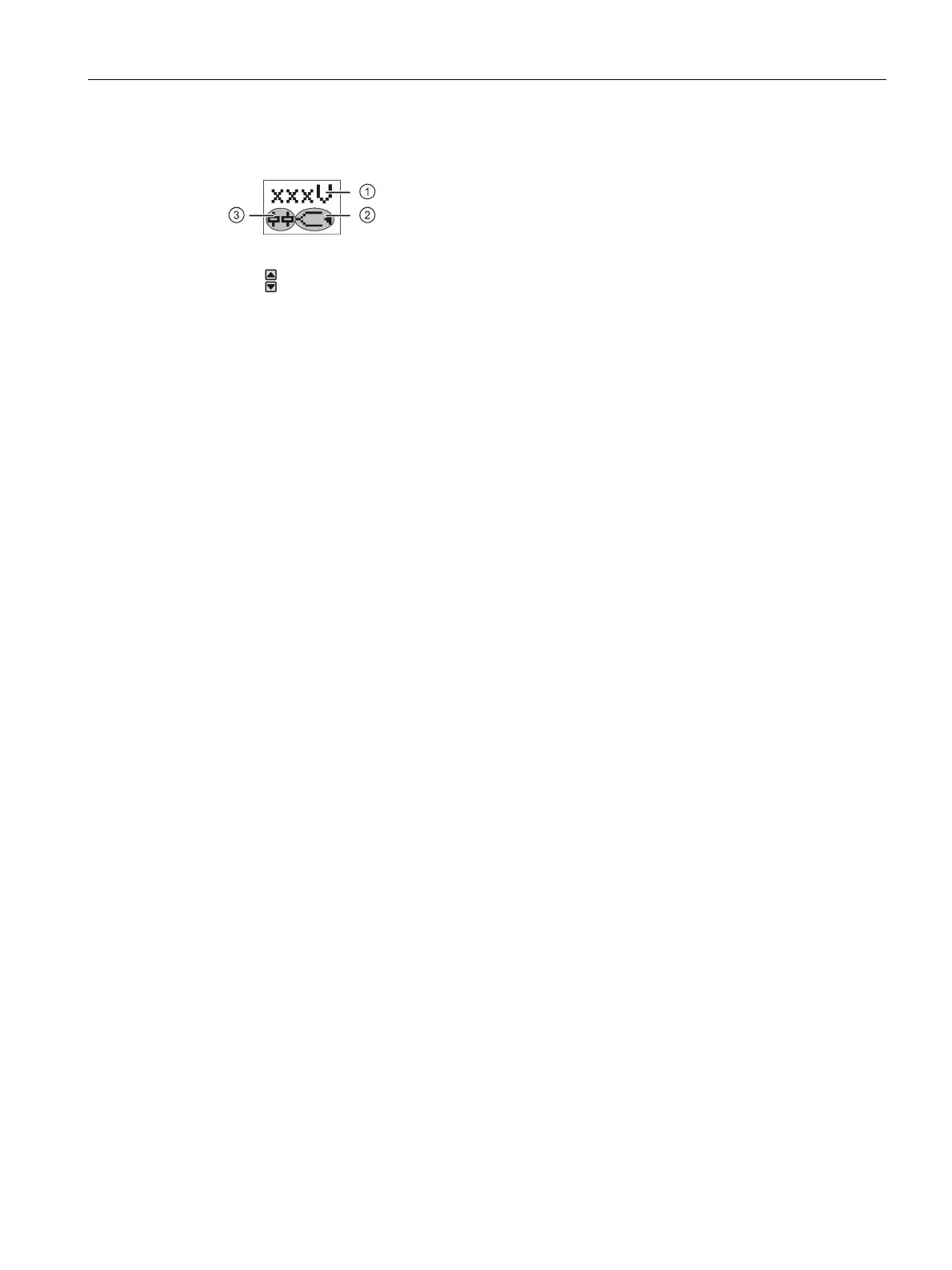
The RUN menu shows the up-to-date current measured value ①. You can use the arrow
keys
to change between the individual measuring values on devices with multiple outputs.
In this case, the display automatically switches between the name of the measured value
and the actual measured value.
② represents the selected type of monitoring (overshoot, undershoot, or range monitoring).
An arrow symbol indicates whether the measuring value is within, above or below the set
thresholds.
Next to this, one or two symbols
③ represent the type (changeover contact or
semiconductor output) and the switching status of the outputs.



 To Next Page