4 Bearing to next routepoint
5 Bearing line with allowed off course limit
When travelling on a route the bearing line shows the
intended course from one waypoint towards the next.
When navigating towards a waypoint (cursor position, MOB
or an entered lat/lon position), the bearing line shows the
intended course from the point at which navigation was
started towards the waypoint.
6 Vessel symbol
Indicates distance and bearing relative to the intended
course.
If the XTE (Cross Track Error) exceeds the defined XTE limit,
this is indicated with a red arrow including the distance
from the track line. Refer to "XTE limit" on page 55.
Data Fields
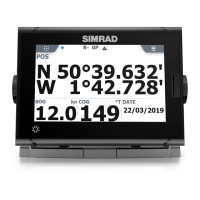
The Nav panel offers the following information:
DTD Distance to destination
SOG Speed over ground
COG Course over ground
TTD Time to destination
Navigate to cursor position
You can start navigating to a cursor position on any chart, or
Echosounder panel.
Position the cursor at the selected destination on the panel, and
then select the Goto Cursor option in the menu.
Ú
Note: The Goto Cursor menu option is not available if you
are already navigating.
Navigate a route
You can start navigating a route from the chart panel or from the
Route dialog.
52
Navigating | GO7 Operator Manual



 To Next Page